EasyManua.ls Logo

ACU-RITE 06086 - User Manual

ACU-RITE 06086
28 pages
Print Icon
To Next Page IconTo Next Page
Loading...
Instruction Manual
SAVE THIS MANUAL FOR FUTURE REFERENCE.
CONTENTS
Unpacking Instructions ........... 2
Package Contents .................. 2
Product Registration ............... 2
Wi-Fi Setup ............................ 3
Features & Benets: Display .... 5
Setup .................................... 8
Display Setup ........................ 8
Placement Guidelines ............. 9
Set the Time, Date & Units .....10
Backlight Settings ..................10
Using the Weather Center ..... 11
Programmable Alarms ........... 12
Troubleshooting ....................13
Care & Maintenance ............. 15
Specications ........................16
FCC Information ...................16
Customer Support .................17
Warranty..............................17
Professional Weather Display
model 06086
Questions? Contact Customer Support at
www.AcuRite.com/support or email support@chaney-inst.com
This product requires an AcuRite 5-in-1 Weather Sensor
(sold separately) to be operational.

Questions and Answers

Summary

Initial Setup and Registration

Unpacking Instructions

Steps to prepare the device for first use by removing protective film.

Package Contents

Lists all items included in the product box for the weather display.

Product Registration

Guide to registering the product online for warranty service.

Connectivity and Online Services

Wi-Fi Setup for Weather Underground

Instructions for connecting the display to Weather Underground.

About Weather Underground

Explains the Weather Underground service and its benefits.

Display Back Panel

Display Back Components Overview

Identifies and describes the components on the back of the display unit.

Display Front Overview

Display Front Panel Components

Overview of the numbered components on the display's front panel.

Display Front Details

Detailed Front Component Descriptions

Provides specific explanations for each front component (1-25).

Display Setup

Display Unit Setup Procedures

Steps for setting up the display unit, including batteries and switches.

Placement for Accuracy

Display Unit Placement

Recommendations for placing the display unit for best performance.

Sensor Placement Guidelines

Critical guidelines for positioning the outdoor sensor accurately.

Configuration Settings

Set Time, Date & Units

How to configure the device's time, date, and measurement units.

Display Backlight Settings

Adjusting display brightness and auto-dim modes.

Operation Modes

Weather Center Operations

Explains forecasting modes, icons, moon phase, and records.

Programmable Alarms

Alarm Setup and Disable

Instructions for configuring and managing weather alarms.

Troubleshooting - Part 1

Sensor Reception and Forecast Issues

Solutions for sensor reception, forecast, and Wi-Fi connection problems.

Troubleshooting - Part 2

Data Upload and Sensor Readings

Troubleshooting for data upload, temperature/humidity, and wind readings.

Care and Maintenance

Display Unit Care

Proper cleaning and maintenance for the display unit.

Specifications and Compliance

Technical Specifications

Detailed technical data for the weather display.

FCC Compliance Information

Regulatory compliance details for the device.

Support and Warranty

Customer Support

Ways to contact customer support for assistance.

Limited 1-Year Warranty

Terms and conditions of the product's warranty.

5-in-1 Sensor Package

Sensor Package Contents

Lists the components included with the 5-in-1 sensor.

Sensor Product Registration

Guide to registering the sensor for warranty.

5-in-1 Sensor Features

Sensor Components Overview

Identifies and describes the parts of the 5-in-1 sensor.

5-in-1 Sensor Setup

Sensor Setup Procedures

Instructions for setting up the sensor, including batteries and switches.

5-in-1 Sensor Placement

Optimal Sensor Placement

Guidelines for positioning the sensor for accurate measurements.

5-in-1 Sensor Installation

Sensor Installation Steps

Detailed steps for installing the 5-in-1 sensor.

5-in-1 Sensor Calibration and Specs

Calibrate the Rain Gauge

Procedure to calibrate the sensor's rain gauge for accuracy.

Sensor Specifications

Technical data for the 5-in-1 sensor, including ranges and power.

AcuRite Access Setup

Access Package Contents

Lists items included with the AcuRite Access device.

Connecting the Access Device

Steps to connect the Access to your network and create an account.

AcuRite Access Troubleshooting

Access Connectivity Issues

Solutions for network connection and recognition problems.

Access Support Options

How to get help and contact support for the Access.

Summary

Initial Setup and Registration

Unpacking Instructions

Steps to prepare the device for first use by removing protective film.

Package Contents

Lists all items included in the product box for the weather display.

Product Registration

Guide to registering the product online for warranty service.

Connectivity and Online Services

Wi-Fi Setup for Weather Underground

Instructions for connecting the display to Weather Underground.

About Weather Underground

Explains the Weather Underground service and its benefits.

Display Back Panel

Display Back Components Overview

Identifies and describes the components on the back of the display unit.

Display Front Overview

Display Front Panel Components

Overview of the numbered components on the display's front panel.

Display Front Details

Detailed Front Component Descriptions

Provides specific explanations for each front component (1-25).

Display Setup

Display Unit Setup Procedures

Steps for setting up the display unit, including batteries and switches.

Placement for Accuracy

Display Unit Placement

Recommendations for placing the display unit for best performance.

Sensor Placement Guidelines

Critical guidelines for positioning the outdoor sensor accurately.

Configuration Settings

Set Time, Date & Units

How to configure the device's time, date, and measurement units.

Display Backlight Settings

Adjusting display brightness and auto-dim modes.

Operation Modes

Weather Center Operations

Explains forecasting modes, icons, moon phase, and records.

Programmable Alarms

Alarm Setup and Disable

Instructions for configuring and managing weather alarms.

Troubleshooting - Part 1

Sensor Reception and Forecast Issues

Solutions for sensor reception, forecast, and Wi-Fi connection problems.

Troubleshooting - Part 2

Data Upload and Sensor Readings

Troubleshooting for data upload, temperature/humidity, and wind readings.

Care and Maintenance

Display Unit Care

Proper cleaning and maintenance for the display unit.

Specifications and Compliance

Technical Specifications

Detailed technical data for the weather display.

FCC Compliance Information

Regulatory compliance details for the device.

Support and Warranty

Customer Support

Ways to contact customer support for assistance.

Limited 1-Year Warranty

Terms and conditions of the product's warranty.

5-in-1 Sensor Package

Sensor Package Contents

Lists the components included with the 5-in-1 sensor.

Sensor Product Registration

Guide to registering the sensor for warranty.

5-in-1 Sensor Features

Sensor Components Overview

Identifies and describes the parts of the 5-in-1 sensor.

5-in-1 Sensor Setup

Sensor Setup Procedures

Instructions for setting up the sensor, including batteries and switches.

5-in-1 Sensor Placement

Optimal Sensor Placement

Guidelines for positioning the sensor for accurate measurements.

5-in-1 Sensor Installation

Sensor Installation Steps

Detailed steps for installing the 5-in-1 sensor.

5-in-1 Sensor Calibration and Specs

Calibrate the Rain Gauge

Procedure to calibrate the sensor's rain gauge for accuracy.

Sensor Specifications

Technical data for the 5-in-1 sensor, including ranges and power.

AcuRite Access Setup

Access Package Contents

Lists items included with the AcuRite Access device.

Connecting the Access Device

Steps to connect the Access to your network and create an account.

AcuRite Access Troubleshooting

Access Connectivity Issues

Solutions for network connection and recognition problems.

Access Support Options

How to get help and contact support for the Access.

Overview

This document describes the AcuRite Professional Weather Display (model 06086) and the AcuRite 5-in-1 PRO+ Weather Sensor (model 06014), along with the AcuRite Access™ device.

AcuRite Professional Weather Display (Model 06086)

Function Description:

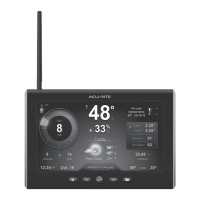
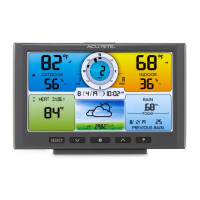
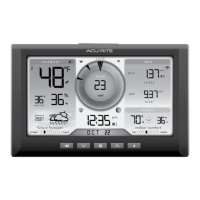
The AcuRite Professional Weather Display is a weather station display that provides real-time weather information, including outdoor and indoor temperature and humidity, wind speed and direction, rainfall, barometric pressure, and a 12 to 24-hour weather forecast. It features wireless internet connectivity to upload data to Weather Underground™ and offers programmable alarms for various weather conditions. The display is designed to be used with an AcuRite 5-in-1 Weather Sensor (sold separately).

Important Technical Specifications:

  • Display's Built-in Temperature Sensor Range: 32°F to 122°F (0°C to 50°C)
  • Display's Built-in Humidity Sensor Range: 1% to 99%
  • Operating Frequency: 433 MHz
  • Power: 5V power adapter (main source), 3 x AAA alkaline batteries (optional backup)
  • Data Reporting (Display): Indoor temperature & humidity: 60-second updates
  • Data Reporting (from sensor): Wind Speed: 18-second updates; Direction: 36-second updates; Outdoor temperature & humidity: 36-second updates
  • Wi-Fi: 802.11.b/g/n (supports 2.4 GHz wireless networks)
  • Weather Underground™ Connectivity: Requires an active 2.4 GHz broadband internet connection and an active Weather Underground™ account.

Usage Features:

  • Wi-Fi Setup: Connects to Weather Underground™ to send data. Setup involves adding the station to a WU account, powering on the display, connecting to the display's Wi-Fi signal, accessing the display's settings website (192.168.4.1), entering network credentials and WU Station ID/Key, and saving. The Wi-Fi setup page is available for 30 minutes after power-on, or can be reactivated by pressing the " " button.
  • A-B-C Switch: Located in the battery compartment, this switch must match the sensor's A-B-C switch for synchronization.
  • Backup Batteries: 3 x AAA batteries (optional) provide backup power during outages to preserve records. The power adapter is the primary power source for full functionality.
  • Display Placement: Designed for tabletop use or wall-mounting. Should be placed in a dry area, free of dirt and dust, out of direct sunlight and away from heat sources/vents. Must be within 330 feet (100 m) of the sensor and at least 3 feet (.9 m) away from electronic devices to prevent interference.
  • Set Time, Date & Units: Accessed by pressing the " " button. Preferences include AUTO DST (ON/OFF), CLOCK HOUR, CLOCK MINUTE, CALENDAR MONTH, CALENDAR DATE, CALENDAR YEAR, TEMPERATURE UNITS (°F or °C), WIND SPEED UNITS (mph, km/h, knots), RAINFALL UNITS (inches or mm), and PRESSURE UNITS (inHg or hPa). Adjustments are made with " " or " " buttons.
  • Display Backlight Settings: Features three lighting settings: High (100%), Medium (60%), and Low (15%). When powered by the adapter, the backlight is always on. Pressing the " " button cycles through brightness levels and AUTO-DIM mode (indicated by " " next to the clock). AUTO-DIM adjusts brightness based on time of day (100% from 6:00 a.m. - 9:00 p.m., 15% from 9:01 p.m. - 5:59 a.m.). Pressing and holding " " for 5 seconds disables the backlight.
  • Learning Mode: A 14-day self-calibration period during which the display analyzes pressure changes to determine altitude for accurate weather prediction. Full calibration takes 33 days.
  • Weather Forecast: Provides a 12 to 24-hour forecast personalized for the exact location, using data from the outdoor sensor. Icons include Stormy & Windy, Snow Likely, Snow/Rain Mix Likely, Chance of Rain, and Cloudy.
  • Moon Phase: Displays lunar phases using simple icons.
  • High & Low Records: Shows high and low records for outdoor temperature and humidity (today and all-time), and rainfall accumulation (today, this week, month, year). Today's records clear at 12:00 a.m. daily. Records can be cycled through using the " " button. To manually clear a specific record, press and release the RESET button while viewing that record.
  • Programmable Alarms: Allows setting alarms for outdoor temperature, humidity, wind speed, or rainfall. When triggered, the display emits an audible beep and flashes data. Alarms can be turned ON/OFF and values adjusted. To disable all alarms, press and HOLD the " " button for 10 seconds.
  • RESET Button: Located on the back of the display. Press and release to clear historical records. Press and hold for 10 seconds for a full reset to factory defaults.

Maintenance Features:

  • Display Care: Clean with a soft, damp cloth. Avoid caustic cleaners or abrasives. Keep away from dust, dirt, and moisture. Clean ventilation ports regularly with a gentle puff of air.

AcuRite 5-in-1 PRO+ Weather Sensor (Model 06014)

Function Description:

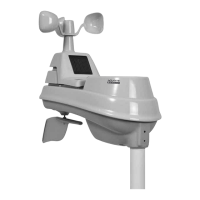
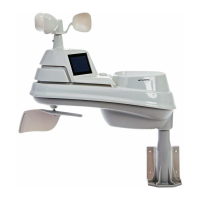
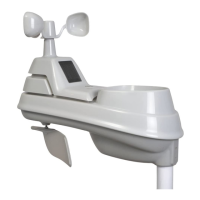
The AcuRite 5-in-1 PRO+ Weather Sensor is an outdoor sensor designed to measure temperature, humidity, wind speed, wind direction, and rainfall. It transmits this data wirelessly to a compatible AcuRite display. The sensor features a solar cell panel to power an internal aspirating fan for more accurate temperature measurements.

Important Technical Specifications:

  • Temperature Range (Outdoor): -40°F to 158°F (-40°C to 70°C)
  • Humidity Range (Outdoor): 1% to 99%
  • Wind Speed: 0 to 99 mph; 0 to 159 kph; 0 to 86 knots
  • Wind Direction Indicators: 16 points
  • Rainfall: 0.01 inches (0.25 mm) and up
  • Wireless Range: 330 ft / 100 m (depending on home construction materials)
  • Operating Frequency: 433 MHz
  • Power: 4 x AA alkaline or lithium batteries. Lithium batteries are recommended for temperatures below -4°F (-20°C).
  • Data Reporting: Wind Speed: 18-second updates; Direction: 30-second updates; Outdoor temperature & humidity: 36-second updates

Usage Features:

  • A-B-C Switch: Located in the battery compartment, this switch must match the display's A-B-C switch for synchronization.
  • Batteries: Requires 4 x AA batteries. Lithium batteries are recommended for low-temperature conditions (below -4°F / -20°C) for optimal performance. Heavy-duty or rechargeable batteries are not recommended.
  • Rain Gauge Stabilizer: A plastic tab taped into the bottom of the sensor that must be removed for the rain gauge to function.
  • Sensor Placement: Designed to remain outdoors all year long. Requires an open location with no obstructions above or around it for accurate measurements. Must be within 330 feet (100 meters) of the display and at least 3 feet (.9 m) away from electronic devices. Avoid heat sources (heaters, AC units, chimneys, asphalt, concrete), humidity sources (pools, spas), sprinkler heads, and wind/rain obstructions.
  • Installation Height: Minimum height of 5 feet (1.5 meters) off the ground in an open area. For wind measurements, 33 feet (10 meters) is recommended (National Weather Service standard).
  • Mounting Options: The included mounting bracket can be screwed onto wooden posts (2"x 4" or larger) or surfaces, or directly to a 3/4" steel pipe.
  • Solar Cell Installation: The sensor must be installed with the solar cell facing SOUTH to ensure maximum sun exposure for the internal aspirating fan and proper wind direction orientation.
  • Rain Gauge Calibration: The rain gauge can be calibrated for accuracy. This involves ensuring the sensor is level, monitoring rainfall on a companion unit, and slowly dripping a measured amount of water (e.g., 1 cup / 8oz) into the rain gauge over 20+ minutes. Adjustments can be made using calibration screws on the bottom of the sensor (clockwise increases rainfall, counter-clockwise decreases rainfall).

AcuRite Access™

Function Description:

The AcuRite Access™ device acts as a bridge between AcuRite sensors and the My AcuRite online platform. It connects to a network router via an Ethernet cable and uploads sensor data to My AcuRite, allowing users to monitor their weather information remotely.

Important Technical Specifications:

  • Connectivity: Ethernet port for network router connection.
  • Power: AC power adapter.
  • Backup Batteries: 3 x AA alkaline batteries (on the bottom of the Access).
  • Compatibility: Requires at least one compatible AcuRite device (not included) to send data to My AcuRite.

Usage Features:

  • Package Contents: Includes AcuRite Access unit, Ethernet cable, and AC power adapter.
  • Connect Access: Connect the Ethernet cable from the Access to a network router.
  • Install Backup Batteries: Insert three AA alkaline batteries into the battery compartment on the bottom of the Access.
  • Plug In: Plug in the AC power adapter. The Access will take a minute to start up.
  • Wait for Setup: After starting, the Access connects to My AcuRite and downloads firmware updates (up to 30 minutes). The Network Status Light will turn solid blue when ready.
  • Create Account: Create an account and register the Access at www.myacurite.com. The Device ID (printed on the bottom of the Access) is required for registration. A compatible AcuRite device must be powered on and in signal range for the Access to communicate with My AcuRite.
  • Troubleshooting: Solutions for Access not being recognized (verify Device ID, network connection, allow activation time), and no network connection (check Ethernet cable, try different router port).
  • More Information: Access to documentation, tips, tutorials, and options to purchase additional sensors via the My AcuRite account settings or www.AcuRite.com.

ACU-RITE 06086 Specifications

General IconGeneral
BrandACU-RITE
Model06086
CategoryWeather Station
LanguageEnglish

Related product manuals