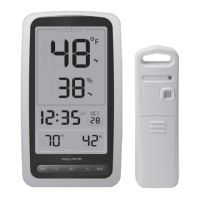
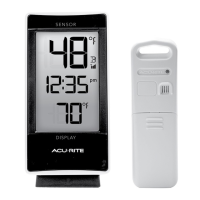
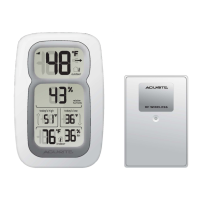
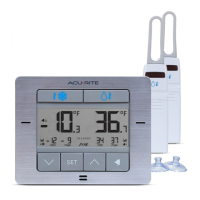
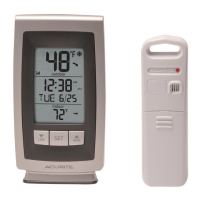
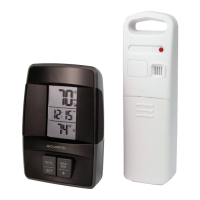
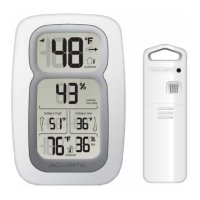
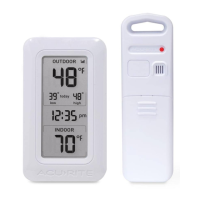
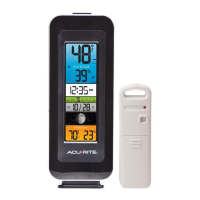
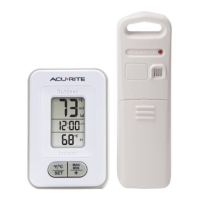
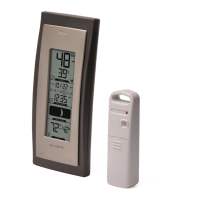
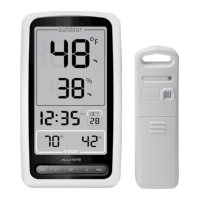
This manual describes the AcuRite Digital Thermometer, models 01128HD and 01136, a device designed to provide accurate indoor and outdoor temperature and humidity readings. It features a main display unit and a wireless outdoor sensor, offering a comprehensive solution for monitoring environmental conditions.
The primary function of this digital thermometer is to measure and display current outdoor and indoor temperatures, as well as indoor and outdoor humidity. The outdoor sensor wirelessly transmits data to the main display unit, allowing users to conveniently monitor conditions from inside their home or office. The display also includes a clock and date function, making it a versatile addition to any space.
Usage Features:
The display unit is equipped with a tabletop stand for easy placement on flat surfaces and is also wall-mountable, providing flexibility in where it can be located. The LCD screen is designed to be clear and easy to read, presenting all relevant information at a glance.
The outdoor sensor is designed for general outdoor use and is water-resistant. For optimal performance and extended life, it is recommended to place the sensor in an area protected from direct weather elements. It features an integrated hanger for easy placement, such as on a well-covered tree branch or other suitable location. The ideal placement for the outdoor sensor is typically 4 to 8 feet above the ground, in permanent shade, with plenty of fresh air circulating around it.
The display unit features several buttons for setup and viewing records:
- MIN Button: Press to view today's low temperature and humidity records. When viewing low records, a "Low Record Indicator" icon will appear on the display.
- MAX Button: Press to view today's high temperature and humidity records. When viewing high records, a "High Record Indicator" icon will appear on the display.
- A, V, & SET Buttons: These buttons are used for setting up preferences. The "SET" button is used to enter and navigate through the setup mode, while the "A" and "V" buttons are used to adjust the selected values.
The setup mode allows users to configure various settings, including:
- Auto DST (Daylight Saving Time): Users can set DST to ON or OFF. If you live in an area that observes DST, it should be set to ON, even if it is not currently Daylight Saving Time.
- Clock Hour and Minute: Set the current time.
- Calendar Month, Date, and Year: Set the current date.
- Temperature Units: Choose between Fahrenheit (°F) or Celsius (°C) for temperature display.
When in setup mode, the item currently being adjusted will blink on the display. Pressing and holding the "A" or "V" buttons allows for fast adjustment of values. The display will automatically exit setup mode if no buttons are pressed for 8 seconds.
The display provides several visual indicators to enhance usability:
- Arrow Icons: Next to the current outdoor temperature and outdoor humidity, arrow icons indicate the direction the readings are trending (up, down, or steady).
- Outdoor Sensor Low Battery Indicator: An icon on the display alerts users when the outdoor sensor's batteries are running low.
- Outdoor Sensor Signal Strength: Bars on the display indicate the strength of the wireless signal from the outdoor sensor, helping users ensure optimal placement for reliable data transmission.
- Display Low Battery Indicator: An icon indicates when the display unit's batteries need to be replaced.
For maximum accuracy, both the display and outdoor sensor should be placed out of direct sunlight and away from heat sources or vents. The wireless range between the display and sensor is up to 165 feet (50 meters), but this can be affected by large metallic items, thick walls, metal surfaces, or other objects that may limit wireless communication. To prevent wireless interference, both units should be placed at least 3 feet (.9 meters) away from electronic devices such as TVs, computers, microwaves, and radios.
Maintenance Features:
Both the display unit and the outdoor sensor require minimal maintenance.
- Cleaning: Both units should be cleaned with a soft, damp cloth. Caustic cleaners or abrasives should not be used, as they can damage the devices.
- Display Care: The display unit should be kept away from dust, dirt, and moisture. Its ventilation ports should be cleaned regularly with a gentle puff of air to ensure proper functioning.
- Battery Replacement: The display unit requires three AAA alkaline batteries, while the outdoor sensor requires two AA batteries. For the outdoor sensor, lithium batteries are recommended in low-temperature conditions (below -4°F / -20°C) as alkaline batteries may function improperly in such environments. Heavy-duty or rechargeable batteries are not recommended for either unit. When replacing batteries, users should follow the polarity diagrams in the battery compartments. It's important to dispose of old or defective batteries in an environmentally safe way and in accordance with local laws and regulations. Battery contacts should be cleaned prior to installation, and dead batteries should be promptly removed.
If the device experiences issues such as no outdoor sensor reception, flashing or dashing outdoor temperature readings, inaccurate temperature, or a non-working display screen, troubleshooting steps are provided. These steps often involve relocating the units, checking for interference from other electronics, and ensuring batteries are correctly installed and replaced if necessary. If problems persist, customer support is available online.


 To Next Page
 General