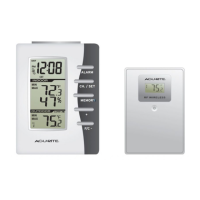
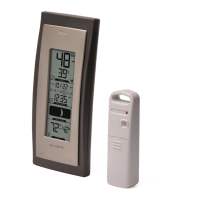
This document is the instruction manual for the AcuRite Thermometer, model 00826. It provides comprehensive information on the device's functions, setup, usage, maintenance, and troubleshooting.
Function Description:
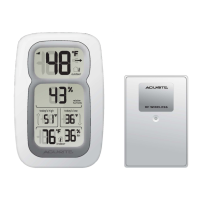
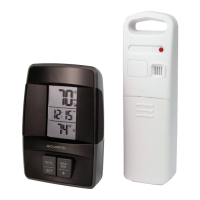
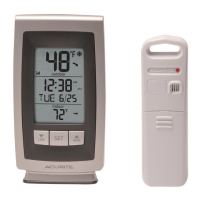
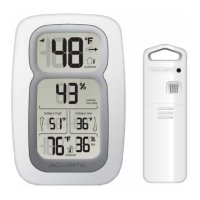
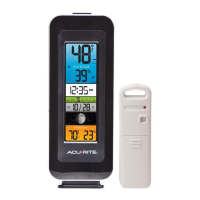
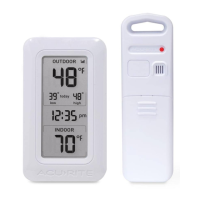
The AcuRite Thermometer model 00826 is a digital thermometer system designed to monitor both outdoor and indoor temperatures. It consists of a display unit and a wireless outdoor sensor. The display unit shows current outdoor and indoor temperatures, along with high and low records for various timeframes (today, last 48 hours, all-time). It also features a clock and indicators for sensor signal strength, low battery, and freeze alerts. The system is designed for easy setup and provides reliable temperature readings to help users plan their day with confidence.
Important Technical Specifications:
- Temperature Range:
- Outdoor: -40°F to 158°F (-40°C to 70°C)
- Indoor: 32°F to 122°F (0°C to 50°C)
- Wireless Range: 165 ft (50 m) depending on home construction materials.
- Operating Frequency: 433 MHz.
- Power:
- Display: 2 x AA alkaline batteries.
- Sensor: 2 x AA alkaline or lithium batteries.
- Data Reporting: 30-second updates.
- Battery Type Recommendation: High quality alkaline batteries are recommended for the display unit. For the outdoor sensor, alkaline batteries are suitable for temperatures above -4°F (-20°C), while lithium batteries are required for temperatures below -4°F (-20°C) to ensure proper function. Heavy duty or rechargeable batteries are not recommended.
Usage Features:
- Display Unit Front:
- Outdoor Sensor Signal Strength: Indicates the strength of the wireless connection between the display unit and the outdoor sensor.
- Sensor Low Battery Indicator: Alerts when the outdoor sensor batteries need replacement.
- Freeze Alert Indicator: Appears when the outdoor temperature is below freezing (32°F; 0°C).
- Current Outdoor Temperature: Displays the real-time outdoor temperature with an arrow icon indicating the temperature trend (trending up or down).
- Record Timespan: Indicates whether the displayed high/low records are for "today," "last 48 hours," or "all-time."
- Outdoor Low Temperature Record: Shows the lowest outdoor temperature recorded for the selected timespan.
- Outdoor High Temperature Record: Shows the highest outdoor temperature recorded for the selected timespan.
- Clock: Displays the current time.
- Display Low Battery Indicator: Alerts when the display unit batteries need replacement.
- Current Indoor Temperature: Displays the real-time indoor temperature with an arrow icon indicating the temperature trend.
- Display Unit Back:
- "UP" Button: Used for adjusting setup preferences.
- "DOWN" Button: Used for adjusting setup preferences.
- Battery Compartment: Houses the display unit batteries.
- SET Button: Used to enter setup mode and confirm selections.
- Battery Compartment Cover: Protects the battery compartment (not shown in diagram but mentioned).
- Outdoor Sensor:
- Integrated Hanger: Allows for easy placement of the sensor.
- Wireless Signal Indicator: Flashes when data is being sent to the display unit.
- Battery Compartment Cover: Protects the sensor's battery compartment.
- Setup Mode: Allows users to set the clock hour, clock minute, and temperature units (°F or °C). The "SET" button is used to enter and navigate the setup mode, while "UP" and "DOWN" buttons adjust values. The system automatically exits setup mode after 30 seconds of inactivity.
- High & Low Records: The display automatically cycles through today, 48-hour, and all-time high and low temperature records. All-time records reflect the minimum and maximum temperatures recorded since the unit was powered on, batteries were changed, or manual reset. Records can be manually reset by pressing and holding the "UP" or "DOWN" button for 3-5 seconds while viewing the desired record.
- Placement Guidelines:
- Display Unit: Should be placed in a dry area, free of dirt and dust. It can stand upright on a tabletop or be wall-mounted.
- Outdoor Sensor: Must be placed outside in an area protected from direct weather elements to extend its life. It should be hung 4 to 8 feet above the ground in a location with permanent shade and plenty of fresh air circulation.
- General Guidelines: Units should be out of direct sunlight and away from heat sources/vents for accurate readings. The display unit and sensor must be within 165 ft (50 m) of each other. To maximize wireless range and prevent interference, units should be placed away from large metallic items, thick walls, metal surfaces, and other electronic devices (TV, computer, microwave, radio, etc.) by at least 3 ft (.9 m).
Maintenance Features:
- Display Unit Care: Clean with a soft, damp cloth. Avoid caustic cleaners or abrasives. Keep away from dust, dirt, and moisture. Regularly clean ventilation ports with a gentle puff of air.
- Outdoor Sensor Care: Clean with a soft damp cloth. Avoid caustic cleaners or abrasives.
- Battery Safety: Instructions include cleaning contacts, removing batteries for extended storage, following polarity diagrams, promptly removing dead batteries, proper disposal, using recommended battery types, and avoiding incineration, mixing old/new batteries, rechargeable batteries, or short-circuiting terminals.
Troubleshooting:
- Outdoor temperature flashing or showing dashes: This usually indicates wireless interference. Solutions include bringing both units indoors, removing/reinstalling batteries in both, allowing 20 minutes for reconnection, relocating units within range (165 ft/50 m), ensuring units are at least 3 ft (.9 m) from electronics, and using correct battery types (alkaline or lithium for sensor).
- Inaccurate temperature: Ensure both units are placed out of direct sunlight and away from heat sources/vents.
- Display screen not working: Check battery installation and replace batteries if needed.
Customer Support:
AcuRite offers 24/7 customer support via phone (877-221-1252), email (info@chaney-inst.com), and their website (www.AcuRite.com). The website provides installation videos, product registration, instruction manuals, a support user forum, replacement parts, and a feedback submission option. Product registration is encouraged to receive a 1-year warranty protection.
Warranty:
AcuRite provides a limited one-year warranty, guaranteeing products to be free of defects in material and workmanship when properly installed and operated. Remedy for breach is limited to repair or replacement of defective items. The warranty does not cover normal wear and tear, damage from acts of nature, tampering, abuse, improper installation, shipping damage, or repairs by unauthorized personnel. The warranty is expressly in lieu of all other warranties, express or implied, including merchantability and fitness for a particular purpose. It disclaims liability for special, consequential, or incidental damages and personal injury to the extent permitted by law.


 To Next Page
 General