EasyManua.ls Logo

AcuRite 00611 - User Manual

AcuRite 00611
8 pages
Print Icon
To Next Page IconTo Next Page
Loading...
ACU
RITE
.
Product
Registration
DESIGNED
TO
WORK
FOR
vou
·
To
receive product information, register
your product online.
Ifs
quick and easy!
Log
on
to
http://www.chaneyinstrument.com/product_reg.htm
ACU
RITE®
DESIGNED
TO
WORK
FOR
vou
·
This device complies with part
15
of the
FCC
rules.
Operation is subject to the following two conditions:
1- This device may
NOT
cause
harmful
interference, and
2- This device must accept any interference received,
including interference that may cause undesired operation.
NOTE
: This equipment has
been
tested
and
found to comply with the limits for a Class
B digital device, pursuant to Part
15
of the
FCC
rules. These limits are designed to
provide reasonable protection against harmful interference in a residential
installation. This equipment generates, uses
and
can
radiate radio frequency energy
and, if not installed
and
used
in
accordance with the instructions, may cause harmful
interference
to
radio communications. However, There is
no
guarantee that
interference
will
not occur in a particular installation. If this equipment does cause
harmful interference to radio or television reception, which
can
be
determined
by
turning the equipment off
and
on,
the user is encouraged to try to correct the
interference
by
one
or more of the following measures:
Reorient or relocate the receiving antenna.
Increase the separation between the equipment
and
the receiver.
Connect the equipment into
an
outlet
on
a circuit different from that
to
which the
receiver is connected.
Consult the dealer or
an
experienced radio/TV technician for help.
NOTE:
The
manufacturer is not responsible for any radio
or
TV
interference caused
by
unauthorized modifications to this equipment.
Such
modifications could void the user
authority to operate the equipment.
Patent
numbers
: 5,978,738; 6,076,044; 6,597,990
INST
-
00
6
11
0405
07
Instruction Manual
Package Contents:
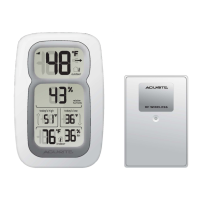
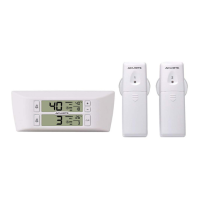
[1l Main Unit [Al with stand
[1l Wireless Sensor [Bl
[1l Instruction Manual
0
[1l Hardware Bag
What
You
Need :
Philips Screwdriver
[5l
AA
batteries
-see "Install Batteries"
A.
Main Unit B. Wireless Sensor
on
page 2
Thank
You
for purchasing this ACURITE® product. This wireless
thermometer
features outdoor temperature and humidity, outdoor temperature memory (daily
high/low), and indoor temperature and humidity. Please read this manual
in
it's
entirety
to
fully enjoy the benefits and features of this product. Please keep this
manual for future reference.
NOTE
: A
clear
film is applied to
the
LCD
at
the
factory
that
must
be removed prior
to using this product. Locate
the
clear
tab and simply
peel
to remove.
( 1
OVERVIEW
OF
FEATURES
)
Outdoor
Temp
.
---"-.....;;~
·
Daily
High
today
's
low
36'F
Outdoor
Temp
.
Daily
Low
3
--
6-
o/.
-
---I.--'---
Indoor Relative
'°' Humidity
- 1 -

Question and Answer IconNeed help?

Do you have a question about the AcuRite 00611 and is the answer not in the manual?

Summary

Overview of Features

Outdoor Temperature Display

Shows the current outdoor temperature reading from the wireless sensor.

Outdoor Relative Humidity Display

Shows the current outdoor relative humidity reading from the wireless sensor.

Setup

Install Batteries

Instructions for installing AA batteries in the wireless sensor and main unit.

Placement Guidelines

Instructions for placing the main unit and wireless sensor for optimal performance.

Operation

Troubleshooting

Bad Reception

Provides solutions for poor wireless signal reception between units.

No Outdoor Display

Troubleshoots issues where outdoor temperature or humidity is not displayed.

Overview

This document describes the AcuRite Wireless Weather Thermometer, models #00611/00609SB.

Function Description:

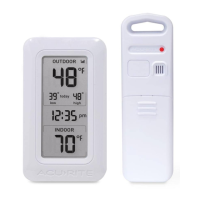
The AcuRite Wireless Weather Thermometer is designed to provide accurate outdoor temperature and humidity readings, outdoor temperature memory (daily high/low), and indoor temperature and humidity. It consists of a main unit (display) and a wireless sensor. The wireless sensor transmits data to the main unit via radio frequency.

Important Technical Specifications:

  • Main Unit (A):
    • Temperature Range: 32°F to 122°F (0°C to 50°C)
    • Humidity Range: 20% RH to 95% RH
    • Power Requirements: 3 x "AA" alkaline or lithium batteries
  • Wireless Sensor (B):
    • Temperature Range: -40°F to 158°F (-40°C to 70°C)
    • Humidity Range: 20% RH to 95% RH
    • Power Requirements: 2 x "AA" alkaline or lithium batteries
  • Wireless Communication:
    • Radio Frequency: 433 MHz
    • Transmission Intervals: Every 16 seconds
    • Wireless Range: Up to 100 feet (30.5 meters) between the main unit and the wireless sensor.
  • Humidity Accuracy: +/- 5 units RH

Usage Features:

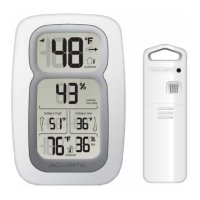
  • Display: The main unit features an LCD display showing:
    • Wireless Signal Reception Indicator (bars indicating signal strength).
    • Outdoor Temperature (with a trend indicator showing rising, decreasing, or stable temperature).
    • Outdoor Relative Humidity.
    • Outdoor Temperature Daily High (recorded highest temperature in the last 24-48 hours).
    • Outdoor Temperature Daily Low (recorded lowest temperature in the last 24-48 hours).
    • Indoor Temperature.
    • Indoor Relative Humidity.
  • Temperature Units: Users can select between Celsius (°C) or Fahrenheit (°F) display units via a switch located within the main unit's battery compartment.
  • Placement:
    • Main Unit: Should be placed in a dry area, free of dirt and dust, out of direct sunlight, and away from heat sources or vents. It has two placement options: hanging on a wall using the integrated hang hole or using the detachable table stand for flat surfaces.
    • Wireless Sensor: MUST be placed OUTDOORS to observe outdoor temperatures. It is water-resistant but should be placed in an area protected from direct weather elements to extend its life. To ensure accurate readings, it must be out of direct sunlight and away from heat sources. It also has an integrated hang hole for wall or vertical surface mounting.
    • Proximity: Both units must be placed within 100 feet of each other.
    • Interference Avoidance: Both units should be placed at least 3 feet away from electronic devices (TVs, microwaves, radios, computers) or large metallic items/thick walls that may interfere with wireless communication.
  • Setup:
    • Battery Installation: Batteries must be installed in both units within a 6-minute period for proper wireless functionality. Batteries should always be installed in the wireless sensor FIRST to ensure proper synchronization with the main unit.
    • Synchronization: After battery installation, the wireless sensor will send a signal to the main unit, and the units will synchronize. This may take a few minutes.
    • Wireless ID: In case of reception problems due to interference, both the main unit and the wireless sensor have selectable wireless IDs (A, B, or C) located within their battery compartments. Both units' IDs must match for successful synchronization.

Maintenance Features:

  • Battery Replacement: Batteries are expected to last approximately one year. When replacement is needed, users should follow the battery installation procedure outlined in the manual to ensure proper operation.
  • Battery Safety: Users are advised to follow polarity diagrams, promptly remove dead batteries, dispose of used batteries properly, use only recommended battery types, and avoid incineration, mixing old and new batteries, using rechargeable batteries, or short-circuiting terminals.
  • LCD Film Removal: A clear protective film is applied to the LCD at the factory and must be removed before using the product.
  • Troubleshooting: The manual provides solutions for common issues such as bad reception (relocating units, checking distance), no outdoor temperature/humidity display (checking reception, replacing wireless sensor batteries, matching wireless IDs), and main unit display not working (checking battery installation, replacing batteries).
  • Product Registration: Users are encouraged to register their product online at http://www.chaneyinstrument.com/product_reg.htm to receive product information.
  • Customer Support: For technical assistance and product returns, customers can contact AcuRite Customer Care at 877-221-1252 (Mon-Fri 8:00 A.M. to 4:45 P.M. CST) or visit www.chaneyinstrument.com.
  • Warranty: The product comes with a limited one-year warranty covering defects in material and workmanship under normal use and service. The remedy for breach of warranty is limited to repair or replacement of defective items at Chaney's sole option.
  • FCC Compliance: The device complies with Part 15 of the FCC rules, ensuring it does not cause harmful interference and accepts any interference received. Troubleshooting steps for interference are provided, including reorienting antennas, increasing separation from other equipment, connecting to different circuits, and consulting technicians.

AcuRite 00611 Specifications

General IconGeneral
BrandAcuRite
Model00611
CategoryThermometer
LanguageEnglish

Related product manuals