EasyManua.ls Logo

AcuRite 00609 - User Manual

AcuRite 00609
4 pages
Print Icon
To Next Page IconTo Next Page
Loading...
111


 
 
 
 
 





 


      
 

 
 



 
Chaney Customer Care

877-221-1252

Mon-Fri 8:00 a.m. to 4:30 p.m. CST

 



 
 





 














06095B 060111

7
%


homidify
today's high today·s low
 
I
Weather ermometer
mode/#00609
Instruction Manual
Question and Answer IconNeed help?

Do you have a question about the AcuRite 00609 and is the answer not in the manual?

Summary

Overview

Introduction

Thank you for purchasing this Acurite product. Please read through this manual in its entirety.

Setup

Battery Choice & Temperature Range

Extended periods of cold temperatures can cause alkaline batteries to function improperly. Use lithium batteries for outdoor sensors.

A;B;C Wireless Selection

Select one of 3 wireless modes to use. Both display and sensor switches MUST be set in matching positions.

Installing Batteries - Wireless Sensor

Remove the battery compartment cover and install 2 fresh "AA" batteries. Batteries must be installed for the sensor to operate.

Installing Batteries - Display Unit

Remove the battery compartment cover and install 3 fresh "AA" batteries into the battery compartment.

Placement

Placement of Display Unit

Place the display unit in a dry area, out of direct sunlight and away from heat sources or vents for accurate measurements.

Placement of Sensor

The wireless sensor MUST BE PLACED OUTDOORS. Protect from direct weather elements for extended life.

Use

Main Unit Detachable Stand

Included with the main unit is a detachable stand for table top placement.

Wireless Signal Reception Indicator

Indicates the strength of the wireless signal between the sensor and display unit.

Outdoor Temperature

Displays the current outdoor temperature.

Outdoor Relative Humidity

Displays the current outdoor relative humidity.

Outdoor Temp. Daily High

Gives the recorded highest temperature in the last 24-48 hours.

Outdoor Temp. Trend Indicator

Compares the last 10 minutes temperature with the previous hour average.

Outdoor Temp. Daily Low

Gives the recorded lowest temperature in the last 24-48 hours.

Indoor Temperature

Displays the current indoor temperature.

Indoor Relative Humidity

Displays the current indoor relative humidity.

Troubleshooting

Set Wireless ID

Ensure the display unit and wireless sensor have matching selectable wireless IDs (A, B, or C) for successful synchronization.

Bad Wireless Sensor Reception

Relocate units to be within 330 feet (100m) and at least 3 feet from interfering devices.

No Wireless Sensor Data (no communication)

Check wireless ID settings, ensure batteries are installed correctly, and use lithium batteries in cold temperatures.

Display Console Screen Not Working

Make certain that the batteries are installed correctly. Batteries may need replacing.

Specifications

Product Facts

Lists battery requirements and warranty information. Lithium batteries are recommended for outdoor sensors below -4°F.

Measurement Ranges

Details the operational ranges for outdoor/indoor temperature and humidity.

Overview

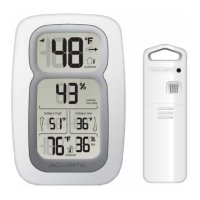
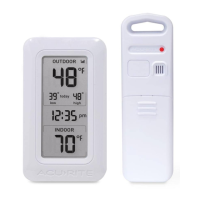
The AcuRite Weather Thermometer, model #00609, is a wireless device designed to provide accurate indoor and outdoor temperature and humidity readings. It consists of a main display unit and a wireless outdoor sensor.

Function Description:

The primary function of this weather thermometer is to monitor and display current indoor and outdoor temperatures, as well as indoor and outdoor relative humidity. The display unit features a large, easy-to-read LCD screen that shows the outdoor temperature in degrees Fahrenheit (°F), outdoor relative humidity as a percentage (%), indoor temperature in °F, and indoor relative humidity as a percentage (%). Additionally, it includes an outdoor temperature trend indicator, which compares the last 10 minutes of temperature with the previous hour's average to show if the temperature is rising, decreasing, or staying the same. The display also records and shows the daily high and low outdoor temperatures, representing the highest and lowest temperatures recorded in the last 24-48 hours since the batteries were installed. A wireless signal reception indicator on the display unit helps monitor the strength of the connection between the display and the outdoor sensor.

Important Technical Specifications:

  • Batteries: The system requires a total of 5 "AA" batteries (not included). The wireless outdoor sensor uses 2 "AA" batteries, and the main display unit uses 3 "AA" batteries.
  • Battery Type Recommendation: For optimal performance in cold temperatures (below -4°F / -20°C), lithium batteries are recommended for the outdoor sensor to ensure continuous operation. Alkaline batteries are suitable for temperatures between -4°F (-20°C) and 158°F (70°C). Rechargeable batteries are not recommended due to their higher operating voltages.
  • Wireless Range: The device utilizes long-range 433MHz radio frequency for communication, with a maximum wireless range of 330 feet (100 meters) between the display unit and the wireless sensor. This range can vary depending on home construction materials and environmental interference.
  • Outdoor Temperature Measurement Range: -40°F to 158°F (-40°C to 70°C).
  • Outdoor Humidity Measurement Range: 1% to 99% RH.
  • Indoor Temperature Measurement Range: 32°F to 122°F (0°C to 50°C).
  • Indoor Humidity Measurement Range: 16% to 98% RH.
  • FCC Compliance: The device complies with Part 15 of the FCC rules, ensuring it meets standards for radio frequency emissions and interference.

Usage Features:

  • Detachable Stand: The main display unit comes with a detachable stand, allowing for convenient tabletop placement. It also has an integrated hang hole for wall mounting.
  • Wireless Sensor Placement: The outdoor sensor is water-resistant and designed for general outdoor use. For extended product life and accurate readings, it should be placed in an area protected from direct weather elements and out of direct sunlight and away from heat sources. It can be hung using its integrated hang holes or by string from a suitable location like a well-covered tree branch.
  • Wireless ID Selection (A/B/C): To prevent interference when multiple AcuRite devices are in close proximity, both the display unit and the wireless sensor have small "A B C" switches within their battery compartments. These switches must be set to the same position (A, B, or C) for successful wireless communication.
  • Clear Film Removal: A clear protective film is applied to the LCD screen at the factory and must be peeled off before use.
  • Placement Guidelines: Both units should be placed at least 3 feet (0.91 meters) away from appliances (like TVs, microwaves, radios) or large metallic objects and thick walls that might interfere with wireless communication. The wireless sensor must be within 330 feet (100 meters) of the display unit.
  • Display Unit Placement: For accurate indoor readings, the display unit should be placed in a dry area, free of dirt and dust, out of direct sunlight, and away from heat sources or vents.

Maintenance Features:

  • Battery Replacement: The manual provides clear instructions for installing and replacing batteries in both the wireless sensor and the display unit. It emphasizes cleaning battery contacts before installation and promptly removing dead batteries.
  • Troubleshooting Guide: A comprehensive troubleshooting section addresses common issues such as bad wireless sensor reception (no bars), no wireless sensor data (no communication), and a non-working display console screen. Solutions include relocating units, ensuring matching wireless ID settings, and checking battery installation.
  • Customer Care: For in-warranty repair, technical assistance, or product return information, customers can contact Chaney Instrument Company Customer Care via phone (877-221-1252) during specified hours or visit their website (www.chaneyinstrument.com).
  • Product Registration: Users are encouraged to register their product online at www.chaneyinstrument.com to receive updates and information.
  • Warranty: The device comes with a limited one-year warranty, covering defects in material and workmanship. The warranty explicitly disclaims liability for special, consequential, or incidental damages and outlines conditions under which the warranty may be breached (e.g., normal wear and tear, damage, tampering, improper installation).
  • FCC Interference Note: The manufacturer is not responsible for radio or TV interference caused by unauthorized modifications to the equipment, as such modifications could void the user's authority to operate the equipment. Users are advised to try corrective measures like reorienting antennas or increasing separation if interference occurs.

AcuRite 00609 Specifications

General IconGeneral
BrandAcuRite
Model00609
CategoryThermometer
LanguageEnglish

Related product manuals