EasyManua.ls Logo

AcuRite 00384 - User Manual

AcuRite 00384
12 pages
Print Icon
To Next Page IconTo Next Page
Loading...
Instruction Manual
SAVE THIS MANUAL FOR FUTURE REFERENCE.
Questions? Contact Customer Support at
(877) 221-1252 or visit www.AcuRite.com.
CONTENTS
Unpacking Instructions ........... 2
Package Contents .................. 2
Product Registration ............... 2
Features & Benets: Sensor ..... 2
Features & Benets: Display .... 3
Setup .................................... 4
Sensor Setup ......................... 4
Display Setup ........................ 5
Backlight Settings ................... 6
Intelli-Time
®
Clock ................... 6
Set the Time, Date & Units ...... 6
Placement Guidelines ............. 7
Using the Thermometer ........... 8
Troubleshooting ..................... 9
Care & Maintenance .............10
Replace Intelli-Time
®
Battery ..10
Specications ........................ 10
FCC Information ...................10
Customer Support ................. 11
Warranty..............................11
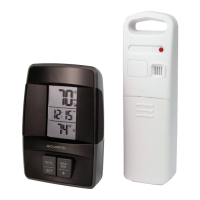
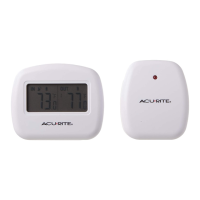
Thermometer
model 00384

Questions and Answers

  • D
    daniel11Aug 1, 2025
    Why is my AcuRite 00384 outdoor temperature flashing or showing dashes?
    • N
      Nicole LawsonAug 2, 2025
      The outdoor temperature on your AcuRite Thermometer might be flashing or showing dashes due to wireless interference. To resolve this, bring both the sensor and display unit indoors and remove at least one battery from each. Also, check that the A-B-C switch on both units match. Reinstall the batteries in both the outdoor sensor and the display unit, then let the units sit within a couple feet of each other for about 20 minutes to establish a strong connection.
  • M
    Maria MorganAug 9, 2025
    How to fix no outdoor sensor reception on my AcuRite 00384 Thermometer?
    • Y
      Yesenia PerezAug 9, 2025
      If your AcuRite Thermometer shows no outdoor sensor reception (no bars), try the following: Relocate the display unit and/or the outdoor sensor, ensuring they are within 330 ft (100 m) of each other. Make sure both units are at least 3 feet (.9 m) away from electronics that may interfere with wireless communication, such as TVs, microwaves, or computers. Use standard alkaline batteries (or lithium batteries in the sensor when the temperature is below -4ºF/-20ºC). Avoid heavy-duty or rechargeable batteries. Allow up to 20 minutes for the display unit and sensor to synchronize after replacing the batteries.
  • M
    Michelle RobbinsAug 17, 2025
    Why is my AcuRite 00384 showing inaccurate temperature or humidity?
    • C
      Cynthia TranAug 17, 2025
      If your AcuRite Thermometer is displaying inaccurate temperature or humidity readings, ensure that both the display unit and the sensor are placed out of direct sunlight and away from any heat sources or vents. Also, make sure both units are positioned away from moisture sources.
  • J
    jacquelinevillegasAug 25, 2025
    What to do if my AcuRite 00384 display screen is not working?
    • N
      nicole60Aug 25, 2025
      If the display screen on your AcuRite Thermometer is not working, first check that the batteries are installed correctly. If they are, the batteries may need to be replaced.

Summary

Unpacking and Initial Setup

Unpacking Instructions

Instructions for removing protective film from the LCD screen before use.

Package Contents

Lists the items included in the product package: display unit, sensor, adapter, manual.

Product Registration

Information on registering the product online to receive warranty protection.

Product Features and Benefits

Outdoor Sensor Features

Details on the outdoor sensor's integrated hanger, signal indicator, and battery compartment.

Display Unit Features (Front)

Explanation of the display unit's front interface elements like backlight and temperature readings.

Display Unit Features (Back)

Details on the display unit's back interface: A-B-C switch, battery compartment, and buttons.

Device Configuration

Sensor Setup

Steps to set the A-B-C switch and install batteries in the outdoor sensor.

Display Unit Setup

Steps to set the A-B-C switch, install backup batteries, and plug in the power adapter.

Intelli-Time Clock Setup

How to set the Intelli-Time clock, time zone, date, and temperature units.

Display Backlight Settings

Options for adjusting backlight brightness, including auto-dim mode.

Placement and Operation

Placement for Maximum Accuracy

Guidelines for placing the display unit and outdoor sensor for accurate readings.

Using the Thermometer

How to view high/low records and understand the moon phase indicator.

Troubleshooting and Maintenance

Troubleshooting Common Issues

Solutions for problems like no outdoor sensor reception or flashing temperature.

Care and Maintenance

Instructions for cleaning the display unit and outdoor sensor.

Replace Intelli-Time Battery

Steps to replace the coin cell battery that powers the Intelli-Time clock.

Specifications and Support

Product Specifications

Technical details including temperature/humidity ranges, wireless range, and power requirements.

FCC Information

Regulatory compliance statement and warnings according to FCC rules.

Customer Support and Warranty

Contact information for customer assistance and details of the limited one-year warranty.

AcuRite 00384 Specifications

General IconGeneral
BrandAcuRite
Model00384
CategoryThermometer
LanguageEnglish

Related product manuals