EasyManua.ls Logo

AcuRite 00590A1 - User Manual

AcuRite 00590A1
3 pages
Print Icon
To Next Page IconTo Next Page
Loading...
00590A1 INST0811-06
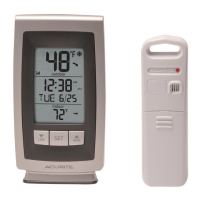
Wireless Thermometer
and Self-Setting Clock
Instruction Manual
Thank You! We appreciate you for purchasing this wireless thermometer.
We hope you enjoy using this versatile wireless thermometer!
Features:
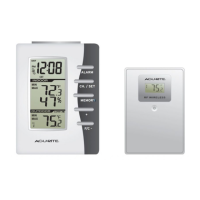
• Main unit with indoor temperature & humidity and outdoor temperature LCD display.
Clock automatically sets itself, you just select your time-zone.
• Wireless Sensor – range is 100’ (33m).
• Temperature measurement ranges:
Indoor main unit: +32º F to +122º F ( 0ºC to +50ºC )
Outdoor wireless sensor: -4º F to +158º F (-20ºC to +70ºC )
• Battery operated. (batteries not included 4x “AA”)
1 CHECK PACKAGE CONTENTS
(1) Main unit - dimensions: 4.25" x 3.25" x 1.25" *
(1) Wireless Sensor – dimensions: 3.75" x 2.5" x 1" *
(1) Instruction Manual
NOTE: Carefully remove the units from their packaging. Discard the packaging and
save the instructions.
2 READ
Please read these instructions carefully before you set up the thermometer. In this
way you can become familiar with all of the thermometer’s features and get the most
benefit from them.
MODEL # 00590A1
*Dimensions are approximate.
Main Unit
Wireless Sensor
RF W IR EL ESS
(model #0103R)
ALARM
CH. / SET
MEMORY
+
F/C -
MIN
MAX
MIN
MAX
Question and Answer IconNeed help?

Do you have a question about the AcuRite 00590A1 and is the answer not in the manual?

Summary

Limited Warranty International

Initial Setup

Set Time Zone & DST Settings

Configure the time zone and Daylight Saving Time (DST) for accurate time display.

Choose Placement for Main Unit and Wireless Sensor

Guidance on optimal placement for the main unit and wireless sensor for signal and performance.

Using the Main Unit

Set an Alarm Time

Instructions on setting the alarm hour and minute on the main unit.

Snooze;Light Feature

Details on using the snooze function to silence the alarm and activate the backlight.

Set the Time Manually

Procedure for manually adjusting the time, date, month, year, and hour.

Using the Wireless Sensor

Choose Temperature Display (°C or °F)

Select the desired unit for temperature display on the wireless sensor.

Multiple Wireless Sensors

Additional Information

Main Unit Specifications

Details on the main unit's temperature measurement range and power requirements.

Wireless Sensor Specifications

Details on the wireless sensor's temperature range and power requirements.

AcuRite 00590A1 Specifications

General IconGeneral
BrandAcuRite
Model00590A1
CategoryThermometer
LanguageEnglish

Related product manuals