Need help?
Do you have a question about the AcuRite 00592W2 and is the answer not in the manual?
Guidance on battery types for different temperature conditions and disposal.
Instructions on setting wireless IDs for multiple sensor networks to avoid interference.
Solutions for weak signal strength between the sensor and main unit.
Troubleshooting steps for when the sensor is not communicating with the main unit.
Common issues and solutions for a non-functional main unit display.
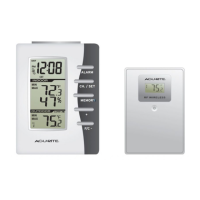
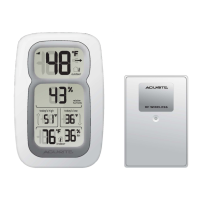
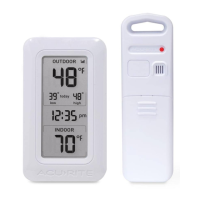
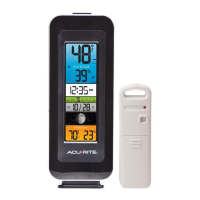
This document describes the ACURITE Wireless Thermometer, model #00592W2, a device designed to provide accurate indoor and outdoor temperature and humidity readings, along with time, date, and moon phase information. The system consists of a main unit and a wireless sensor, both requiring AA batteries for operation.
The ACURITE Wireless Thermometer is a comprehensive weather monitoring system that displays indoor and outdoor temperature and humidity. It features an Intellitime® self-setting clock and calendar, which automatically sets the time and date upon battery installation, requiring only the selection of a time zone and Daylight Saving Time preference. The device also includes a moon phase display that automatically updates based on the set calendar. Temperature trends for both indoor and outdoor readings are indicated, providing a quick overview of changes. The wireless sensor transmits outdoor data to the main unit using a 433 MHz radio frequency, with transmissions occurring every 16 seconds.
Upon unpacking, a clear film applied to the LCD of the main unit must be removed by peeling the clear tab on the left side of the display. The system requires five AA batteries in total: three for the main unit and two for the wireless sensor. It is crucial to follow the polarity diagrams in the battery compartments when installing batteries. For outdoor sensors in temperatures below -4°F (-20°C), lithium batteries are recommended to ensure continued operation, as alkaline batteries may function improperly in extreme cold. Rechargeable batteries are not recommended due to higher operating voltages.
To prevent interference when multiple ACURITE systems are used in close proximity, both the main unit and the wireless sensor have an A/B/C switch located within their battery compartments. For successful wireless communication, these switches MUST be set to the same position (A, B, or C) on both units.
After battery installation, the Intellitime® technology automatically sets the clock. To adjust preferences, press and hold the "SET" button (located on the back of the main unit, within the battery compartment) for 3 seconds to enter SET MODE. The preference currently being set will blink on the display. The set order includes: TIME ZONE, DAYLIGHT SAVING TIME OBSERVANCE (on or off), CLOCK HOUR (with AM/PM indicators), CLOCK MINUTE, MONTH, DATE, YEAR, and TEMPERATURE UNITS (°F or °C). Use the " " or " " buttons in the battery compartment to adjust values. Pressing and holding these buttons allows for fast adjustment. Press "SET" again to save the adjustment and move to the next preference. The system will automatically exit SET MODE after 30 seconds of inactivity.
Proper placement is critical for optimal performance. The wireless sensor MUST be placed outdoors to measure outdoor temperature and humidity, and it must be within 330 feet (100 meters) of the main unit. Both units should be placed at least 3 feet (.91 meters) away from electronic appliances (such as TVs, microwaves, radios) or large metallic items and thick walls, which can interfere with wireless communication. The main unit should be placed in a dry area, free of dirt and dust, and away from direct sunlight, heat sources, or vents to ensure accurate indoor readings. It offers two placement options: hanging on a wall using the integrated hang hole or placing on a tabletop using the detachable stand. The wireless sensor is water resistant but should be placed in an area protected from direct weather elements to extend its lifespan. It also has two integrated hang holes or can be hung with string from a suitable location like a covered tree branch.
The main unit displays a signal reception icon near the outdoor temperature display. A low number of "bars" indicates poor reception, which may result in no temperature display ("--") or inaccurate readings. In such cases, relocating one or both units may be necessary. If most or all four bars are present, wireless reception is good.
Pressing the "LOW" or "HIGH" button once displays the lowest or highest recorded values for temperature and humidity. To manually clear these values, press and hold the "LOW" or "HIGH" button for 2 seconds while the values are displayed. The low and high recorded values automatically clear and reset at midnight (12:00 AM) daily.
The weather station automatically displays the current moon phase, provided the calendar is set correctly.
When batteries need to be replaced, it's important to dispose of old or defective batteries safely and in accordance with local laws. Always follow the polarity diagram in the battery compartment. Do not mix old and new batteries or different types. Do not incinerate batteries or dispose of them in fire.
If experiencing low or no wireless sensor reception (indicated by low bars or no bars with a flashing antenna icon), several steps can be taken:
If the main unit display is not working, check that the batteries are installed correctly and making contact with the terminals. Ensure all contacts are clean. If issues persist, replace the batteries.
To receive product updates and information, users are encouraged to register their product online at www.chaneyinstrument.com.
The device comes with a limited one-year warranty covering defects in material and workmanship. For technical assistance or product return information, contact Customer Care at 877-221-1252 (Mon-Fri 8:00 A.M. to 4:45 P.M. CST) or visit www.chaneyinstrument.com. The warranty explicitly limits remedies to repair or replacement of defective items and disclaims responsibility for transportation costs. It also disclaims all other warranties, express or implied, including merchantability and fitness for a particular purpose, and liability for special, consequential, or incidental damages.
The device complies with Part 15 of the FCC rules, meaning it must not cause harmful interference and must accept any interference received. Users are advised that unauthorized modifications to the equipment could void their authority to operate it. If the equipment causes harmful interference to radio or television reception, users should try reorienting the receiving antenna, increasing separation between equipment and receiver, connecting the equipment to a different circuit, or consulting a dealer/experienced radio/TV technician.
 General
| Brand | AcuRite |
|---|---|
| Model | 00592W2 |
| Product Type | Thermometer |
| Humidity Range | 1% to 99% |
| Display Type | LCD |
| Power Source | Battery |
| Battery Included | Yes |
| Temperature Accuracy | +/- 2ºF |
| Battery Type | AA |
| Mounting | Tabletop or Wall |
| Wireless Range | 330 ft |
| Type | Wireless Indoor/Outdoor Thermometer |

 To Next Page