Need help?
Do you have a question about the AcuRite 00277 and is the answer not in the manual?
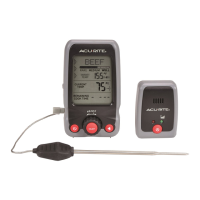
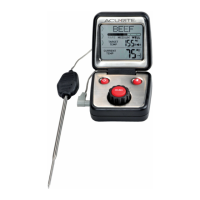
Lists the items included with the thermometer: display unit, probe, and manual.
Guides on setting meat type, doneness level, and target temperature for cooking.
Details on buttons (Power, Select), rotary dial, and display indicators like 'Check Probe'.
Location for connecting the temperature probe to the main unit.
Instructions for opening the battery compartment and inserting AAA batteries.
How to switch between Fahrenheit (°F) and Celsius (°C) temperature displays.
USDA recommended internal temperatures for various meats and seafood.
Steps for plugging in the probe, powering on, and enabling audio alerts.
Procedure for selecting meat type and desired doneness level via the rotary dial.
Adjusting the target temperature after selecting meat type and doneness.
How to read current temperature, trend indicators, and alarm notifications.
Instructions for manual power activation and automatic power-off.
Interpreting 'LO BAT' and 'CHECK PROBE' messages with diagnostic codes.
Solutions for inaccurate temperature readings and display not working.
Guidelines for cleaning the unit and probe, and storage recommendations.
Defines the operating temperature range and probe's heat resistance.
Specifies the type of batteries required for the thermometer's operation.
 General
| Type | Analog |
|---|---|
| Temperature range (T-T) | - °C |
| Temperature measurement units | - |

 To Next Page