4
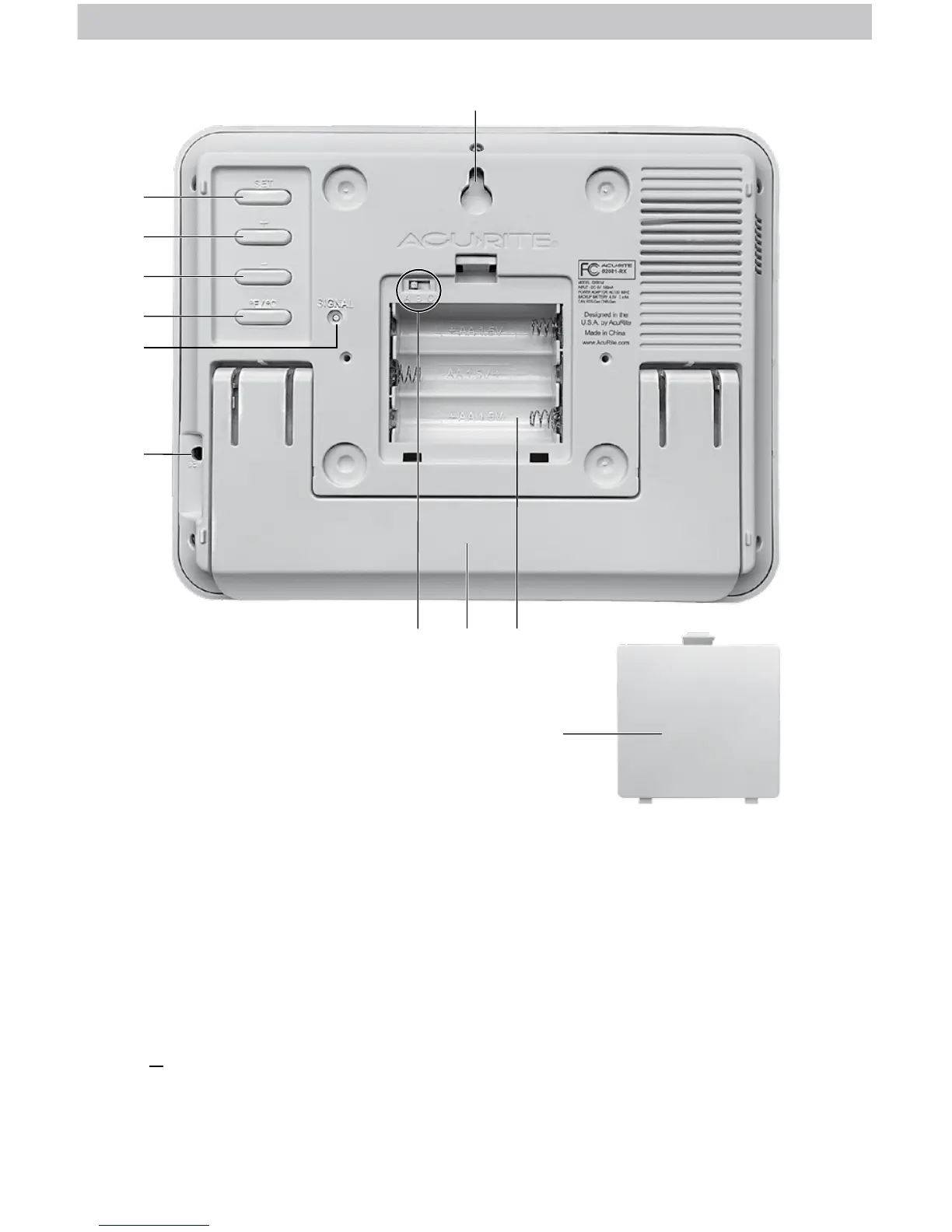
BACK OF DISPLAY
1. Integrated Hang Hole
For easy wall mounting.
2. SET Button
For setup preferences.
3. + Button
For setup and backlight preferences.
4. Button
For setup and backlight preferences.
5.
o
F/
o
C Button
Press to select temperature units.
6. SIGNAL Button
Press to manually search for atomic
signal.
7. Plug-in for Power Adapter
8. A-B-C Switch
ID code that must match sensor’s ABC
switch to ensure units synchronize.
9. Fold-out Tabletop Stand
10. Battery Compartment
11. Battery Compartment Cover
2
1
8
3
4
5
6
7
11
9 10


 To Next Page