9
Using the Weather Forecaster
Learning Mode
Self-Calibrating Forecasting uses a unique algorithm to analyze changes in pressure over
a time period (called Learning Mode) to determine your altitude. After 14 days, the
Learning Mode icon disappears from the display screen. At this point, the self-calibrated
pressure is tuned in to your location and the unit is ready for superior weather prediction.
Weather Forecast
AcuRite’s patented Self-Calibrating Forecasting provides your personal forecast of
weather conditions for the next 12 to 24 hours by collecting data from the sensor in
your backyard. It generates a forecast with pinpoint accuracy - personalized for your
exact location.
Troubleshooting
No outdoor sensor
reception
no bars
If the wireless signal indicator shows no bars:
• Relocate the display and/or the outdoor sensor. The units
must be within 330 ft (100 m) of each other.
• Make sure both units are placed at least 3 feet (.9 m)
away from electronics that may interfere with the wireless
communication (such as TVs, microwaves, computers, etc).
• Use standard alkaline batteries (or lithium batteries in sensor
when temperature is below -4ºF/-20ºC). Do not use heavy
duty or rechargeable batteries. NOTE: It may take a few
minutes for display and sensor to synchronize after batteries
are replaced.
OPERATION
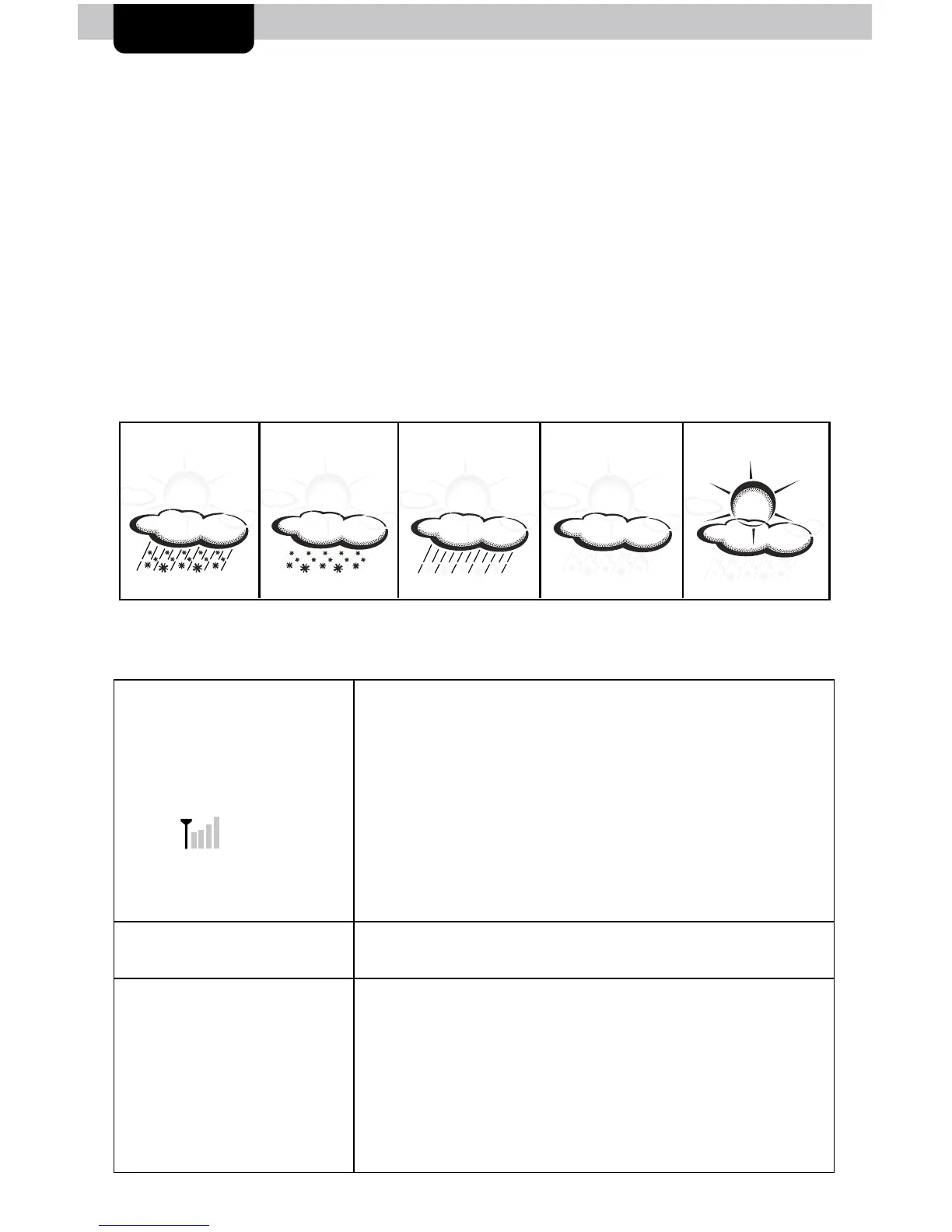
RAIN
LIKELY
SNOW
LIKELY
RAIN/SNOW
MIX LIKELY
MOSTLY
CLOUDY
CLOUDY
View the complete list of icons at www.AcuRite.com/acurite-icons
Display screen
not working
• Check that the power adapter is plugged into the display
and an electrical outlet.
Outdoor
temperature
is ashing or
showing dashes
Flashing of the outdoor temperature is generally an indication
of wireless interference.
1. Bring both the sensor and display indoors and remove at
least one battery from each.
2. Make sure the A-B-C switch on both units match.
3. Reinstall the battery in the outdoor sensor.
4. Reinstall the battery in the display.
5. Let the units sit within a couple feet of each other for about
a few to gain a strong connection.


 To Next Page