5
Care & Maintenance
Clock Care
Clean with a soft, damp cloth. Do not use caustic cleaners or abrasives. Keep
away from dust, dirt and moisture.
OPERATION
Specications
POWER:
1 x L1154F battery (included)
FCC Information
This device complies with part 15 of FCC rules. Operation is subject to the following two conditions:
1- This device may NOT cause harmful interference.
2- This device must accept any interference received, including interference that may cause undesired operation.
WARNING: Changes or modications to this unit not expressly approved by the party responsible for compliance could void the
user’s authority to operate the equipment.
Set the Alarm Time
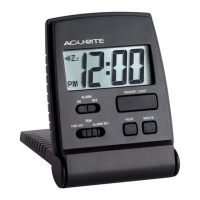
To set alarm time, slide the SET switch to the ALARM SET position. The AL
indicator will appear on the display.
To adjust the alarm time, press and release the HOUR button to adjust hours or
MINUTE button to adjust the minutes (press and HOLD to fast adjust).
To save your adjustments, slide the SET switch to the RUN position.
Alarm Clock ON or OFF function
To turn Alarm on: slide the ALARM ON/OFF switch to ON and the icon
appears on the screen.
To turn Alarm off: slide the ALARM ON/OFF switch to OFF and the icon
disappears from the screen.
Alarm Clock SNOOZE function/Display Light
When the alarm is sounding, activate the 4 minute SNOOZE function by
pressing the SNOOZE/LIGHT button. Press the SNOOZE/LIGHT button
anytime to illuminate the display light.




 To Next Page