3
Features & Benets
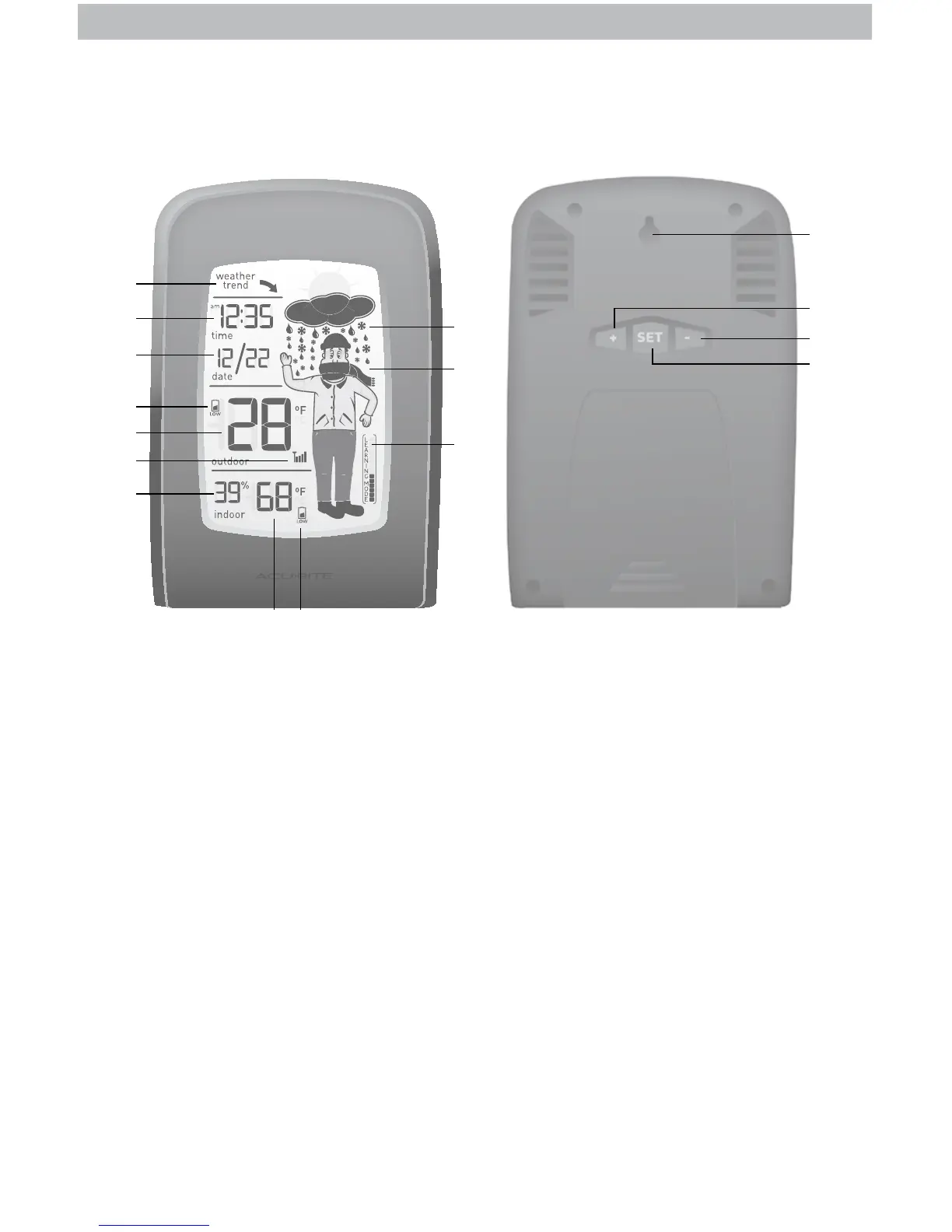
DISPLAY UNIT
1. Weather Trend Indicator
Arrow icon indicates the direction
the pressure is trending.
2. Clock
3. Date
4. Outdoor Sensor Low
Battery Indicator
5. Current Outdoor Temperature
6. Outdoor Sensor Signal Strength
7. Current Indoor Humidity
8. Current Indoor Temperature
9. Display Unit Low Battery Indicator
10. Learning Mode Icon
Disappears after weather forecast
self-calibration is complete.
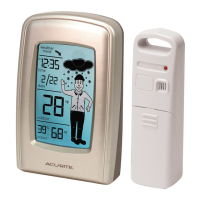
11. How-to-Dress Character
Includes 20 different clothing
recommendations based on the
weather forecast.
12. 12 to 24 Hour Weather Forecast
Self-Calibrating Forecasting pulls data
from the outdoor sensor to generate
your personal forecast.
BACK OF DISPLAY UNIT
13. Integrated Hang Hole
For easy wall mounting.
14. + Button
For setup preferences.
15. SET Button
For setup preferences.
16. – Button
For setup preferences.
13
14
15
16
1
2
3
4
5
6
7
Front of Display Unit Back of Display Unit
8 9
12
11
10


 To Next Page