Level Settings
The level settings in the MUSE allow fine-tuning of system
behavior such as maximum volume, analog input volume
trim and more.
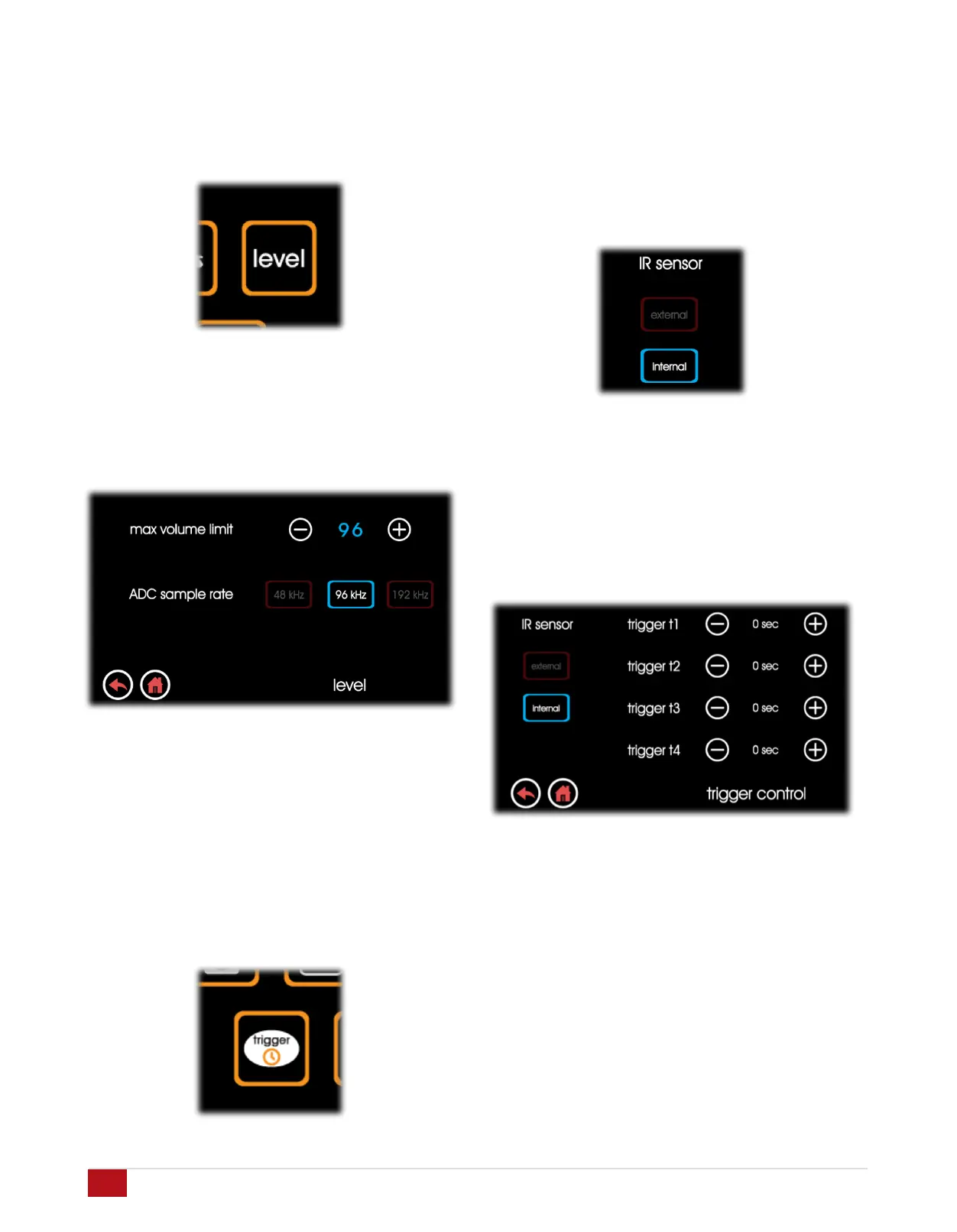
Max Volume Level: Use this setting to limit the max volume
range of the MUSE. This limit can prevent sound from
becoming too loud in small rooms or rooms with very
efficient loudspeakers.
Analog – ADC Sample Rate: For analog inputs i15 – i20, the
sample rate for the A/D converter or ADC can be adjusted
for maximum conversion quality. Sample rates can chosen
from 48kHz, 96kHz, and 192kHz. Default sample rate is
96kHz.
Trigger Settings
The Trigger Settings menu contains the parameters needed
to customize the behavior of the trigger out ports t1 – t4.
IR Receive Selector: The MUSE has a built-in IR receiver in
the front panel. In certain installations, the front panel of the
MUSE can not be located in line-of-sight with the IR remote
control. The external IR sensor port labelled “iR Rx” may be
used. Enable the external IR sensor in this screen. Note
that the internal front panel IR sensor is disabled whenever
the external sensor is selected.
Trigger Out Enable and Delay Settings: Trigger outputs t1 –
t4 are controlled here with the option of setting each output
on or off and setting delay times of 0 to 5 seconds in 1
second increments. This allows delayed turn-on of external
power amplifiers which minimizes instantaneous current
loads on the mains AC circuits powering these amplifiers.
27
Acurus MUSE pre-amp processor USER GUIDE
Revision 20190227
Document 1000905


 To Next Page