feature overview
Your MUSE pre-amp processor has been engineered to
provide years of trouble-free enjoyment when installed and
used according to this guide. This section will help you
become familiar with the most important features of the
MUSE component.
Front Panel
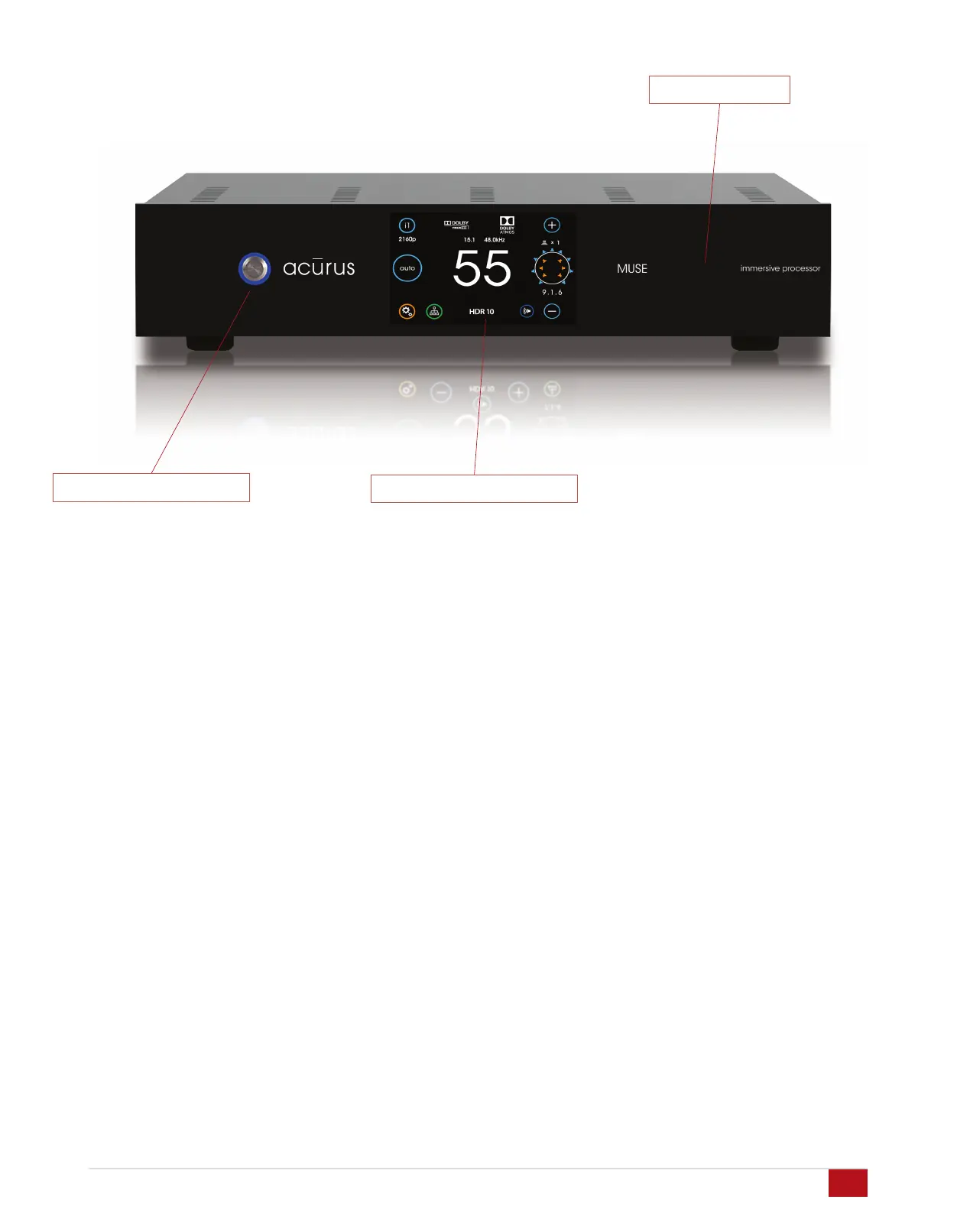
The front-panel of The MUSE was designed with beauty,
simplicity and control confidence as the primary goals.
Touch-sensitive LCD Screen: The MUSE features a touch-
sensitive screen for direct control and status monitoring on
the unit. The full-color, high-contrast TFT screen features
familiar mobile-device-like icons.
Power on/Standby button: The left side of the front panel
features a momentary-contact, machined-Aluminum power
button for switching the unit from standby to power on mode.
The light ring surrounding the power button illuminates red in
standby mode and blue in normal operation.
IR Sensor window: A multi-function infra-red (IR) and
ambient light sensor window is located on the right side of
the front panel, to the right of the touch screen. This
sophisticated sensor receives IR commands and senses
changes in ambient lighting for automatically controlling LCD
backlight brightness.
Side Panels
The left and right side panels of the Acurus MUSE include
ventilation slots to help regulate the internal temperature of
the unit even when rack-mounted.
Acurus MUSE Immersive Processor USER GUIDE
Revision 20190227
Document 1000905
Touch-sensitive LCD Screen
Power on/Standby Button
IR Sensor Window
6


 To Next Page