3. Review the license information, then press Enter .
The DVD main menu opens.
4. Click Launch Conguration Utility .
maxView Storage Manager opens.
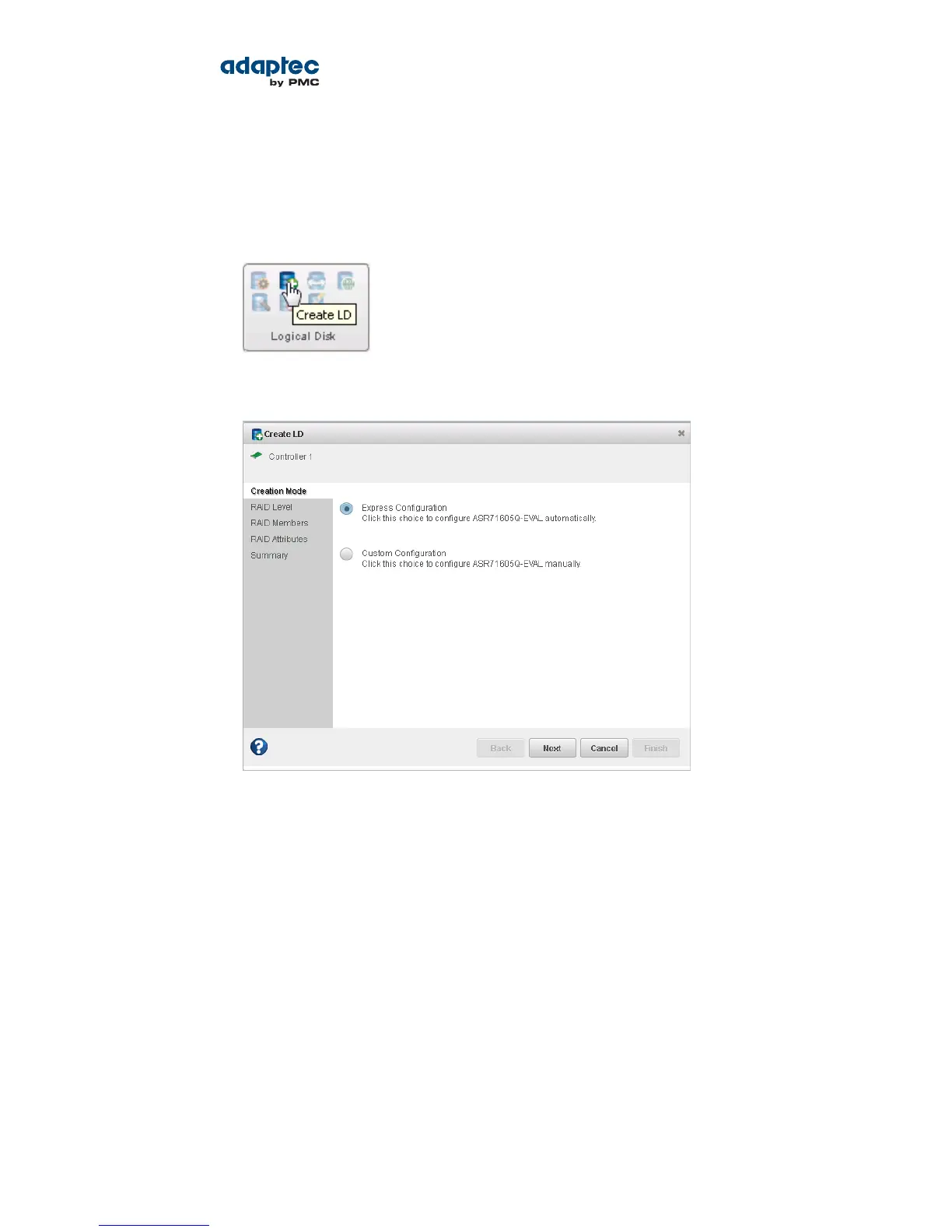
5. On the ribbon, in the Logical Disk group, click Create Logical Drive.
6. When the wizard opens, ensure that Express Conguration is selected, then click Next.
7. Review the logical drive conguration summary.
maxView Storage Manager uses the term logical drive when referring to an array (see Terminology
Used in this Guide on page 13).
The following example shows a RAID 5 array, ready to be created.
37Proprietary and Condential to PMC-Sierra, Inc.
Document No.: CDP-00277-01-A Rev. A, Issue:
Serial Attached SCSI RAID Controllers Installation and User's Guide



 To Next Page