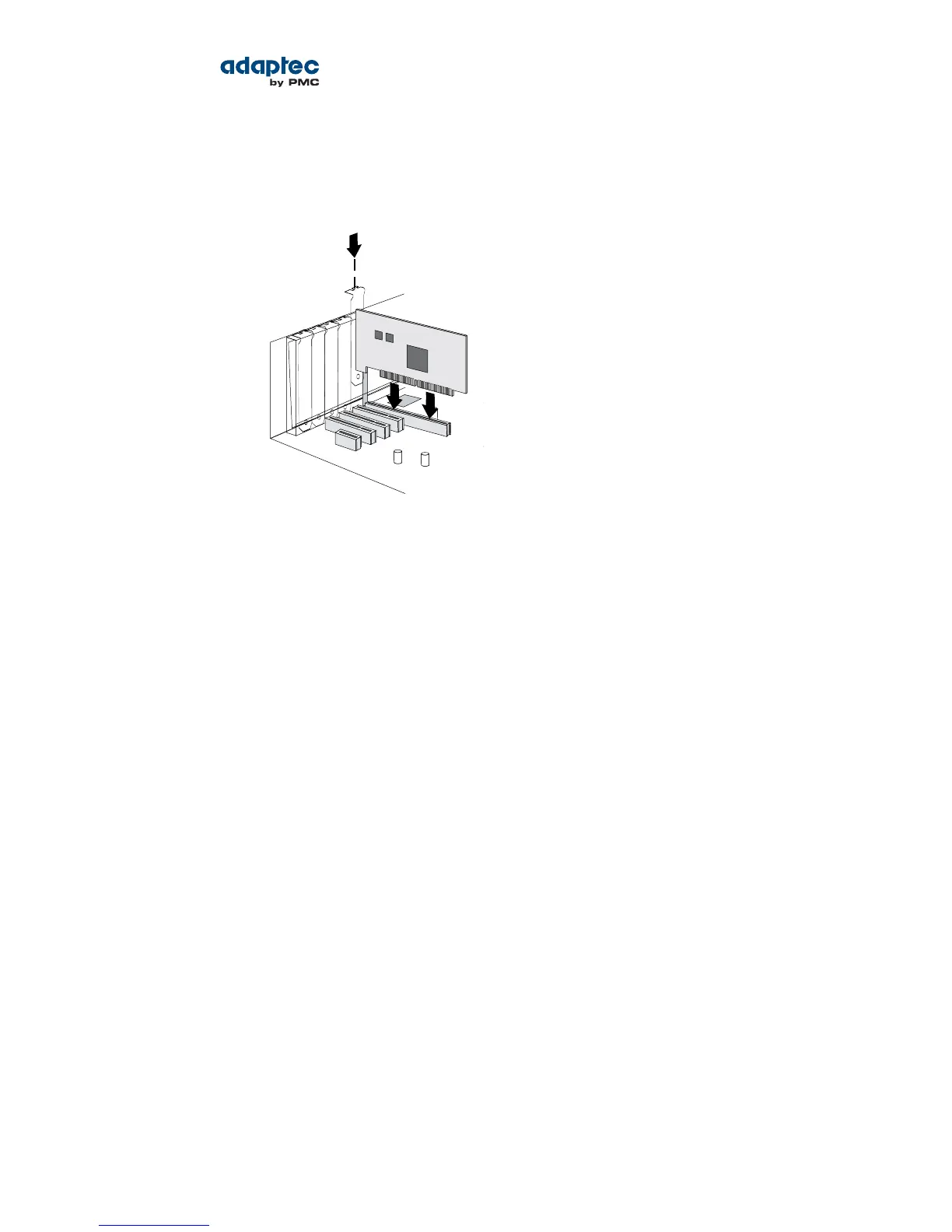
3. Insert the RAID controller into the expansion slot and press down gently but rmly until it clicks into
place. When installed properly, the RAID controller should appear level with the expansion slot.
Caution: Touch a grounded metal object before handling the RAID controller.
4. Secure the bracket in the expansion slot, using the retention device (for instance, a screw or lever)
supplied with your computer.
5. Prepare and install your internal disk drives, following the instructions in Connecting Disk Drives to
Your Controllers on page 31.
If you are not installing internal disk drives, close your computer cabinet, reattach the power cord,
then continue with Connecting External Devices on page 33.
Installing a RAID Controller with Zero Maintenance Cache Protection
Adaptec RAID controllers with zero maintenance cache protection include a ash module daughterboard
and a supercapacitor module. On Adaptec Series Q controllers, the daughterboard is pre-installed on
the controller. On Adaptec RAID controllers with optional zero maintenance cache protection (see
Adding a Flash Backup Module on page 16), the daughterboard is user installed. The supercapacitor
module is always user installed.
The following instructions describe how to install the supercapacitor module using the mounting plate
method. Refer to the yer in the ash module distribution kit for details about installing the
daughterboard on the RAID controller, as needed, and for other supercapacitor installation options.
Warning: Do NOT remove or insert a fully charged supercapacitor module. Always discharge the unit
rst to avoid damage to the controller or ash backup module. The factory ships with discharged units,
so they are safe to install when you receive them. To ensure that an installed unit is discharged, switch
your system OFF, then wait 5 minutes. After a dirty shutdown, wait 3 minutes after backup is complete,
then remove the unit.
To install an Adaptec RAID controller with zero maintenance cache protection:
1. Assemble the mounting plate and attach the supercapacitor module:
a) Attach the full-height bracket to the mounting plate. The full-height bracket is installed on the
front side of the mounting plate (the side with the bents), with the mounting screws inserted
from the back, as shown below. Be sure to attach the mounting plate to the bracket with recessed
side at the bottom!
28Proprietary and Condential to PMC-Sierra, Inc.
Document No.: CDP-00277-01-A Rev. A, Issue:
Serial Attached SCSI RAID Controllers Installation and User's Guide



 To Next Page