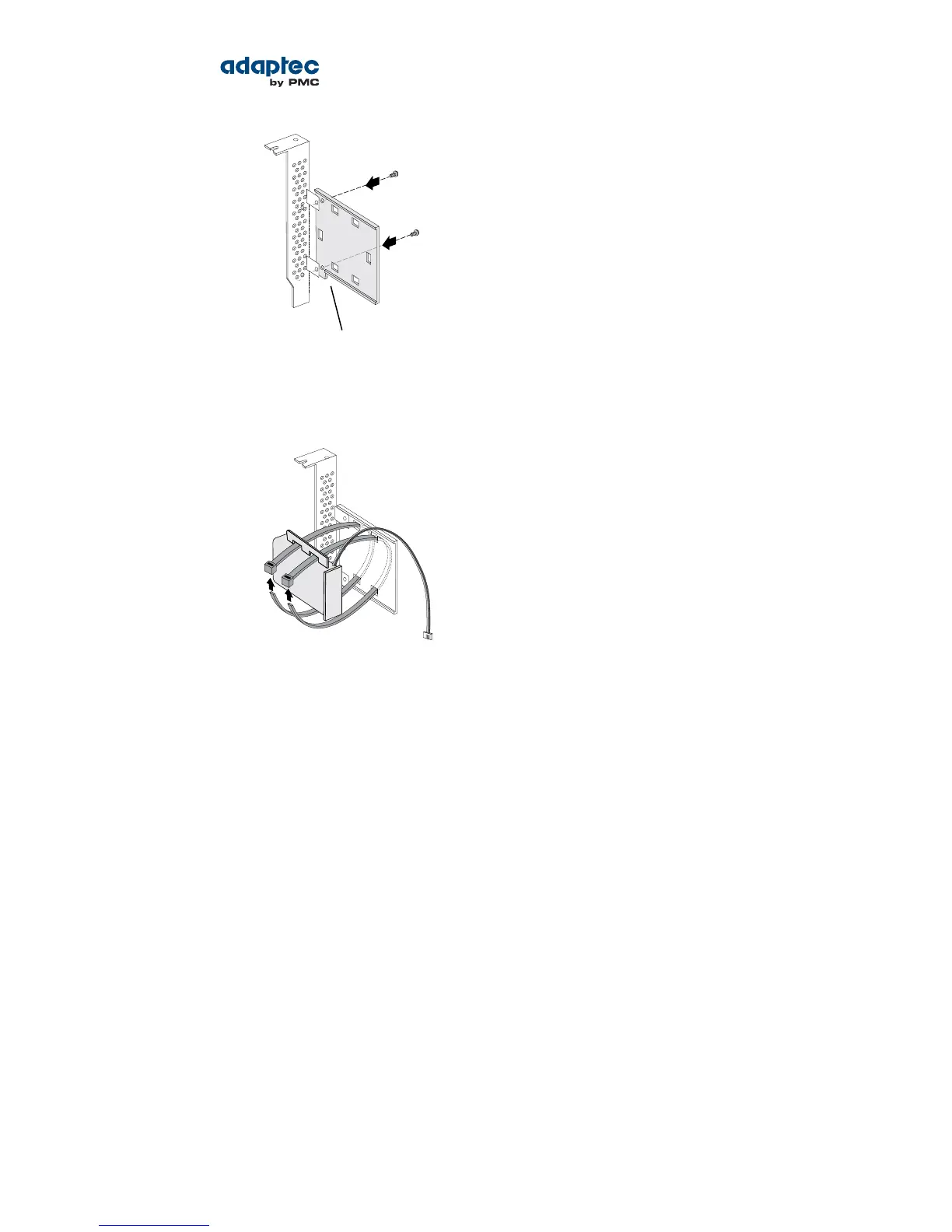
b) Thread the cable-ties through the slots on the supercapacitor module and afx to the mounting
plate, as shown in the next gure. The cable-ties should completely encircle the supercapacitor
module and mounting plate to ensure that it is held in place securely.
c) Set the mounting plate aside; continue with the steps below.
2. Turn off your computer and disconnect the power cord. Open the cabinet, following the
manufacturer's instructions.
3. Select an available PCIe expansion slot that's compatible with your RAID controller and remove the
slot cover, as shown in the gure below. (PCIe bus compatibility is marked on the controller gures
in About Your RAID Controller on page 16.) Be sure to choose a slot next to an empty slot in the
backplane; you will use the empty slot to install the supercapacitor mounting plate, after you install
the controller. Remove the slot cover for the mounting plate, then continue with the next step.
29Proprietary and Condential to PMC-Sierra, Inc.
Document No.: CDP-00277-01-A Rev. A, Issue:
Serial Attached SCSI RAID Controllers Installation and User's Guide



 To Next Page