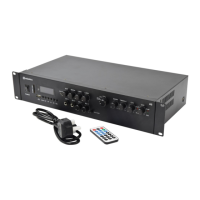
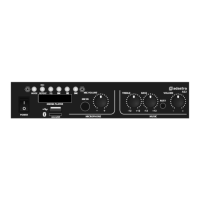
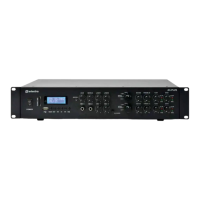
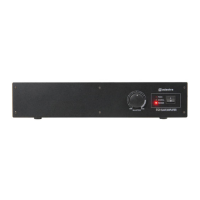
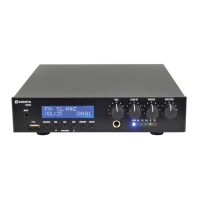
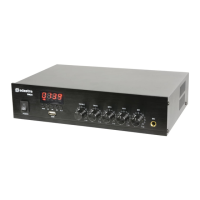
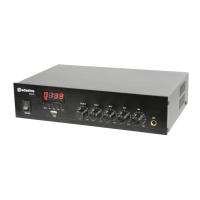
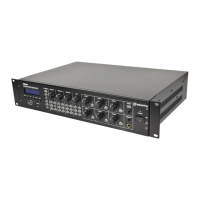
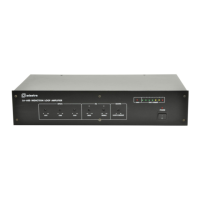
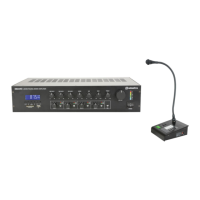
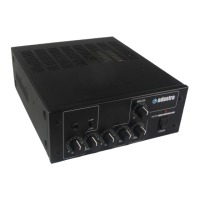
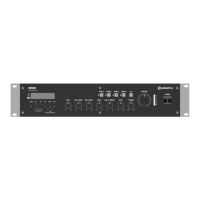
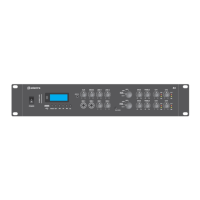
The Adastra A4 is a rackmount quad amplifier with an integrated media player, designed for public address systems in both mobile and installed environments. This device offers high-quality, dependable service, providing amplification for up to four speaker output channels and supporting multiple audio sources.
Function Description
The primary function of the A4 is to amplify audio signals for public address. It features four independent speaker output channels (Ch1, Ch2, Ch3, Ch4), which can be configured as two independent stereo zones (Left 1 + Right 1 and Left 2 + Right 2). Each output channel is designed to connect to speakers with a combined impedance of no less than 4Ω. The amplifier delivers its maximum power output at this minimum impedance rating, with higher impedances resulting in lower outputs. The combined load on each output shares the power from the amplifier, meaning if the amplifier is delivering 200W to two speakers connected in parallel with the same impedance, each speaker must be capable of handling 100W.
The integrated media player is a versatile component, supporting playback of audio files from USB or SD media, FM radio stations, and Bluetooth connections. This allows for a wide range of audio content to be played directly through the amplifier.
Input flexibility is a key feature, with two microphone inputs (6.3mm jack) on the front panel, allowing for voice announcements. These microphone inputs are always fed to all outputs, ensuring that announcements can be heard regardless of the selected stereo input. The amplifier also provides four selectable stereo sources: a 3.5mm stereo Aux input on the front panel, two stereo line inputs (Line 1 and Line 2) on the rear panel (with Line 1 offering both 6.3mm jack and RCA options, and Line 2 offering RCA inputs), and the internal media player. Each stereo input can be independently selected for either the Ch1+Ch2 or Ch3+Ch4 output pairs.
The A4 includes a "Talkover" feature, which, when activated, temporarily reduces the volume of any audio playback from the selected stereo Aux, Line, or Media input when a microphone is in use. This ensures that voice announcements are clearly heard without interference.
For tone shaping, the amplifier provides Bass and Treble EQ controls for each pair of outputs (Ch1+Ch2 and Ch3+Ch4). These controls allow users to adjust the low and high frequencies of the audio signal, respectively, to suit the audio content or compensate for room acoustics.
Usage Features
- Power Control: A main power on/off switch is located on the front panel. It is recommended to turn all rotary controls down before switching on the power.
- Volume Controls: Independent volume controls are provided for Aux input, Media player, Mic 1, Mic 2, Line 1, Line 2, and each of the four output channels (Ch1, Ch2, Ch3, Ch4). This granular control allows for precise mixing and level adjustment.
- Input Selection: Stereo input selectors on the front panel allow users to choose between Aux, Media Player, Line 1, or Line 2 for the Ch1+Ch2 and Ch3+Ch4 output pairs.
- EQ Adjustment: Bass and Treble EQ controls for Ch1+Ch2 and Ch3+Ch4 allow for boosting or cutting low and high frequencies. The 12 o'clock position provides no effect.
- Output Monitoring: Each speaker channel has SIG (Signal) and CLIP (Clipping) LEDs. The SIG LED indicates an active signal, while the red CLIP LED lights momentarily to indicate distortion or clipping. Users should reduce the output channel volume if the CLIP LED remains lit for more than a short flash.
- Microphone Use: Microphones connect via 6.3mm jacks on the front panel. Volume levels are controlled by dedicated Mic 1 and Mic 2 volume controls. The Talkover feature can be enabled to prioritize microphone announcements. To prevent feedback, microphones should be pointed away from speakers.
- Media Player Operation:
- USB/SD Playback: Insert USB or SD media containing standard MP3 audio files. Playback typically begins automatically. The display shows track number, elapsed time, and the active media type (USB or SD).
- Navigation: Use the ◄◄ and ►► buttons to navigate between tracks.
- Volume Control: Hold ◄◄ or ►► to adjust the media player's output volume.
- Play/Pause: The ►II button pauses and resumes playback.
- Repeat Modes: The REP button cycles through repeat modes: random, single track, folder, and all tracks.
- EQ Presets: The EQ button cycles through preset equalization modes: bass, pop, rock, jazz, classical, and normal.
- FM Tuner: Press MODE until a frequency or channel is displayed. The ►II button initiates auto-tuning to scan and store available FM stations as channels. ◄◄ and ►► buttons step through preset stations. Holding ◄◄ or ►► adjusts FM radio volume. An external FM antenna can be connected to the rear panel for improved reception.
- Bluetooth Connectivity: Press MODE until "BLUE" flashes on the display. Enable Bluetooth on a smart device, scan for "A series," and connect. Play audio from the smart device, ensuring its volume is not muted. The ◄◄, ►II, and ►► buttons function as remote playback controls, and holding ◄◄ or ►► adjusts the player's output volume. Connection automatically resumes if the device goes out of range or if Bluetooth mode is re-selected.
- Line Outputs: RCA line outputs are provided for Ch1+Ch2 and Ch3+Ch4, allowing the mixed mic/line inputs to be fed to further equipment.
- Remote Control: A supplied I.R. remote handset provides convenient control over the media player functions, mirroring many of the front panel controls. It includes buttons for power, repeat modes, input selection (USB, SD, FM, Bluetooth), FM radio station selection, EQ presets, track navigation, play/pause, volume adjustment, and direct track/channel access. The remote requires a CR2025 button cell, with a plastic tab to be removed before first use.
Maintenance Features
- Safety Precautions: The manual emphasizes reading all instructions, paying attention to safety warnings, and observing operating requirements. It warns against using the device near water or in wet areas, exposing it to rain or moisture, and opening the casing due to the risk of electric shock.
- Cleaning: For cleaning the casing, a soft, lint-free, dry cloth with a neutral detergent is recommended. A vacuum cleaner can be used to clear dust and debris from ventilation grilles. Strong solvents should not be used.
- Ventilation: The device features a ventilation grille on the rear panel. It is crucial to ensure that this grille is not obstructed to maintain adequate airflow and prevent overheating.
- Placement: The amplifier should be placed away from direct sunlight, heat sources, damp or dusty environments. For rack-mounting, the provided rack ears should be used, and adequate support for the amplifier's weight must be ensured. Cooling vents should not be covered.
- Power Connection: Users should check the mains voltage and the condition of the IEC lead before connecting to a power outlet. The power cord should be protected from damage, and the unit should be unplugged during stormy weather or if unused for long periods.
- Speaker Wiring: It is recommended to use speaker wire with a minimum current rating of 6A per output.
- Troubleshooting Guide: The manual includes a troubleshooting section to help users diagnose common issues such as no power, no audio output, Bluetooth connection problems, and distorted sound. This guide provides steps like checking connections, verifying speaker functionality, ensuring correct media file types, and adjusting volume levels.
- Qualified Service Personnel: In case of malfunction, water ingress, or other damage, users are advised to consult qualified service personnel. The device contains no user-serviceable parts, and opening the case should be avoided.
- Fuse: The device has a fuse (F5A, 250V) to protect against electrical overloads. If the unit does not power on, checking the mains inlet fuse is a recommended troubleshooting step.


 To Next Page
 General
 Weight and Dimensions