EasyManua.ls Logo

Adastra RM406 - User Manual

Adastra RM406
8 pages
Print Icon
To Next Page IconTo Next Page
Loading...
RM406
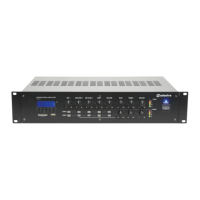
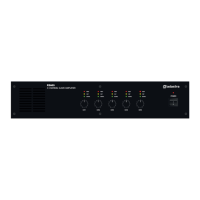
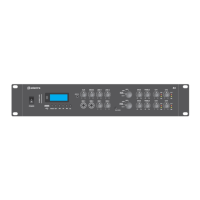
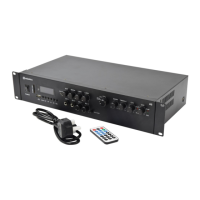
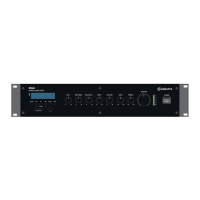
Rackmount 6-zone Mixer-Amplifier
Item ref: 953.160UK
User Manual
Version 1.1
Caution: Please read this manual carefully before operating
Damage caused by misuse is not covered by the warranty

Questions and Answers

  • D
    diane61Aug 17, 2025
    Why is my Adastra RM406 Amplifier overheating?
    • E
      Emily WiseAug 17, 2025
      If the Adastra Amplifier is overheating, make sure that the cooling vents are free from any obstructions like debris or dust. Also, confirm that 4Ω or 8Ω speakers aren't connected to the 100V terminals. Ensure the total 100V speaker wattage is below the maximum rating for each zone and that 100V and 8Ω speakers aren't connected at the same time. Lastly, check that the total load connected to the 4Ω or 8Ω output isn't less than specified.
  • A
    Angela OwensAug 19, 2025
    How to fix no power LED on Adastra Amplifier?
    • D
      Derrick JacksonAug 20, 2025
      If there's no power LED on the Adastra Amplifier's control panel, verify that the IEC lead is in good condition and properly connected. Also, check that the voltage selector is set to the correct value for your power supply. Finally, ensure the POWER switch is turned on and inspect the mains inlet fuse.
  • S
    Susan SharpAug 22, 2025
    What to do if Adastra RM406 output is very loud or distorted?
    • A
      Aimee EverettAug 22, 2025
      If the output from your Adastra Amplifier is very loud or distorted, first check that the input signal level isn't too high. If it is, reduce the relevant Mic/Line, Aux, USB/SD, and/or Zone level controls.
  • S
    stephensbryanAug 25, 2025
    Adastra Amplifier: Power LED is on but no other LEDs and no output. How to fix?
    • S
      Sarah HernandezAug 26, 2025
      If the Adastra Amplifier's power LED is on, but there are no other LEDs and no output, check the input signals and the condition of the input connection leads. Also, ensure that the selected zone output is assigned to the active input channel and that the Zone, Mic/Line, Aux, or BT/FM/USB/SD volume controls are turned up.
  • J
    Jessica LivingstonAug 27, 2025
    Why is there no output from the Adastra Amplifier audio player?
    • H
      Holly MooreAug 28, 2025
      If there is no output from the audio player on your Adastra Amplifier, ensure that the Mute function is off and the volume isn't set too low. Also, check that Mic/Line 1 priority or 24V mutes are not overriding playback.
  • Y
    Yvette NelsonAug 30, 2025
    What to do if Adastra Amplifier power light and zone output LEDs are lighting but no output?
    • K
      Kimberly GrantAug 31, 2025
      If the Adastra Amplifier's power light and zone output LEDs are lit but there's no output, use the monitor function with headphones to check the zone signal. Verify that the speaker output terminals are correctly connected and that the speakers are working, testing them on another amplifier if possible.
  • E
    Erin MooreSep 2, 2025
    Why is the Adastra RM406 Amplifier output at a very low level?
    • H
      hwilsonSep 2, 2025
      If the output from the Adastra Amplifier is working but at a very low level, first check that the input audio source level isn't too low. If it isn't, increase the relevant Mic/Line, Aux, USB/SD, and/or Zone level controls. Also, check for quiet recording of media files on USB/SD/BT devices and ensure that Mic/Line 1 priority isn't unintentionally suppressing other channels.
  • J
    Julian BaileySep 5, 2025
    How to turn on LCD display on Adastra RM406?
    • V
      Victoria NorrisSep 5, 2025
      If the Adastra Amplifier's LCD display on the audio player is not lit, and the main power is on, press and hold the Mute button until the display lights up.
  • C
    carlsonlisaSep 8, 2025
    Why no playback via Bluetooth on Adastra RM406?
    • H
      Heather FerrellSep 8, 2025
      If there is no playback via Bluetooth on your Adastra Amplifier, ensure that the sending device is paired and connected as audio to “BT001”. Also, check the playback status and volume setting of the sending device.
  • M
    Mary DavisSep 10, 2025
    Adastra Amplifier: USB/SD player will not play audio from media. How to fix?
    • J
      Jason BarnesSep 12, 2025
      If the USB/SD player on your Adastra Amplifier won't play audio from media, press the Play/Pause button to check if the track is paused. Press the Source button to ensure the correct device is selected. Check that the memory device is properly connected by removing and re-inserting it. Ensure that the files are standard compressed digital audio files and test the memory device on a PC or Mac for standard playback.

Adastra RM406 Specifications

General IconGeneral
BrandAdastra
ModelRM406
CategoryAmplifier
LanguageEnglish

Related product manuals