EasyManua.ls Logo

Adastra RM1202 - User Manual

Adastra RM1202
8 pages
Print Icon
To Next Page IconTo Next Page
Loading...
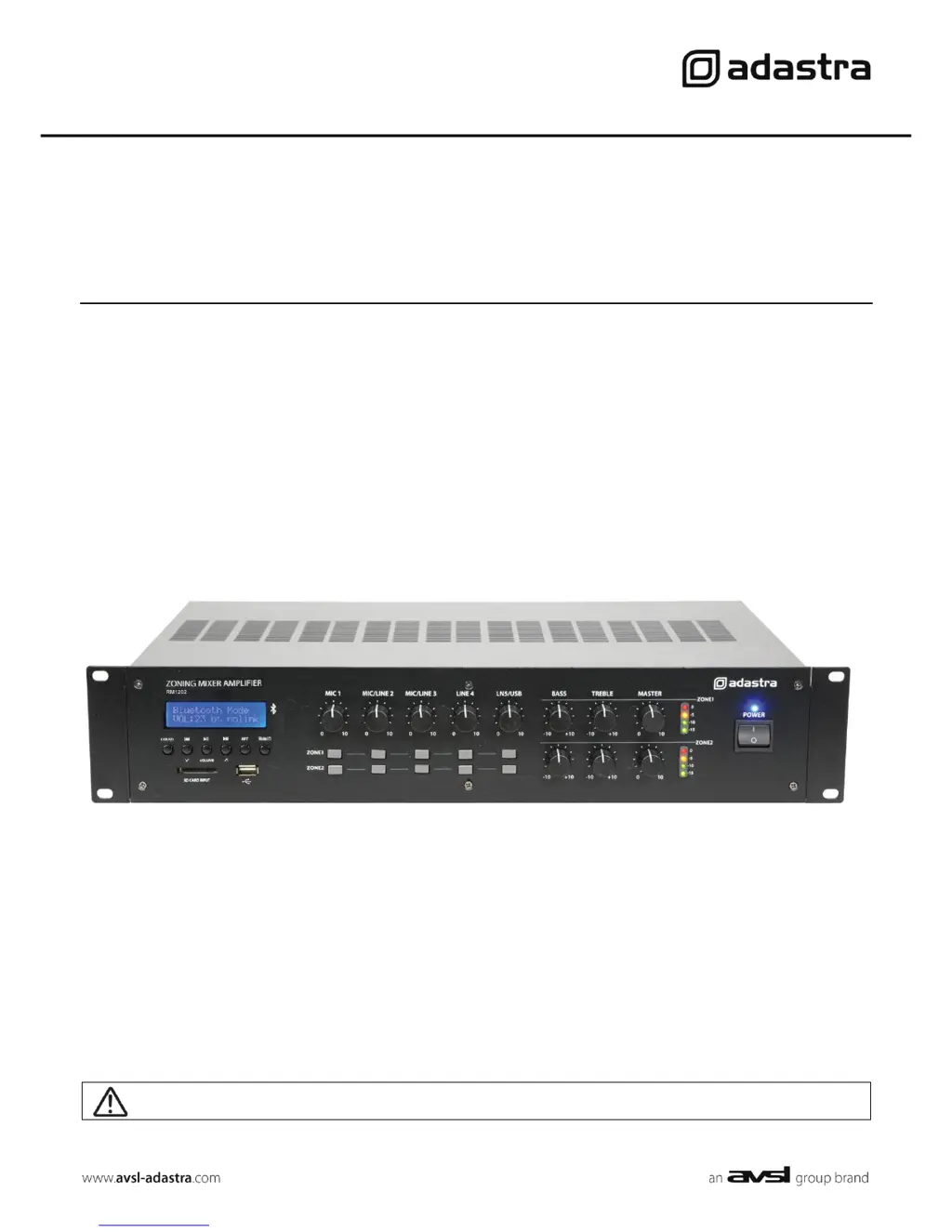
RM1202
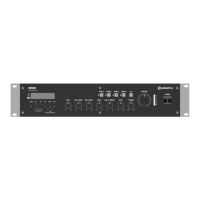
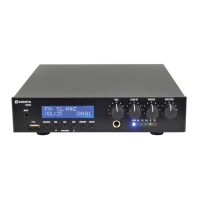
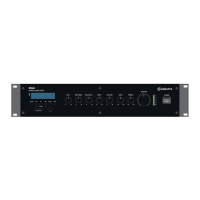
Rackmount 2-zone Mixer-Amplifier
Item ref: 953.162UK
User Manual
Version 2.0
Caution: Please read this manual carefully before operating
Damage caused by misuse is not covered by the warranty

Questions and Answers

  • C
    Christopher HollandAug 17, 2025
    Why is the output so loud or distorted on my Adastra Amplifier?
    • T
      tiffany05Aug 17, 2025
      If the output from your Adastra Amplifier is too loud or distorted, verify that the input signal level isn't excessively high. Try reducing the level control for the Mic, Line, or media player input. If needed, reduce any boost to Bass or Treble and lower the Master volume control.
  • B
    Brittany BryantAug 19, 2025
    How to fix no power LED on Adastra RM1202 Amplifier?
    • C
      codystoutAug 19, 2025
      If the power LED on your Adastra Amplifier's control panel isn't lit, first, make sure the IEC lead is in good condition and properly connected. Next, check that the voltage selector is switched to the correct value for your power supply. Finally, ensure the POWER switch is on and inspect the mains inlet fuse.
  • E
    Erin EdwardsAug 22, 2025
    Why is the output level very low on my Adastra RM1202 Amplifier?
    • U
      ukellyAug 22, 2025
      If the output from your Adastra Amplifier is working but at a very low level, first check that the input audio source level isn't too low. Then, increase the Master volume and input channel controls, and remove any Bass or Treble cut. Also, check for quiet recording of media files on USB/SD/BT devices. Finally, check that Mic.1 priority is not unintentionally suppressing other channels.
  • C
    collinsbrookeAug 26, 2025
    What to do if my Adastra RM1202 is overheating?
    • D
      Dylan ElliottAug 26, 2025
      If your Adastra Amplifier is overheating: 1. Ensure the cooling vents are free from debris and dust. 2. Check that 4Ω or 8Ω speakers are not connected to 100V terminals. 3. Ensure the total 100V speaker wattage is lower than the max rating for any zone. 4. Ensure that 100V and 8Ω speakers are not connected simultaneously. 5. Ensure that the total load connected to the 4Ω or 8Ω output is not less than stated.
  • L
    Lynn WellsAug 27, 2025
    Why does my Adastra RM1202 have power but no output?
    • D
      Daniel AguilarAug 27, 2025
      If the power LED is on but there are no other LEDs and no output from your Adastra Amplifier, check the input signals and the condition of the input connection leads. Also, check that the selected zone output is assigned to the active input channel. Ensure that the Zone Master, Mic, Line, or media player volume controls are turned up.
  • D
    denisechavezAug 30, 2025
    What to do if USB/SD player on Adastra Amplifier won't play audio?
    • K
      Kelly BakerAug 30, 2025
      If the USB/SD player on your Adastra Amplifier won't play audio from media, first, press the Play/Pause button to ensure the track is not paused. Next, press the Source button to ensure the required device is selected. Check the memory device is connected properly by removing and re-inserting it. Verify that the file types are standard compressed digital audio files. Finally, check the memory device works on a PC or Mac for standard playback.
  • K
    Kevin FosterSep 2, 2025
    Why does my Adastra RM1202 have lights but no sound?
    • M
      Mr. Joel RiveraSep 2, 2025
      If the power light and zone indicator LEDs are lit but there's no output from your Adastra Amplifier, check that the speaker output terminals are connected correctly. Also, check that the speakers are working by testing them on another amp if available.
  • H
    hallamberSep 4, 2025
    Adastra Amplifier: Why is there no output from the audio player?
    • B
      Brenda LewisSep 5, 2025
      If there's no output from the audio player on your Adastra Amplifier, ensure that the Mute function is off and the volume is not set too low (press and hold “?”). Also, check that Mic.1 priority is not overriding playback.
  • N
    Nicole CarsonSep 7, 2025
    How to troubleshoot Bluetooth playback on Adastra RM1202?
    • A
      Amy ButlerSep 8, 2025
      If you're experiencing no playback via Bluetooth on your Adastra Amplifier, ensure that the sending device is paired and connected as audio to the correct device. Check the playback status and volume setting of the sending device.
  • D
    Daniel FloresSep 10, 2025
    How to stop microphone feedback on Adastra RM1202?
    • C
      cbutlerSep 12, 2025
      If you're getting feedback from the microphone on your Adastra Amplifier, face the microphone away from the speakers. Also, turn down the Mic level control.

Summary

Introduction

Safety Symbol and Message Conventions

Explains symbols and warning conventions used in the manual for safe operation.

Safety Notice

Lists essential safety precautions and guidelines for operating the device.

Connection and Setup

DIP Switches

Details the function and settings of the amplifier's DIP switches.

Signal Inputs and Outputs

Describes the various input and output connections available on the amplifier.

Stereo Operation

Explains how to configure the unit for stereo output to different zones.

Speaker Outputs

100 V Line Systems

Guidance on connecting 100V line speakers to the amplifier's outputs.

Low Impedance Systems

Instructions for connecting 4 Ohm or 8 Ohm speakers to the amplifier.

Operation

Media Player

Details on using the built-in USB/SD, FM tuner, and Bluetooth player.

FM Tuner

Instructions for tuning and using the integrated FM radio receiver.

Bluetooth

Steps for pairing and playing audio from Bluetooth-enabled devices.

Specifications

Troubleshooting

Adastra RM1202 Specifications

General IconGeneral
Amplifier class-
Frequency range100 - 20000 Hz
Audio output channels1.0 channels
Peak power per channel120 W
Signal-to-Noise Ratio (SNR)84 dB
Total Harmonic Distortion (THD)0.76 %
PurposePerformance/stage
BluetoothYes
Product colorBlack
Bluetooth version5.0
Connectivity technologyWired
USB port typeUSB Type-A
Line inputs (RCA)2
USB 2.0 ports quantity1
Speakers connectivity typeRCA
AC input voltage110-230 V
AC input frequency50 - 60 Hz
Weight and Dimensions IconWeight and Dimensions
Depth320 mm
Width483 mm
Height88 mm
Weight11240 g

Related product manuals