EasyManua.ls Logo

Adastra DM25 - User Manual

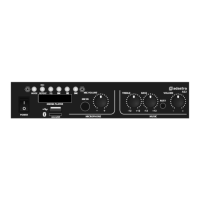
Adastra DM25
8 pages
Print Icon
To Next Page IconTo Next Page
Loading...
953.108UK User Manual
DM25
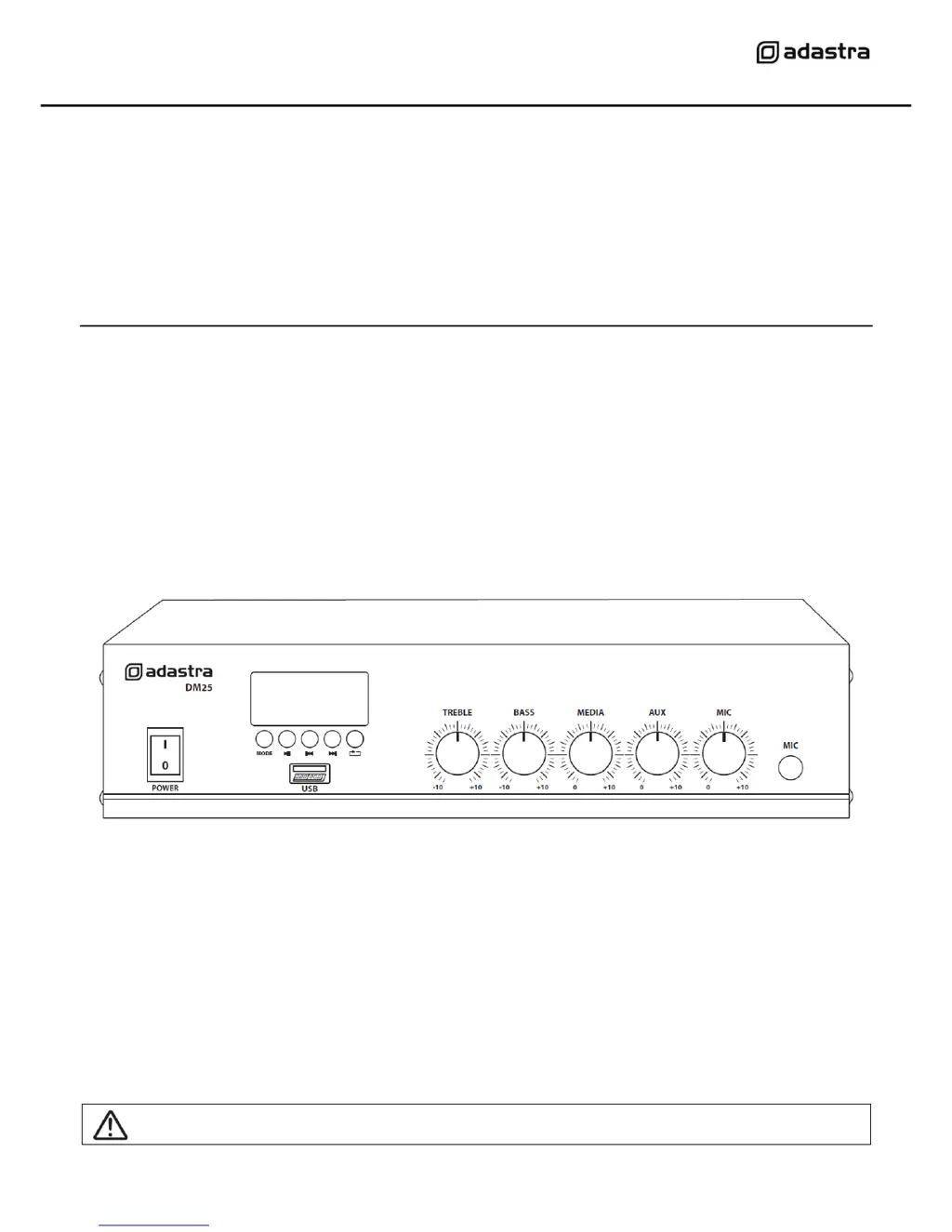
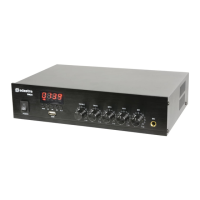
Compact 100V mixer-amplifier with Bluetooth®
Item ref: 953.108UK
User Manual
Caution: Please read this manual carefully before operating
Damage caused by misuse is not covered by the warranty

Questions and Answers

  • A
    Allison ThomasAug 13, 2025
    Why is the Adastra DM25 output very loud or distorted?
    • A
      Alicia DavenportAug 13, 2025
      If the output from your Adastra Amplifier is excessively loud or distorted, it may be due to a high input signal level. Try reducing the MIC, LINE IN, USB/SD, and/or MASTER level. Also, ensure that Hi-Z line level inputs are not connected via the MIC input.
  • T
    Traci BakerAug 16, 2025
    What to do if Adastra DM25 overheating?
    • W
      William OwenAug 16, 2025
      If your Adastra Amplifier is overheating, take the following steps: * Ensure the cooling vents are free from dust and debris. * Check that 4Ω or 8Ω speakers are not connected to 100V terminals. * Ensure the total 100V speaker wattage is lower than the amplifier's rating. * Make sure that 100V and 8Ω speakers are not connected simultaneously. * Verify that the total load connected to the 8Ω output is not less than 8Ω.
  • F
    fwagnerAug 20, 2025
    What to do if there is feedback from microphone on Adastra Amplifier?
    • S
      Steven OnealAug 20, 2025
      If you are experiencing feedback from the microphone when using your Adastra Amplifier, try facing the microphone away from the speakers and monitors. Additionally, you can turn down the MIC and/or MASTER level to reduce the feedback.
  • S
    Sean JacksonAug 25, 2025
    What to do if Adastra Amplifier LED display is lit but no output?
    • D
      Daniel Hawkins PhDAug 25, 2025
      If the LED display is lit on your Adastra Amplifier but there's no output, you should: * Check the input signals and the condition of the input connection leads. * Ensure the level controls are turned up. * Check the file type on USB or the connection via Bluetooth is OK. * Verify that the speaker output terminals are connected correctly. * Test the speakers on another amplifier, if available, to ensure they are working.
  • M
    Mark MaldonadoAug 28, 2025
    How to fix no output or LED display on Adastra Amplifier?
    • D
      Denise WoodAug 28, 2025
      If your Adastra Amplifier has no output and the LED display is not lit, ensure the IEC lead is in good condition and connected properly. Check the mains inlet fuse and ensure the POWER switch is on.
  • K
    Kimberly HillSep 1, 2025
    Why is the output working but at very low level on Adastra Amplifier?
    • K
      kevinmckinneySep 1, 2025
      If the output on your Adastra Amplifier is working but at a very low level, check that the input audio source level is not too low. Increase the MIC, LINE IN, USB/SD, and/or MASTER level. Also, check for quiet recording of media files on the USB.
  • S
    Stacy WilliamsSep 4, 2025
    How to fix no connection via Bluetooth on Adastra DM25?
    • A
      amy66Sep 5, 2025
      If you're experiencing connection issues via Bluetooth on your Adastra Amplifier, verify that the sending device is connected to the correct “MP3A” ID. Also, check the volume output level of the sending device.
  • J
    Jason MooreSep 8, 2025
    What to do if USB player will not play audio from media on Adastra DM25?
    • A
      Angela ClaytonSep 8, 2025
      If the USB player on your Adastra Amplifier will not play audio from media, press PLAY on the transport controls. Check that the memory device is connected properly by removing and re-inserting it. Ensure that you are using standard mp3 files. Verify the memory device works on a PC or Mac for standard playback.

Summary

Safety

General Safety Precautions

Key safety guidelines for operating the amplifier, including electrical safety and environmental considerations.

Connection and Setup

Speaker Output Options

Details on connecting 100V line or low impedance speakers to the rear terminals.

100 V Line Systems

Connecting 100 V Speakers

Procedure for connecting speakers in a 100V line system using COM and 100V terminals.

Low Impedance Systems

Connecting Low Impedance Speakers

Procedure for connecting speakers in a low impedance (4-16 Ohm) system using COM and 4-16 Ohm terminals.

Operation

Initial Power-Up and Testing

Steps for turning on the amplifier and testing audio inputs and microphone levels.

Feedback Prevention

Advice on avoiding audio feedback (squealing) when using microphones.

Bluetooth Mode

Troubleshooting

Adastra DM25 Specifications

General IconGeneral
Channels quantity1 channels
Amplifier includedYes
Amplifier output power25 W
Digital sound processing- bit
Output impedance4 - 16 Ω
Bluetooth version2.1
AUX out ports1
Line inputs (RCA)2
USB 2.0 ports quantityUSB 2.0 ports have a data transmission speed of 480 Mbps, and are backwards compatible with USB 1.1 ports. You can connect all kinds of peripheral devices to them.
DJ mixer-
Product colorBlack
Video capabilityNo
USB connector typeUSB Type-A
AC input voltage230 V
AC input frequency50 Hz
Weight and Dimensions IconWeight and Dimensions
Depth205 mm
Width280 mm
Height67 mm
Weight1340 g
Package depth236 mm
Package width356 mm
Package height103 mm
Package weight1790 g

Related product manuals