EasyManua.ls Logo

Adastra LA-600 - User Manual

Adastra LA-600
8 pages
Print Icon
To Next Page IconTo Next Page
Loading...
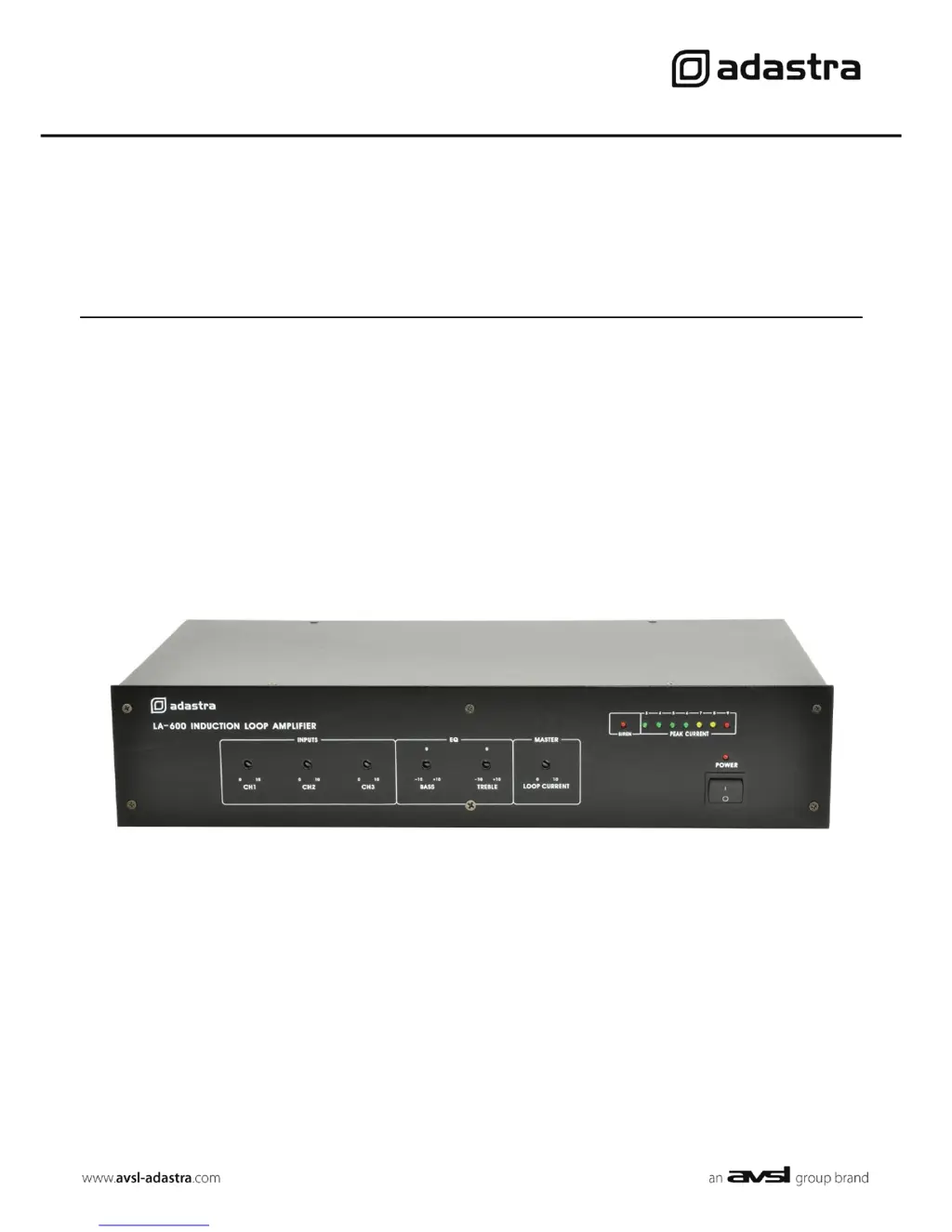
LA-600
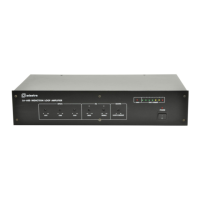
LOOP AMPLIFIER
Item ref: 952.867UK
User Manual

Questions and Answers

  • L
    Lisa MayoJul 30, 2025
    Why are the peak indicators on my Adastra Amplifier mainly showing overload (red)?
    • S
      Stephen BradshawJul 30, 2025
      The peak indicators might be showing overload because the loop current or input levels are too high. Try decreasing the relevant controls. Also, check that the loop isn't shorted or grounded at any point.
  • D
    David NorrisAug 3, 2025
    What to do if there is no power indicator when switched on Adastra Amplifier?
    • J
      Jay KingAug 3, 2025
      If there's no power indicator when you switch on your Adastra Amplifier, first check that the mains are connected and switched on at the socket. Next, check if the mains fuse is blown. If it is, consult qualified service personnel. If the fuse is blown, also check that the loop contacts were not shorted out.
  • S
    Stephanie McneilAug 7, 2025
    What to do if peak current indicators are not showing any signal on Adastra Amplifier?
    • C
      cmurphyAug 7, 2025
      If the peak current indicators on your Adastra Amplifier aren't showing any signal, verify that the input connections are okay and a signal is present on the input. Also, check that the loop is intact and connected to the amplifier properly. If needed, increase channel level controls and loop current.
  • P
    peterhallAug 12, 2025
    What to do if siren activated on Adastra Amplifier?
    • H
      hendrickstimothyAug 12, 2025
      If the siren is activated on your Adastra Amplifier, ensure that the alarm contacts are not accidentally shorted out.
  • J
    Jessica RobinsonAug 16, 2025
    How to fix poor quality audio from the loop on Adastra Amplifier?
    • T
      tracynavarroAug 16, 2025
      To improve poor quality audio from the loop on your Adastra Amplifier: * If there are metal structures nearby, increase the metal loss correction level. * Use the Bass and Treble controls to help improve intelligibility.
  • D
    Denise DonaldsonAug 21, 2025
    What to do if I notice dead spots within induction loop field of Adastra Amplifier?
    • J
      jbakerAug 21, 2025
      If you notice dead spots within the induction loop field, check for large metal structures within the architecture close to the loop. Also, avoid changes in height of the loop cable, such as running it over door frames.
  • T
    Thomas ElliottAug 25, 2025
    How to stop loop field interfering with other audio equipment from Adastra Amplifier?
    • M
      Michelle HancockAug 25, 2025
      To prevent the loop field from interfering with other audio equipment when using the Adastra Amplifier, ensure that the loop cable is twisted between the loop and the loop amplifier. If necessary, form a cancellation loop to avoid affecting other equipment.

Summary

Safety and Precautions

Safety Symbols and Message Conventions

Explains symbols and their meanings for safe operation.

Safety Notice

Lists essential precautions to follow before operating the unit.

General Warnings

Provides critical warnings to prevent fire or electric shock risks.

Safety, Placement, and Cleaning

Outlines safety checks, placement guidelines, and cleaning procedures for the device.

Product Overview and Controls

Introduction

Welcome message and unit purpose for assisted hearing installations.

Front Panel Controls

Detailed description of all controls and indicators on the front panel.

Rear Panel Connections

Identifies and explains all input/output terminals and connectors on the rear panel.

Installation and Setup

Unit Placement and Cooling

Guidelines for free-standing or rack mounting, ensuring adequate ventilation.

Input Channel Configuration

Details on connecting microphones and line sources via XLR, jack, and RCA inputs.

Master;Slave Operation

How to connect multiple LA600 units for expanded coverage.

Alarm and Loop Output Connections

Wiring the alarm contacts and the main induction loop output terminals.

Mains Power Connection

Connecting the unit to the power supply via IEC connector and setting voltage.

Induction Loop Cable Installation

Cable Gauge and Resistance Calculation

How to select cable gauge based on length and calculate resistance.

Loop Wire Installation Guidelines

Advice on routing, conduit, height, and avoiding interference.

Multi-Loop System Configuration

Using slave connections to link multiple amplifiers for larger areas.

Advanced Configuration and Connection

Cancellation Loop Implementation

Technique to control magnetic field spill in adjacent areas.

Input Signal Types and Settings

Connecting microphones, line sources, and phantom power with priority settings.

Final Loop Wire Connection

Connecting the induction loop wire to the amplifier terminals.

Operation and Adjustment

Initial Control Settings

Recommended starting positions for front panel controls.

Setting Input and Loop Levels

Adjusting channel levels and loop current for optimal output.

Audio Tone and Metal Loss Correction

Using Bass, Treble, and Metal Loss controls for sound quality.

Powering Down the Unit

Procedure for switching off the amplifier when not in use.

Specifications and Troubleshooting

Technical Specifications

Lists key performance metrics and physical dimensions of the LA-600.

Troubleshooting Common Issues

Provides solutions for common operational problems and indicators.

Adastra LA-600 Specifications

General IconGeneral
BrandAdastra
ModelLA-600
CategoryAmplifier
LanguageEnglish

Related product manuals