Need help?
Do you have a question about the ADDER AdderLink X-USBPRO and is the answer not in the manual?
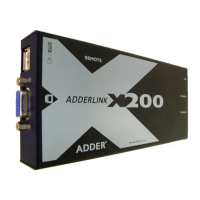
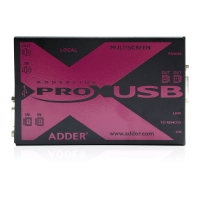
Overview of the AdderLink X-USBPRO extenders and their capabilities for extending computer peripherals.
Lists the components included with the standard AdderLink X-USBPRO package.
Details the contents of the MS2 variant package, including additional items.
Explains the general requirements for connecting the X-USBPRO modules.
Describes the two primary methods for mounting the X-USBPRO modules: feet or rack brackets.
Details how to connect video, USB, and audio interfaces to the local X-USBPRO module.
Guides on powering the X-USBPRO and X-USBPRO-MS2 local modules, including adapter usage.
Details connecting USB devices, video displays, and CATx cables to the remote X-USBPRO module.
Explains the Display Data Channel (DDC) and its role in video signal optimization.
Details the video compensation system for tuning image quality and synchronizing color signals.
Describes the transparent operation of the X-USBPRO modules and potential video adjustments.
Explains how the USB system handles multiple users controlling the same computer.
Details the USB capabilities, including the number of ports and power limits.
Provides contact details and website information for technical support.
Explains status indicators and common troubleshooting steps for the X-USBPRO modules.
 General
| Product Type | USB Extender |
|---|---|
| USB Standard | USB 2.0 |
| Supported Resolutions | Up to 1920 x 1200 |
| Number of Local Users Supported | 1 |
| Number of Remote Users Supported | 1 |
| USB Supported | Yes |
| Audio Supported | Yes |
| Video Standard | HDMI |
| Compression | No |
| Maximum Distance | 100 m |
| Operating Temperature | 0°C to 40°C |
| Connector(s) Local Unit | USB Type A |
| Connector(s) Remote Unit | USB Type A |
| Storage Temperature | -20°C to 70°C |

 To Next Page