welcome contents
installation
operation
rter
inormation
9
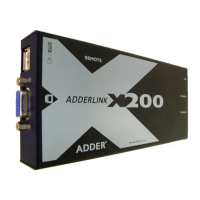
Connections at the remote module
1 Place the remote module adjacent to the user location.
To video
display
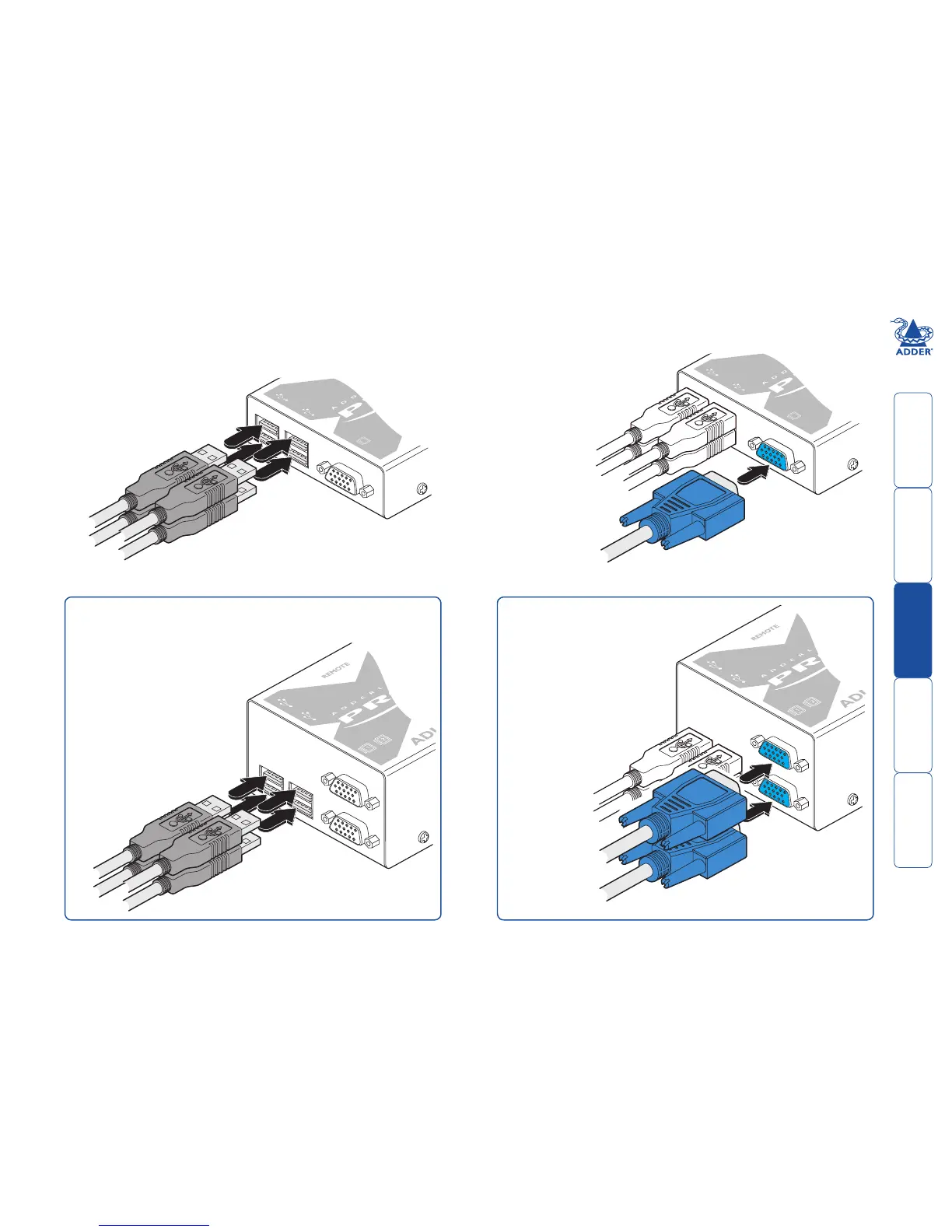
2 Attach the leads of up to four
USB devices (two of which are
usually a keyboard and mouse)
to the sockets located adjacent
to the video output connector.
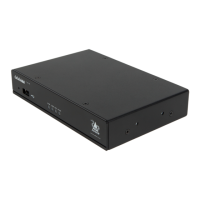
3 Attach the lead from the
video display to the video
out socket on the remote
module.
To USB
devices
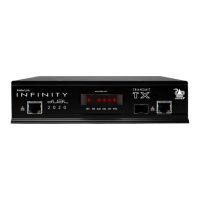
[MS2 variant only] Optionally
attach the lead from a second
video display to the upper
video out socket on the MS2
remote module.
To primary
video display
To secondary
video display
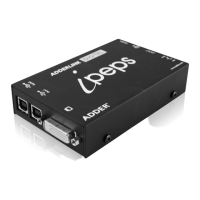
[MS2 variant only] When connecting four USB
devices to the unit, ensure that their total power
requirements do not exceed 1700mA (1.7A).
The USB standard states a maximum allowable
current draw of 500mA (0.5A) per device,
although most devices remain well
below this limit - USB keyboards
and mice typically require 100mA.
Each X-USBPRO contains a self-
resetting fuse that will prevent
damage by shutting down the
unit if the total power draw
becomes excessive.


 To Next Page