12
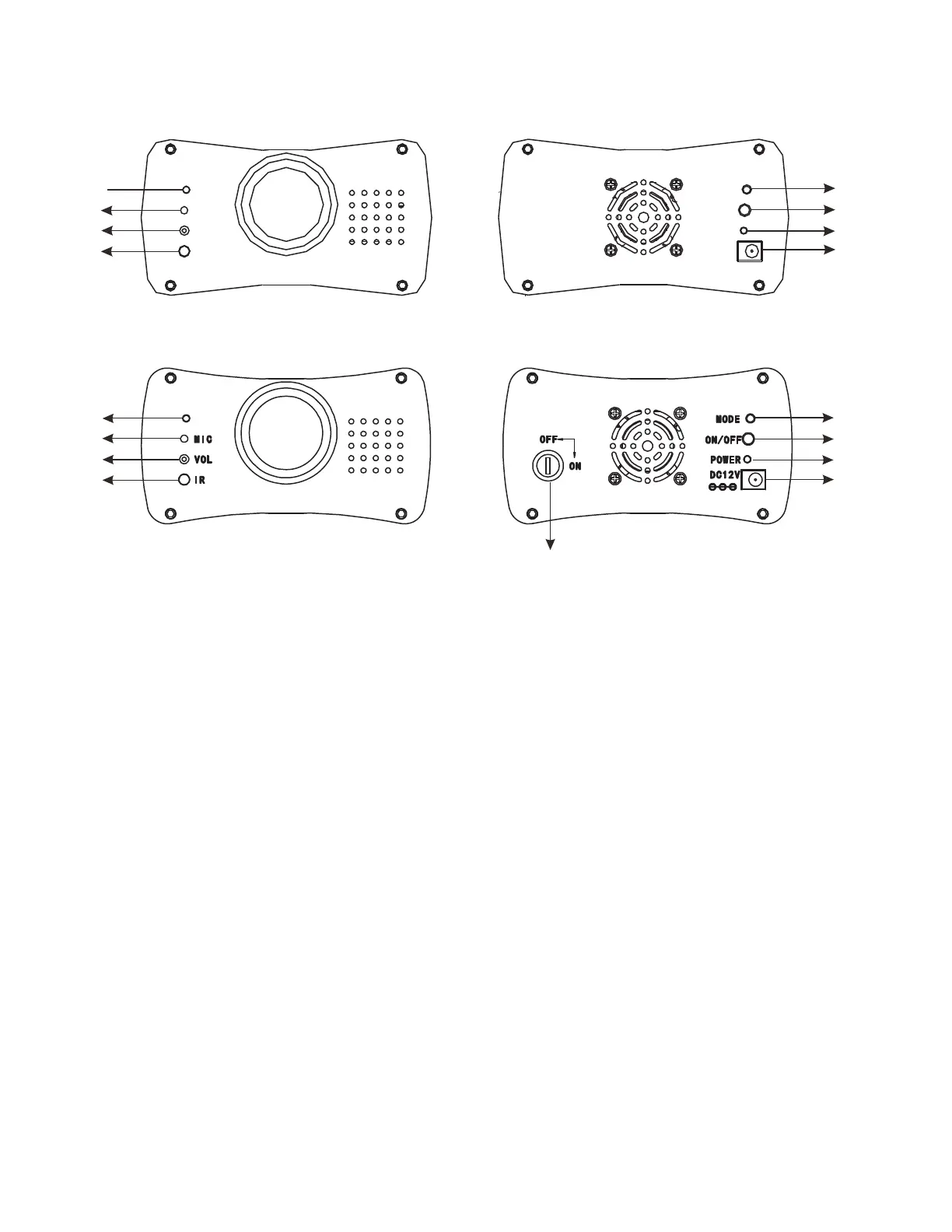
OVERVIEW
AMERICAN VERSION
1
2
3
4
5
6
7
8
EUROPEAN VERSION
1
2
3
4
5
6
7
8
9
1. Status LED - Indicates which operating mode is active.
2. Mic - Picks up the beat of the music in sound active mode.
3. Mic Sensitivity - Use a small screwdriver to adjust the sound sensitivity.
4. IR Sensor - Receives the signal from the included UC Laser IR.
5. Mode Button - Press to switch operating modes.
6. ON/OFF Button - Press to switch the power ON and OFF.
7. Power LED - Indicates that power is activated.
8. DC12V Input - DC Power Socket for included power adapter.
9. Key Laser On/O - This key is used to turn on and o the laser diode. (European Version only)



 To Next Page