Dotz Par System Menu
ADJ Products, LLC - www.adj.com - Dotz Par User Manual Page 10
2. Use the UP and DOWN buttons to adjust the sound sensitivity.
“0” being the least sensitive, and “30” being the most.
RF Active - This menu will let you activate the RF remote
control.
1. Press the MODE button until “RFXX” is displayed, press
ENTER. “XX” represents the current setting, either “on” or “o”
2. Use the UP or DOWN buttons to activate (On) or deactivate
(O) the remote
ADJ Products, LLC - www.adj.com - Dotz Par User Manual Page 13
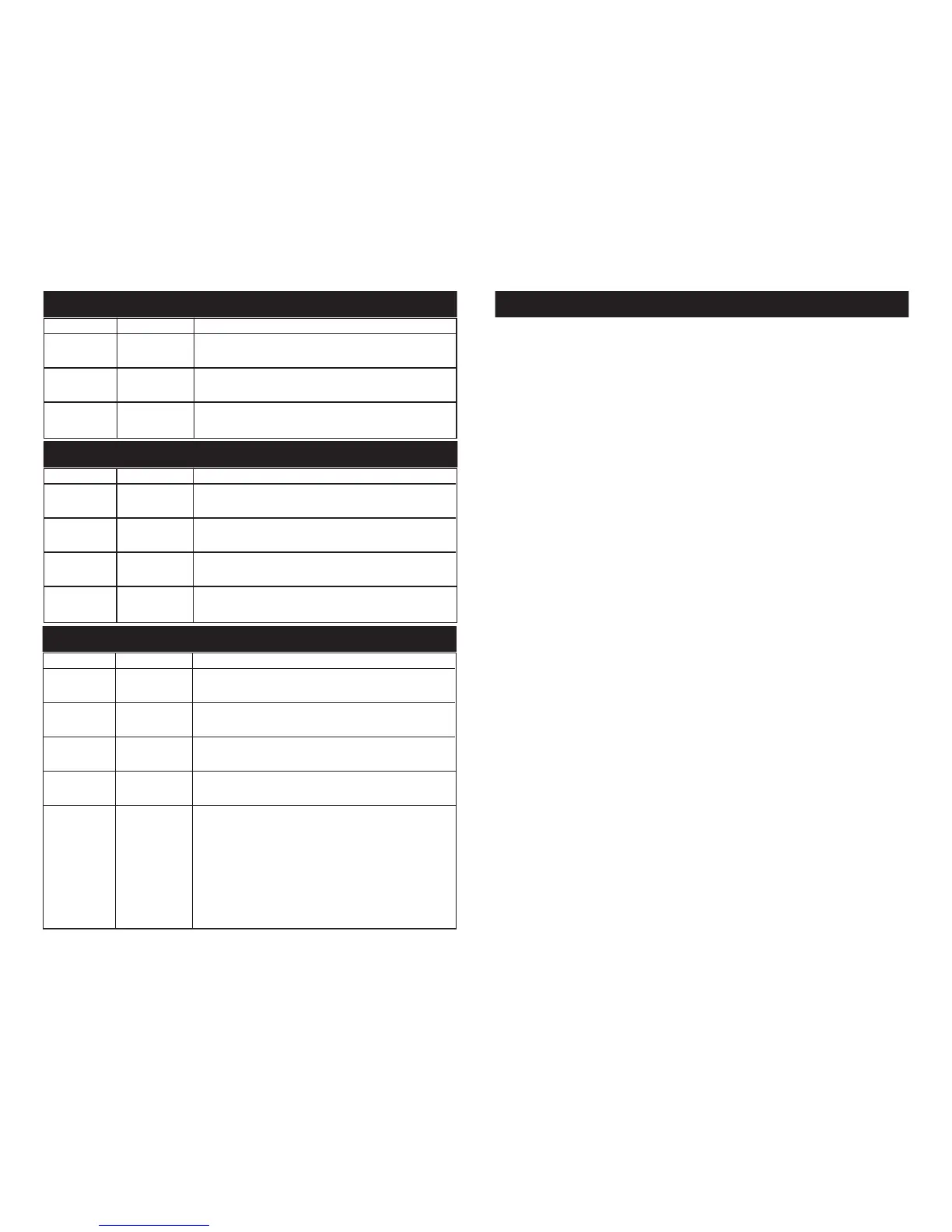
Channel Value Function
1 RED
0 - 255 0% - 100%
2 GREEN
0 - 255 0% - 100%
3 BLUE
0 - 255 0% - 100%
Dotz Par 3 Channel Mode
Channel Value Function
1 RED
0 - 255 0% - 100%
2 GREEN
0 - 255 0% - 100%
3 BLUE
0 - 255 0% - 100%
4 MASTER DIMMER
0 - 255 0% - 100%
Dotz Par 4 Channel Mode
Channel Value Function
1 RED
0 - 255 0% - 100%
2 GREEN
0 - 255 0% - 100%
3 BLUE
0 - 255 0% - 100%
4 MASTER DIMMER
0 - 255 0% - 100%
5 DIMMER CURVES
0 - 41 STANDARD
42 - 84 STAGE
85 - 127 TV
128 - 170 ARCHITECTURAL
171 - 213 THEATRE
214 - 255 DEFAULT TO UNIT CURVE SETTING
Dotz Par 5 Channel Mode











 To Next Page