ADJ Products, LLC - www.adj.com - Dotz Par User Manual Page 12
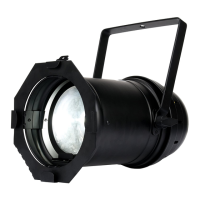
Dotz Par Dotz Par RF Remote
The Dotz Par RF remote has many different functions and allows you
to control your Dotz Par from long distance. The remote can control
your system up to 25 meters. To use the remote you must first acti-
vate the fixtures receiver, to activate the receiver please see the in-
structions on page 10.
BLACKOUT - Pressing this button will blackout the fixture.
FADE - This button will activate the color fade program.
COLOR - This button will activate the static color mode. Use the “+”
and “-” buttons to scroll through the colors and find your desired
color.
PROGRAMS - This button will activate the built-in programs mode.
Use the “+” and “-” buttons to scroll through the 13 programs and
find your desired program.
SOUND ACTIVE - This button activates sound active mode.
AUTO RUN - This button will run an automatic program. Use the “+”
and “-” buttons to adjust the speed of the auto run.
“+” and “-” - Use these buttons to adjust the speed of the Auto Run,
scroll through the built-in programs, and scroll through the static col-
ors.
ADJ Products, LLC - www.adj.com - Dotz Par User Manual Page 11
Universal DMX Control: This function allows you to use a Elation®
universal DMX-512 controller to control the chases and patterns,
dimmer and strobe. A DMX controller allows you to create unique
programs tailored to your individual needs. The Dotz Par has 4 DMX
channel modes; a 3 Channel Mode, 4 Channel Mode, 5 Channel
Mode, & 9 Channel Mode. See pages 13-16 for the DMX channel
modes and traits.
1. This function will allow you to control each individual fixture’s
traits with a standard DMX 512 controller such as the
Elation® Show Designer™ or the Elation® DMX Operator.™
2. To run your fixture in DMX mode, follow directions on page 7 to
set your DMX address and DMX Channel mode.
3. Plug in the fixture via the XLR connections to any standard DMX
controller.
4. For longer cable runs (more than a 100 feet) use a terminator on
the last fixture.
Dotz Par Universal DMX Control
Master-Slave Operation: This function will allow you to link up to 16
units together and operate without a controller. The units will be sound
activated. In Master-Slave operation one unit will act as the controlling
unit and the others will react to the controlling units programs. Any unit
can act as a Master or as a Slave.
1. Using approved DMX data cables, daisy chain your units together
via the XLR connector on the rear of the units. Remember the
Male XLR connector is the input and the Female XLR connector is
the output. The rst unit in the chain (master) will use the female
XLR connector only - The last unit in the chain will use the male
XLR connector only. For longer cable runs we suggest a termina-
tor at the last fixture.
2. On the Master unit, set your desired operating mode.
3. On the slave units press the MODE button until “Slav” is displayed.
4. The slave units will now follow the Master unit.
Dotz Par Master-Slave Configuration











 To Previous Page