The LCD backlight will shut o after 30 seconds, to relight
the background, press the MODE button for 5 seconds.
DMX Mode - Set the DMX Address and DMX Channel
Mode -
1. Press the MODE button until “AXXX” is displayed. “XXX” rep-
resents the current displayed address.
2. Use the UP or DOWN buttons to change the DMX address.
3. After setting your DMX address press ENTER. You can now
select your desired DMX channel mode. Use the UP or DOWN
buttons to nd your desired DMX channel mode, press ENTER
when you nd your desired DMX channel mode.
4. After you press ENTER you can now set your dimmer curve.
There are 5 dimmer curve settings. See Dimmer Curve below for
the dierent curves. Select you desired dimmer curve setting,
and press ENTER.
5. After you press ENTER you can set your NO DMX setting. This
setting is a precaution setting. This setting is in case you DMX
signal is lost or interrupted. See NO DMX on page 9 for the dier-
ent settings. Press ENTER when you are nished to return to the
DMX address setting.
Dimmer Curve - This setting will let you select your
desired dimmer curve.
1. Press the MODE button until “AXXX” is displayed. “XXX” rep-
resents the current displayed address.
2. Press the SET UP button until “dcXX” is displayed, press
ENTER.
3. 1 of 5 dimming curve settings will be displayed: Standard,
Stage, TV, Architectural, or Theatre. Use the UP and DOWM but-
tons to select your desired dimming curve and press ENTER to
ADJ Products, LLC - www.adj.com - Dotz Par User Manual Page 7
Dotz Par System Menu
ADJ Products, LLC - www.adj.com - Dotz Par User Manual Page 16
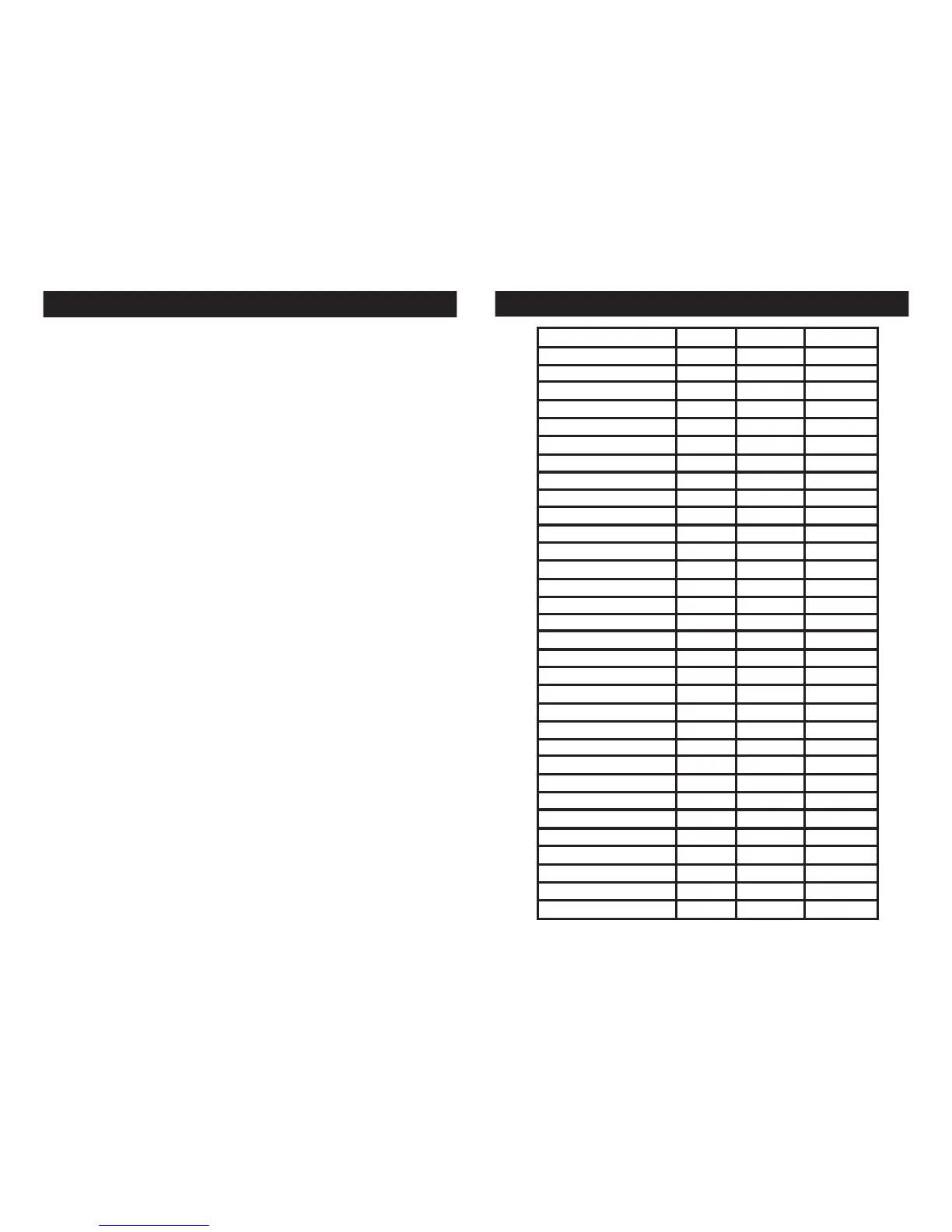
Dotz Par Color Macro Chart
BASTARD AMBER
MEDIUM AMBER
PALE AMBER GOLD
GALLO GOLD
GOLDEN AMBER
LIGHT RED
MEDIUM RED
MEDIUM PINK
BROADWAY PINK
FOLLIES PINK
LIGHT LAVENDER
SPECIAL LAVENDER
LAVENDER
INDIGO
HEMSLEY BLUE
TIPTON BLUE
LIGHT STEEL BLUE
LIGHT SKY BLUE
SKY BLUE
BRILLIANT BLUE
LIGHT GREEN BLUE
BRIGHT BLUE
PRIMARY BLUE
CONGO BLUE
PALE YELLOW GREEN
MOSS GREEN
PRIMARY GREEN
DOUBLE CTB
FULL RED
FULL GREEN
FULL BLUE
WHITE
COLOR
RED
BLUE
GREEN
255 206 143
255
255 255
1 134 201
52 148 209
0 142 208
0 38 86
88 2 163
147 164 212
119 130 199
175 77 173
224 5 97
234 139 171
96 0 11
176 17 0
254 121 0
254 165 98
254 192 138
254 177 153
255 0 0
8 107 222
0 46 35
42 165 85
209 219 182
0 40 86
1 100 167
0 97 166
0 83 115
0 129 184
0 121 192
0 145 212
0 255 0
0 0 255











 To Next Page