17
MIDI OPERATION
MIDI SETTINGS:
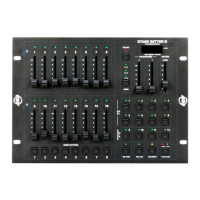
To change or adjust the MIDI settings, follow the steps below:
1. Turn off the power to the device.
2. Hold down Bump Buttons 1-4, and turn the power back on while continuing to hold these buttons
down. The current MIDI Receive channel should be displayed in the LCD.
3. Tap Bump Button 8 to change the MIDI Receive channel. Selectable values range from channels
1-16.
4. Tape the Blackout Button to exit MIDI Setting mode.
MIDI IMPLEMENTATION:
This console received MIDI program changes according to the following table:
NOTE NUMBER FUNCTION
22-37 Turn on or off channels 1-16
38-45 Turn on or off Bump Button 1-8
46-57 Turn on or off Chase 1-12
58 Mode
59 Full On
60 Blackout












 To Next Page