ADOBE READER 8
User Guide
58
Alternatively, double-click the note icon and choose Delete from the Options menu of the pop-up note.
Mark up text with edits
CommentingtoolsareavailableonlyinPDFsthathavecommentingenabled.PDFsinareviewworkflowtypically
include commenting rights.
You can use text edit comments in a PDF to indicate where text should be edited in the source file. Text edit
comments do not change the actual text in the PDF. Instead, they indicate which text should be deleted, inserted, or
replaced in the source file from which the PDF was created.
You can use the Select tool or the Text Edits tool to add most types of text edits. Shortly after you click or select text
with the Text Edits tool, an icon appears. If you hold the pointer over this icon, a menu of text editing options
appears.
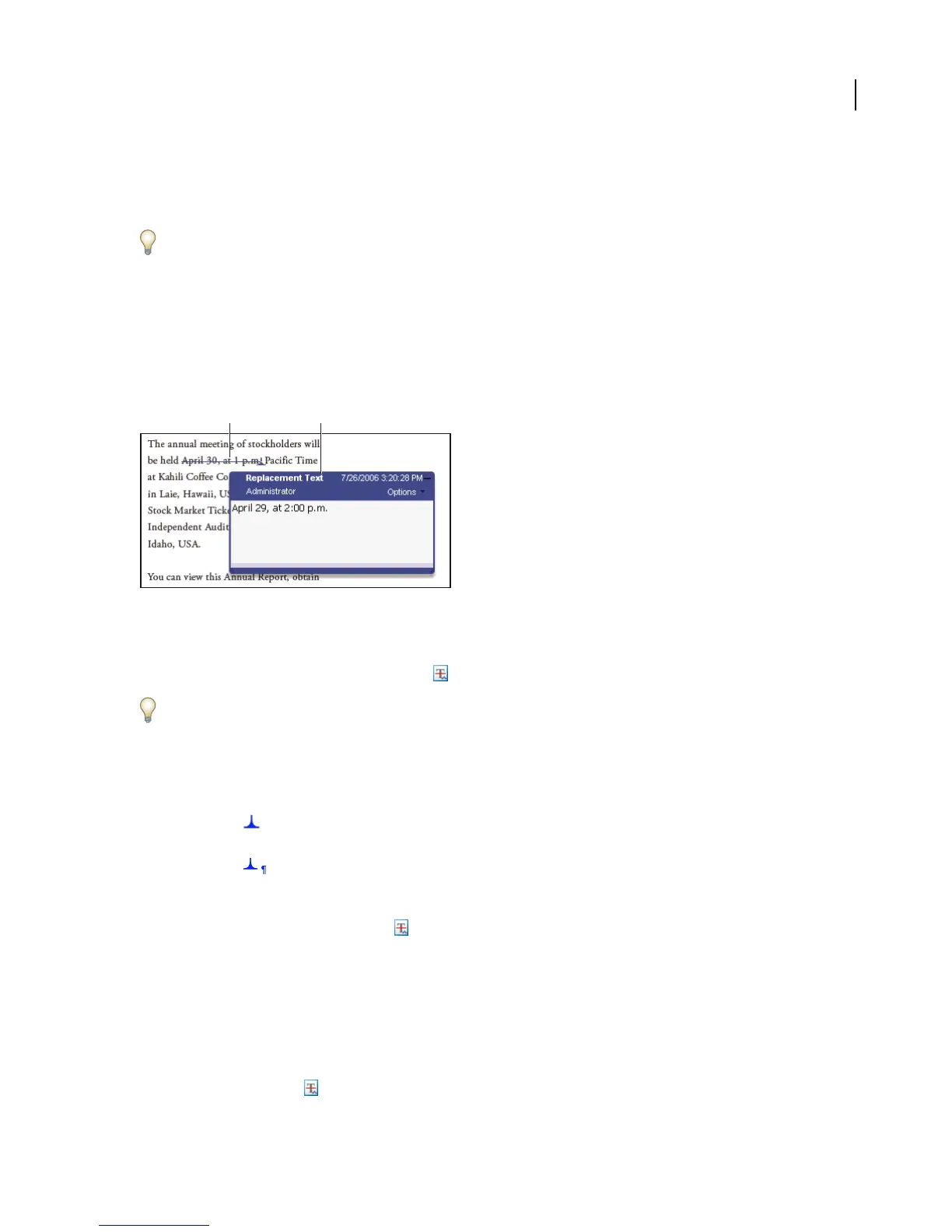
Replace Text option
A. Selected text is struck out. B. New text is added to a linked pop-up note.
Replace text
1
Use the Select tool, or select the Text Edits tool from the Comment & Markup toolbar.
If you don’t want the Indicating Text Edits dialog box to appear each time you select the Text Edits tool, select Don’t
Show Again in the dialog box, and then click OK.
2 Select the text you want to replace.
3 Press Enter or Return, or choose Replace Text from the menu that appears, and then do one of the following:
• Type the text to be inserted or added. This text appears in a pop-up note. Any selected text is crossed out. The
insertion caret appears.
• To indicate that a new paragraph should be added, close the pop-up note without adding text. The paragraph
insertion caret appears.
Add a note to a text edit
1
Use the Select tool or the Text Edits tool to click the text edit on the page.
2 Select Add Note At Cursor from the menu that appears.
3 Type your note in the pop-up note.
Note: If you export your text edits to Microsoft Word, any text you add to the pop-up that’s associated with an insert,
replace, or delete text edit is imported with the text edit.
Show inserted text
1
Select the Text Edits tool from the Comment & Markup toolbar.
A B



 To Next Page