IRF1000 series Instruction manual v1.3 22
© ads-tec Industrial IT GmbH • Heinrich-Hertz-Str.1 • 72622 Nürtingen • Germany
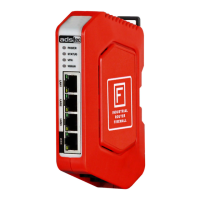
6.2 Operating-related LED status displays
6.2.1 Behaviour of the status displays during the boot-up process
The boot-up process begins as soon as the device is supplied with power. The PWR-LED flashes
slowly.
6.2.2 Behaviour of the status displays when resetting to default settings
The Factory Default button is used to reset the firewall back to the default factory settings at any time,
independent of its configuration.
To reset the firewall to the default settings, the Factory Default button must be pressed prior to the boot-
up process and held down for approx. 10 seconds during the boot-up process. The PWR LED flashes
rapidly while resetting to factory settings.
As soon as the PWR LED illuminates constantly, it is possible to access the web interface.
6.2.3 Behaviour of the status displays during the firmware update
A firmware update can be performed via the web interface.
• The PWR-LED flashes rapidly during a firmware update of the firewall. The actual update
procedure takes a few minutes. Initialisation begins after the update procedure has been performed
successfully. The PWR-LED flashes slowly during this process.
• During a firmware update of the mobile radio module, the yellow WWAN-LED flashes with a
frequency of 5 Hz.



 To Next Page