Off – No power.
Blinking (Green) – The LED blinks during start up or
when not connected to the network.
On (Blue) – Network connection is available (wired
or wireless).
On (Amber) – If the LED is on for 5 seconds and
then turns off, the WPS function has failed; or the
heater is active.
Blinking (Amber) – The WPS function is active.
Note: If data is being transmitted via Wi-Fi/LAN, the
color of the LED is blue.
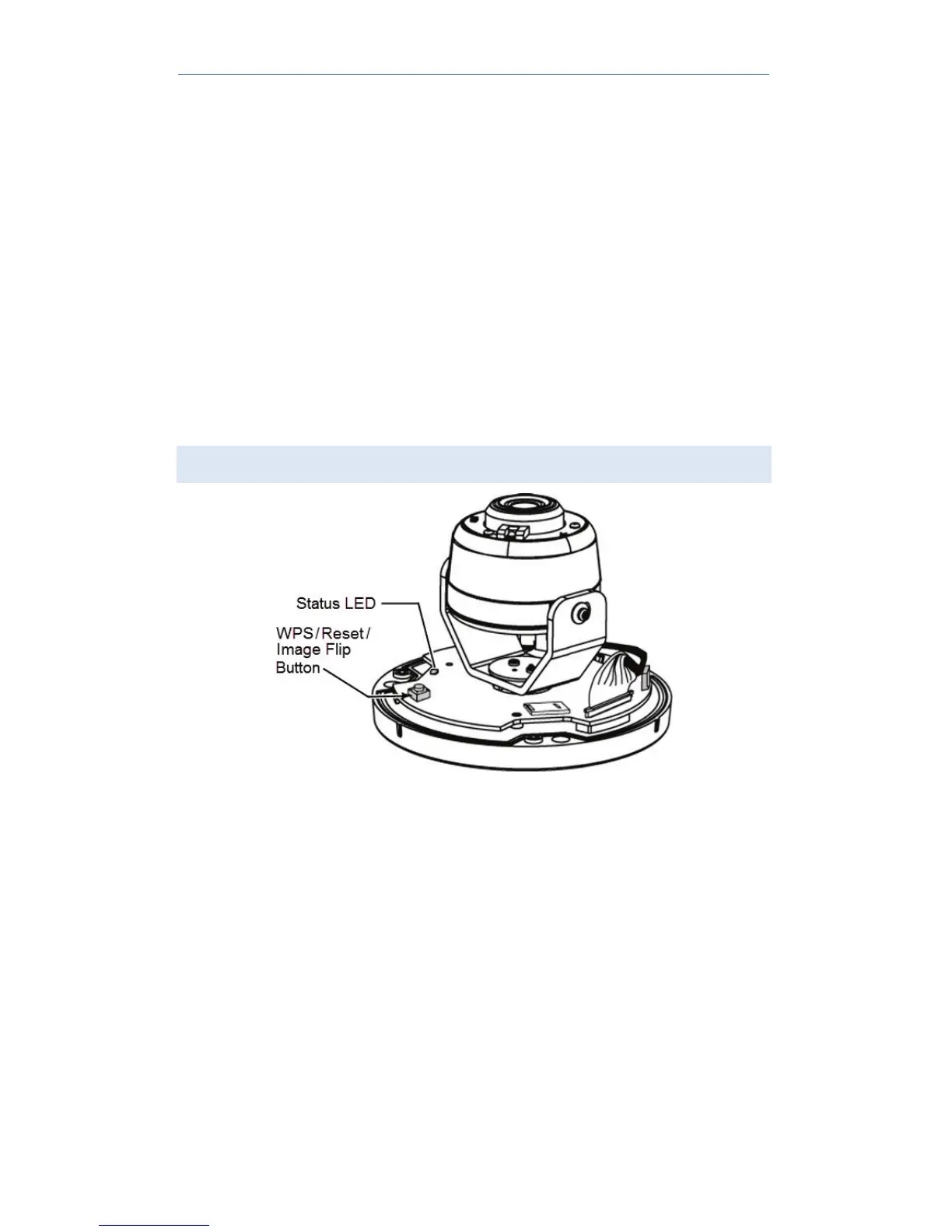
Reset/WPS/Image Flip Button
Figure 2: WPS/Reset/Image Flip Button
The button serves three functions on the camera:
• WPS Pin Code Mode. When pressed and
held for 5 seconds during the Pulse
enrollment process, the camera creates an
encryption-secured wireless connection.
• Reset. When pressed and held over 15
seconds, the camera reboots and the
settings are restored to default values.
• Image Rotation. When double-clicked while
the camera is connected to Pulse, the image
will rotate 180°.


 To Next Page