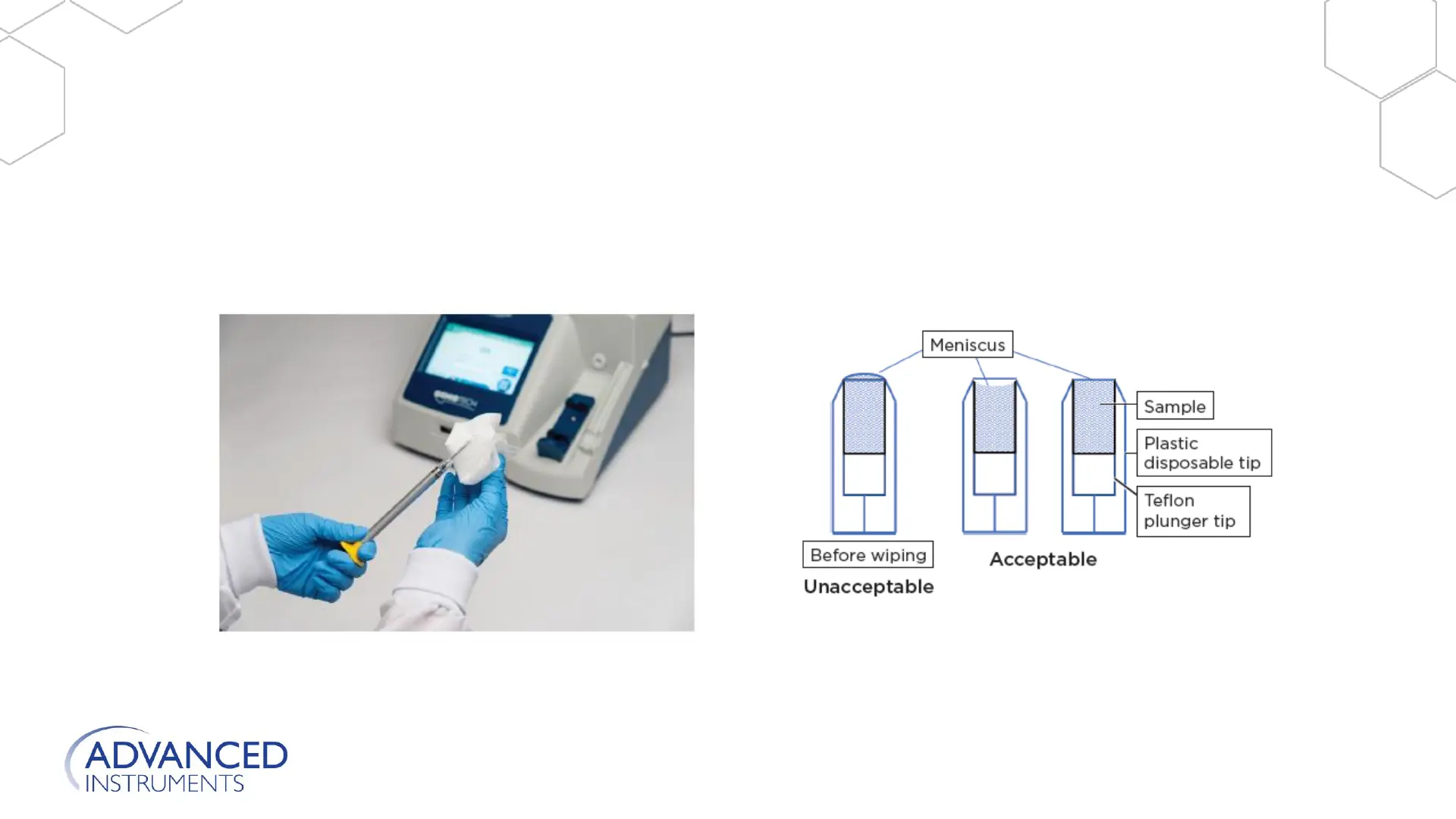
• Testing Procedure (continued)
6. Remove any sample on the outside of the tip using a clean, lint-free, non-ionic paper. Quickly
swipe the end of the sampler tip to remove any excess sample protruding beyond the tip. Be
careful not to remove any of the sample below the acceptable meniscus line.
Instrument Operation
Refer to User Guide for more information.







 To Next Page