4.3 Main Form
Shortly after confirming the username and password the ipGateway will display the main form in the user’s web
browser.
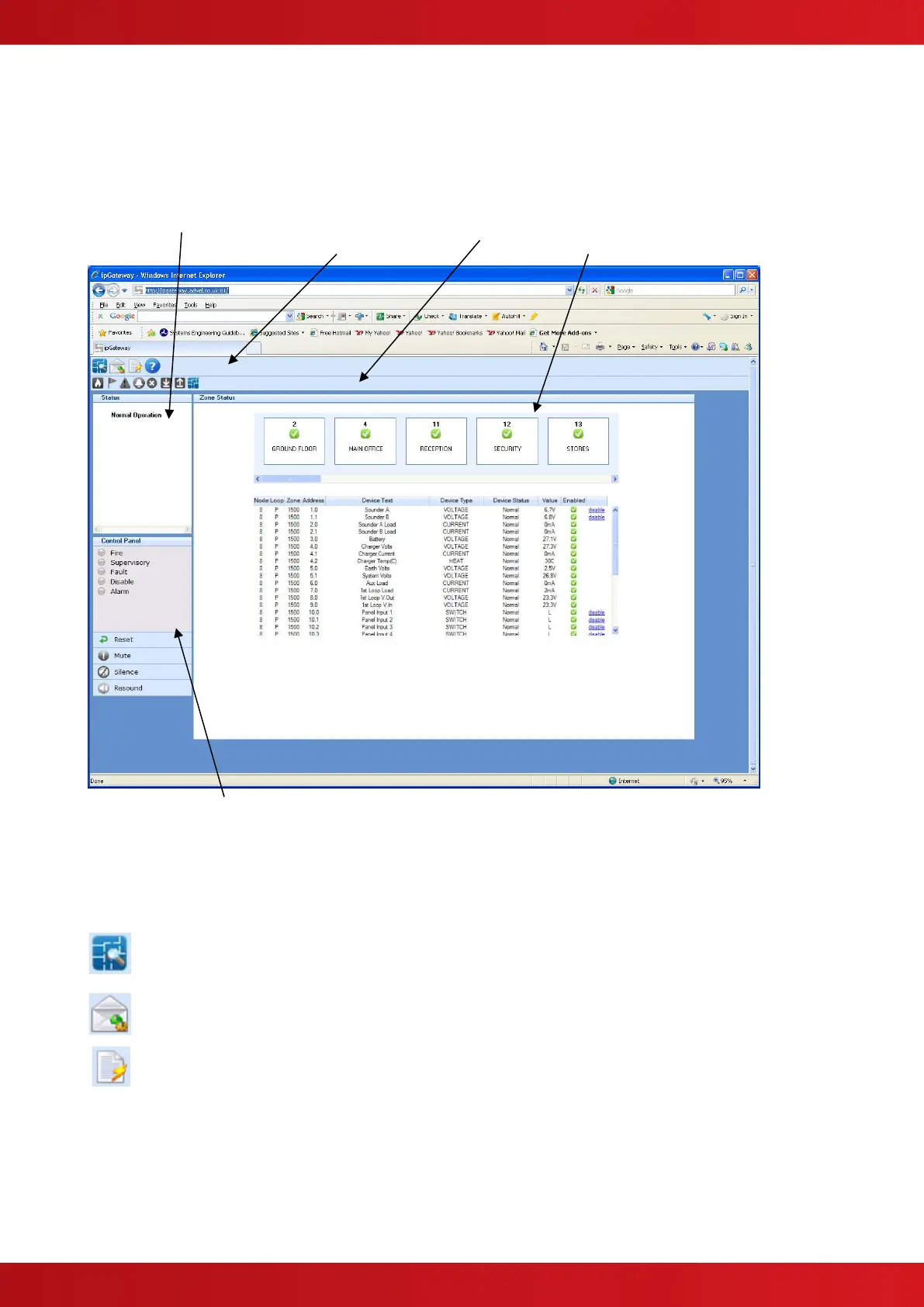
4.3.1 Anatomy of the Main Form
The Main Form is broken into five different areas as described below:
4.3.1.1 Main Toolbar
The main toolbar contains three tool buttons which are used to display the three different sections
of the ipGateway:
Displays the list of configured zones in the Ad-Net fire network.
Each zone can be interrogated to provide a list of devices contained
in that zone. See section 4.4 for full details.
Displays the ipGateway event configuration, i.e. defined email
addresses, email text, event triggers. See section 4.5 for full details.
Displays the event log from the Ad-Net fire network. See section 4.6
for full details.
4.3.1.2 Sub Toolbar
The sub toolbar displays a second range of tool buttons applicable to current view.
4.3.1.3 Content
Shows the content associated with the current view.


 To Next Page