5 Panel Operation
On site the building supervisor/user can be assisted with operations such as disabling/enabling a detector from
external commands over the TCP/IP network.
In order to ensure this only happens with consent from the site an option to allow remote operations is included
on the panel and remote terminal enable menu.
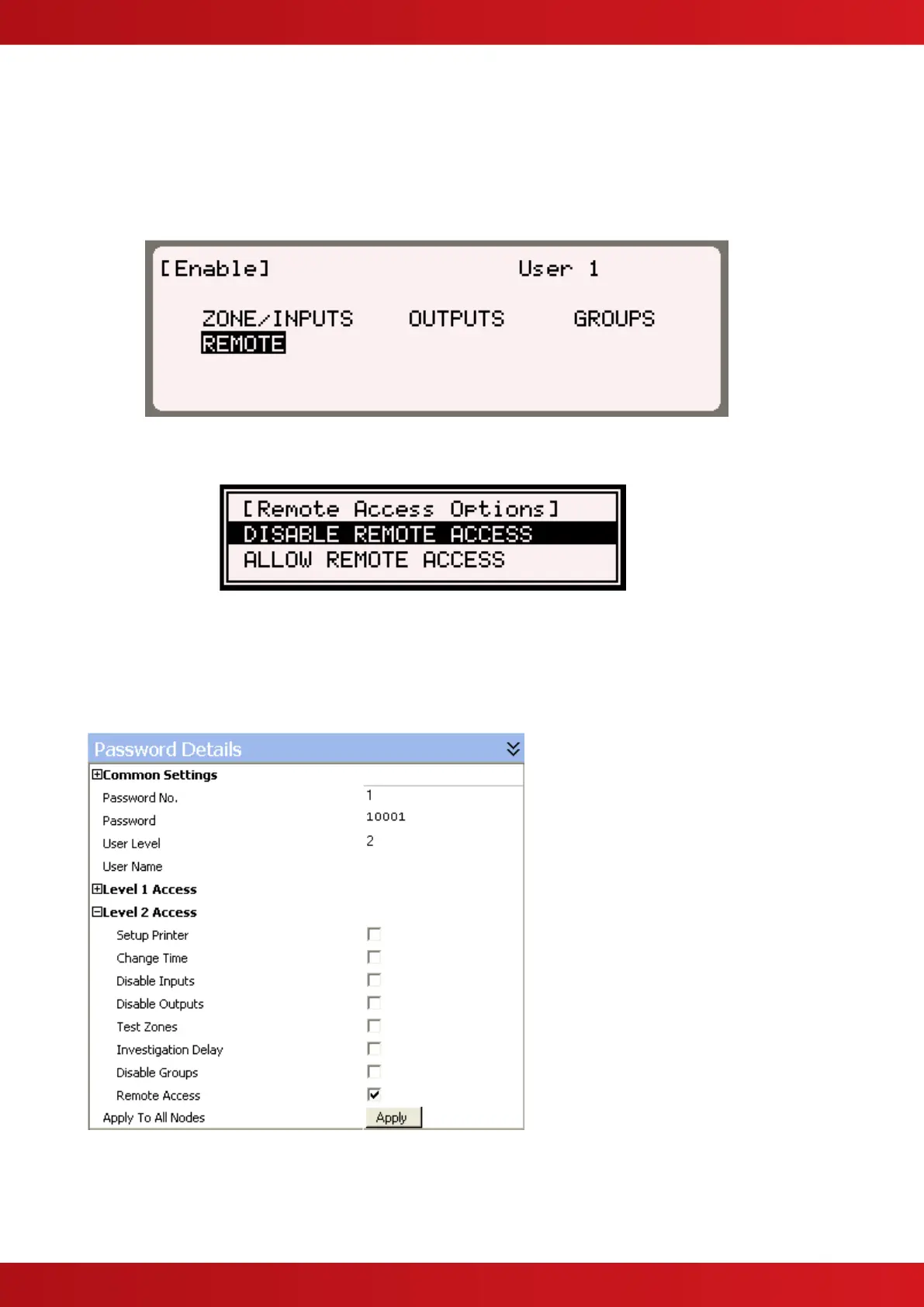
e.g.
After selecting the remote option (and entering password as required) the user is presented with two options. To
allow remote assistance select the option to “Allow remote access” as shown below.
The ability to give remote assistance is time limited, as defined in section 2.1.12
Access to the menu can be restricted to authorised users by configuring the Password Details for a given user
in the PC Config program. To allow a user to give consent, the “Remote Access” option in the Level 2 Access
group must be checked.


 To Next Page