4.5 Events Configuration
The ipGateway monitors the Ad-Net fire network for a number of defined system events namely fires, faults,
disablements, plant alarms, alarms and test alarms.
On such an event occurring, the ipGateway can be configured to send a notification email to a number of
recipients.
The data necessary for defining the events configuration can all be entered using the web browser, hence this
data can be altered from any remote location. It should be noted however, that this data can only be changed by
a user who has full access to the ipGateway (see section 2.1.11).
4.5.1 Email Addresses
Before the ipGateway can send any notifications, the user must supply the required email addresses. The
ipGateway can store a maximum of 24 email addresses.
An email address can be added to the ipGateway by selecting the “Events Configuration” button from the main
toolbar and then selecting the “Email Addresses” button from the sub-toolbar.
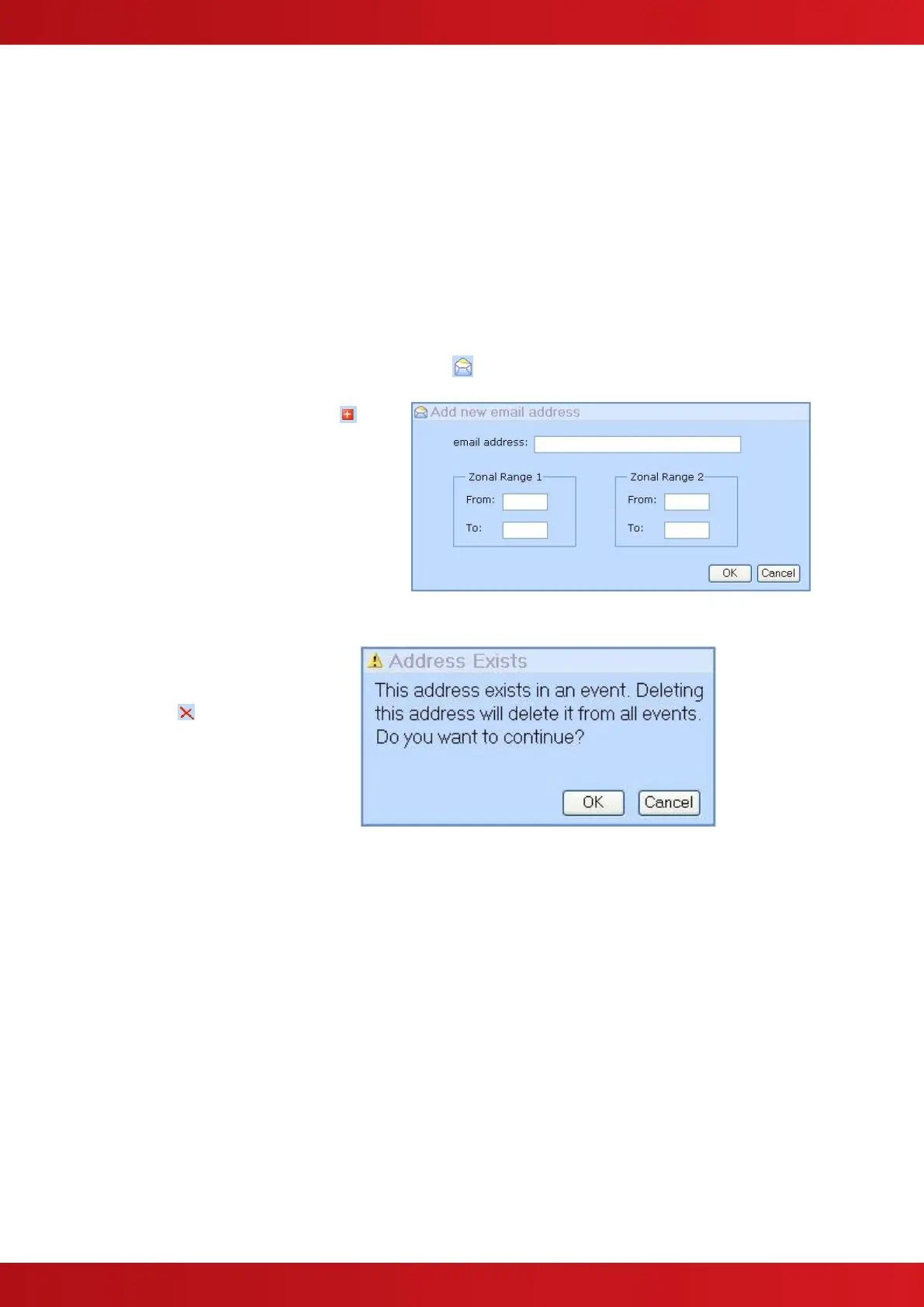
Click on the “add email address” button in
the sub-toolbar. This will display a dialogue box
requesting an email address and two zonal
ranges.
The zonal range specifies a validation rule. An
email will only be sent to this recipient if the
zone in which an event occurred falls within
one or both of the defined ranges.
At least one zonal range must be defined. If
only one range is required just leave the “From”
and “To” fields of “Zonal Range 2” blank.
To delete an email address, select
the address to be deleted by clicking
on it and then press the “delete
address” button in the sub-
toolbar.
If the address is used in the event
configuration (see section 4.5.2) a
warning will be displayed.
Pressing “OK” will delete the address
from all events.
Pressing “Cancel” will prevent the
address from being deleted and will
leave the event configuration
untouched.


 To Next Page