4.3.1.4 Status Panel
The Status Panel gives a textual representation of the state of the ad-Net fire network.
4.3.1.5 Control Panel
The Control Panel is split into two sections. The first is an LED representation of the state of the Ad-Net fire
network, similar to that of a typical fire panel.
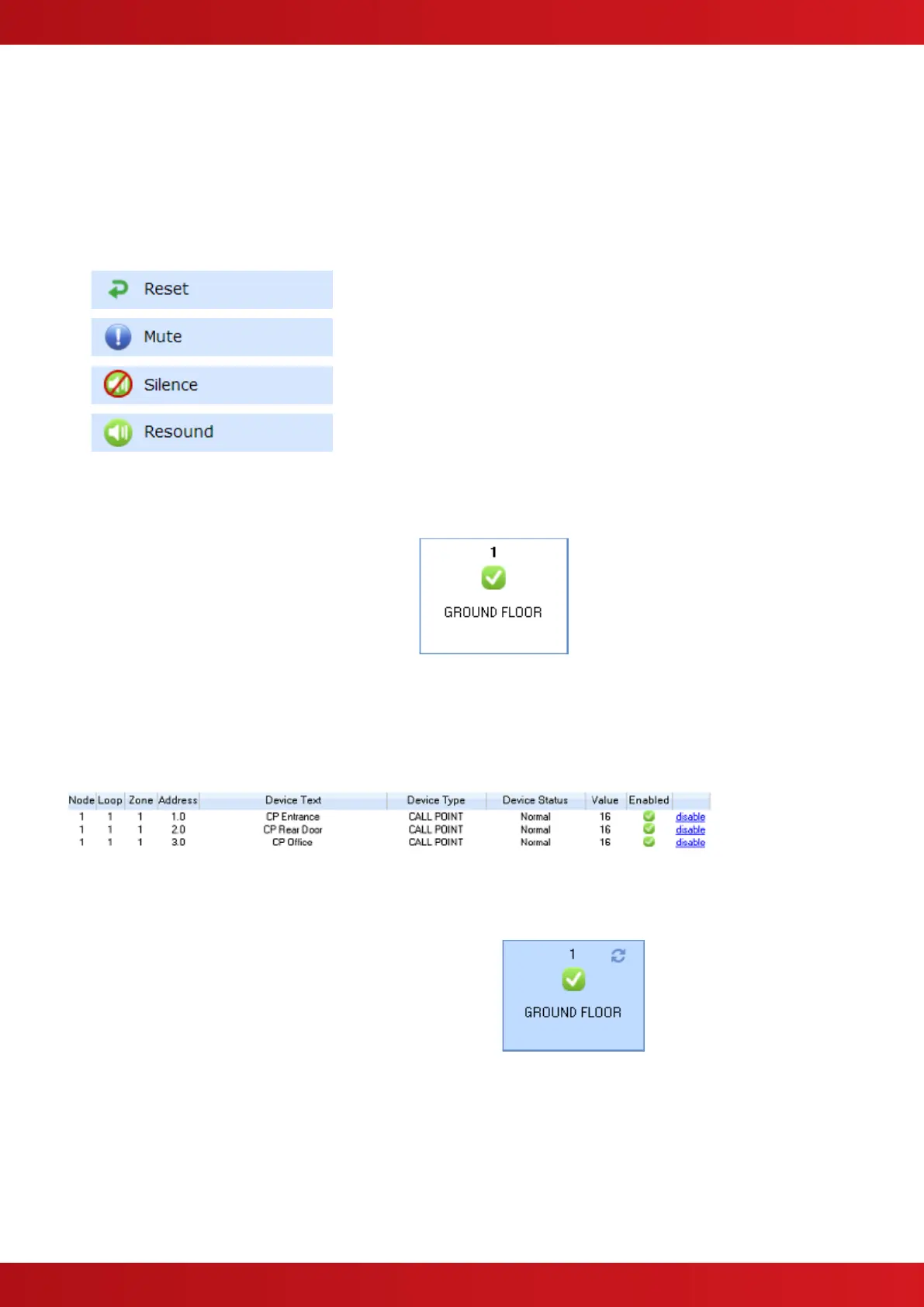
The second section contains a number of buttons similar to the buttons found on a fire panel. These buttons are
used to provoke actions on the Ad-Net fire network:
4.4 Zone Status
The Zone Status view
shows an overall
summary of each zone
on the Ad-Net fire
network.
Each zone is represented by an item in the zones carousel. The zone items display the Zone
Number, Zone Text and a number of icons reflecting the Zone State.
Clicking on a zone item initiates a download of device information for devices associated with that zone:
Each device is described in terms of its Node, Loop, Zone, Address, Text, Type, Status, Value and whether the
device is enabled.
To indicate that a download is in progress, the
selected zone displays an icon in the top right
hand corner. When all the device information
has been downloaded the icon is removed.


 To Next Page