ARK-1122 User Manual 12
2.4 ARK-1122H External I/O Connectors
2.4.1 Power ON/OFF Button
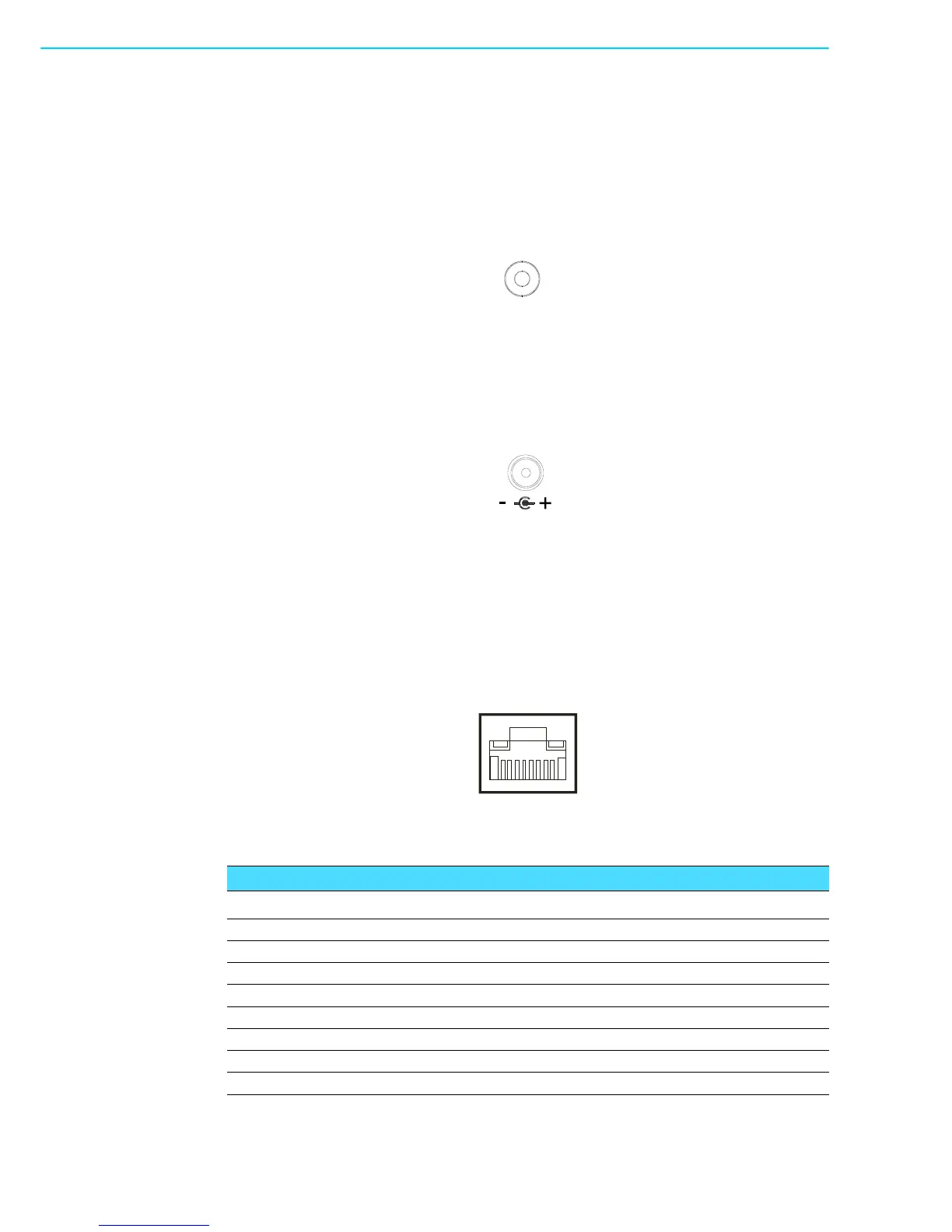
ARK-1122H comes with a Power On/Off button with LED indicators on the front side
to show its On status (Green LED) and Off/Suspend status (Orange LED). Dual func-
tions of Soft Power -On/Off (Instant off or Delay 4 Seconds), and Suspend are sup-
ported.
Figure 2.7 Power ON/OFF Button
2.4.2 Power Input Connector
ARK-1122H comes with a DC-Jack header that carries 12 V
DC
external power input.
The bracket makes the power connector very secure.
Figure 2.8 Power Input Connector
2.4.3 Ethernet Connector (LAN)
ARK-1122H provides one RJ45 LAN interface connector which is fully compliant with
IEEE 802.3u 10/100/1000 Mbps CSMA/CD standards. It is equipped with 82567V
and support Wake on LAN. The Ethernet port uses a standard RJ-45 jack connector
with LED indicators on the front side to show Active/Link status and Speed status.
Figure 2.9 Ethernet Connector
Table 2.3: Ethernet Connector Pin Assignments
Pin 10/100/1000 Mbps Signal Name
1 TX+, MDI0+
2TX-, MDI0-
3RX+, MDI1+
4MDI2+
5MDI2-
6RX-, MDI1-
7MDI3+
8MDI3-


 To Next Page