PCI-1756 User Manual 10
2.1 Unpacking
After receiving your PCI-1756 package, please inspect its contents first. The package
should contain the following items:
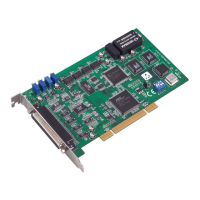
PCI-1756 DAQ Card
StartUp or User Manual
Companion DVD-ROM with DAQNavi drivers included.
The PCI-1756 card harbor certain electronic components vulnerable to electrostatic
discharge (ESD). ESD can easily damage the integrated circuits and certain compo-
nents if preventive measures are ignored.
Before removing the card from the antistatic plastic bag, you should take the follow-
ing precautions to ward off possible ESD damage:
Touch the metal part of your computer chassis with your hand to discharge the
static electricity accumulated on your body. Alternatively, one can also use a
grounding strap.
Touch the anti-static bag to a metal part of your computer chassis before open-
ing the bag.
Take hold of the card only by the metal bracket when removing it out of the bag.
After taking out the card, you should first:
Inspect the card for any possible signs of external damage (loose or damaged
components, etc.). If the card is visibly damaged, please notify our service
department or our local sales representative immediately.
Do not install a damaged card into your system.
Also, pay extra caution to the following aspects during installation:
Avoid physical contact with materials that could hold static electricity such as
plastic, vinyl and Styrofoam.
Whenever you handle the card, grasp it only by its edges. DO NOT TOUCH the
exposed metal pins of the connector or the electronic components.
Note! Keep the anti-static bag for future use. You might need the original bag
to store the card if you have to remove the card from a PC or transport it
elsewhere.


 To Next Page