25 ROM-5620 User Manual
Chapter 4 Software Functionality
Step 3: Record and playback
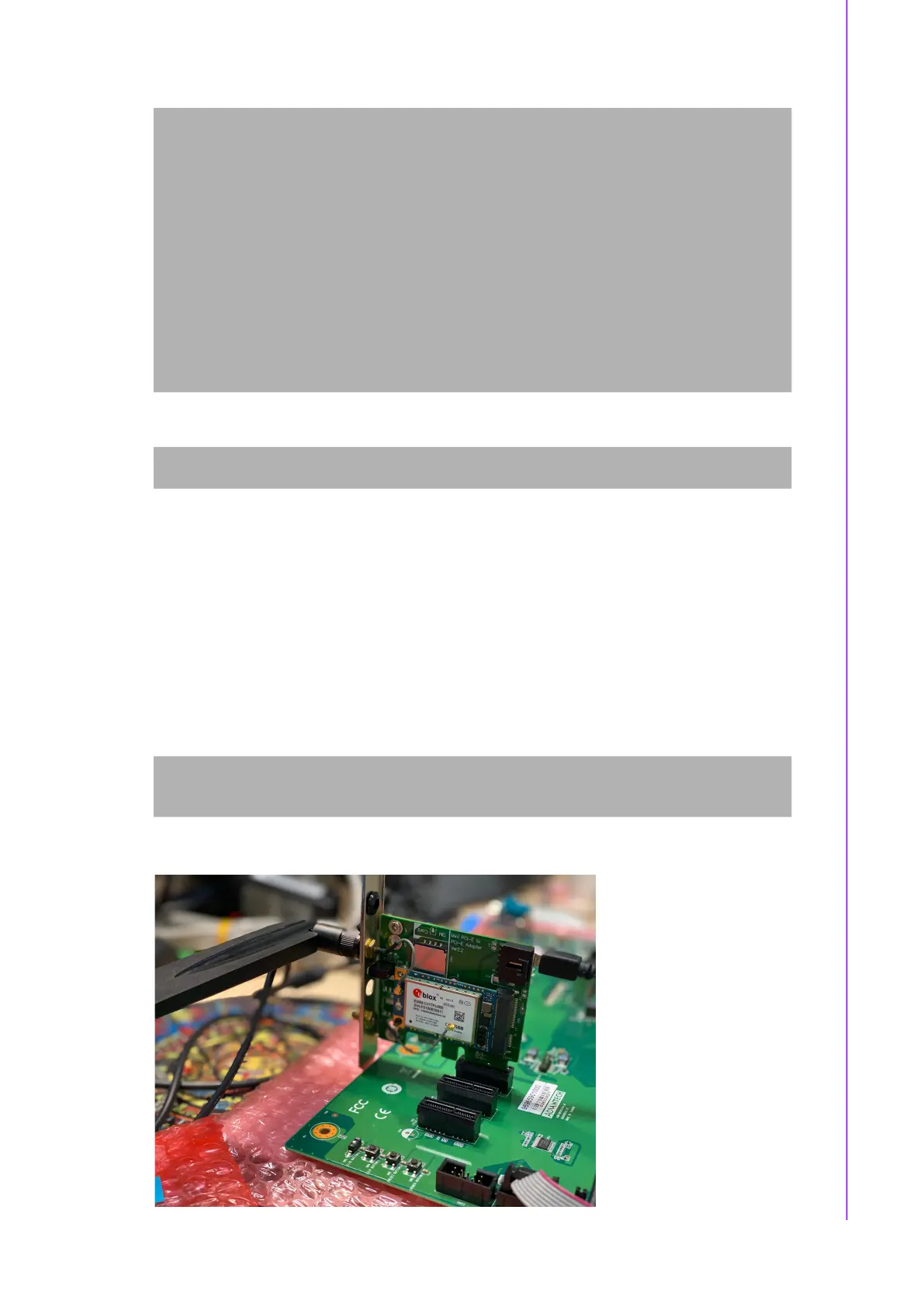
4.1.3 4G Test
Test 4G: (EWM-C117FL06E - USB)
Step 1: Connect EWM-C117FL06E to Mini PCIE slot on 9680015491 and connect
the card to CN6 PCIe_D slot on ROM-DB5901.
Step 2: Connect the antenna 1750007990-01 to the SMA (F) connector on
9680015491
and connect the IPEX connector to MT1 on EWM-C117FL06E module.
Step 3: Connect the Mini USB cable from 9680015491 to USB 2.0 Type A port on
ROM-DB5901.
Step 4: Power on and execute the pppd command to connect to the network.
# amixer set Mic 100%
Simple mixer control 'Mic',0
Capabilities: volume volume-joined
Playback channels: Mono
Capture channels: Mono
Limits: 0 - 3
Mono: 3 [100%] [40.00dB]
#amixer set Headphone 100%
Simple mixer control 'Headphone',0
Capabilities: pvolume pswitch pswitch-joined
Playback channels: Front Left - Front Right
Limits: Playback 0 - 127
Mono:
Front Left: Playback 127 [100%] [12.00dB] [on]
Front Right: Playback 127 [100%] [12.00dB] [on]
# arecord -t wav -c 1 -r 44100 -d 5 /tmp/mic.wav
# aplay /tmp/mic.wav
# pppd connect 'chat -v -s -t 10 "" "AT" "" "ATDT*99***4#" "CONNECT" ""'
user username password password /dev/ttyACM2 460800 nodetach crtscts debug
usepeerdns defaultroute &


 To Next Page