37 ROM-5620 User Manual
Chapter 6 System Recovery
6.1.2 Recovery by UUU Tool
1. Download UUU tool from (https://github.com/ADVANTECH-Corp/uuu/releases/
tag/v20191101)
2. Create a folder with the files below:
1) UUU
2) imx-boot-imx8qxprom5620a1-sd.bin-flash
3) fsl-image-validation-imx-imx8qxprom5620a1-
20200110174717.rootfs.sdcard
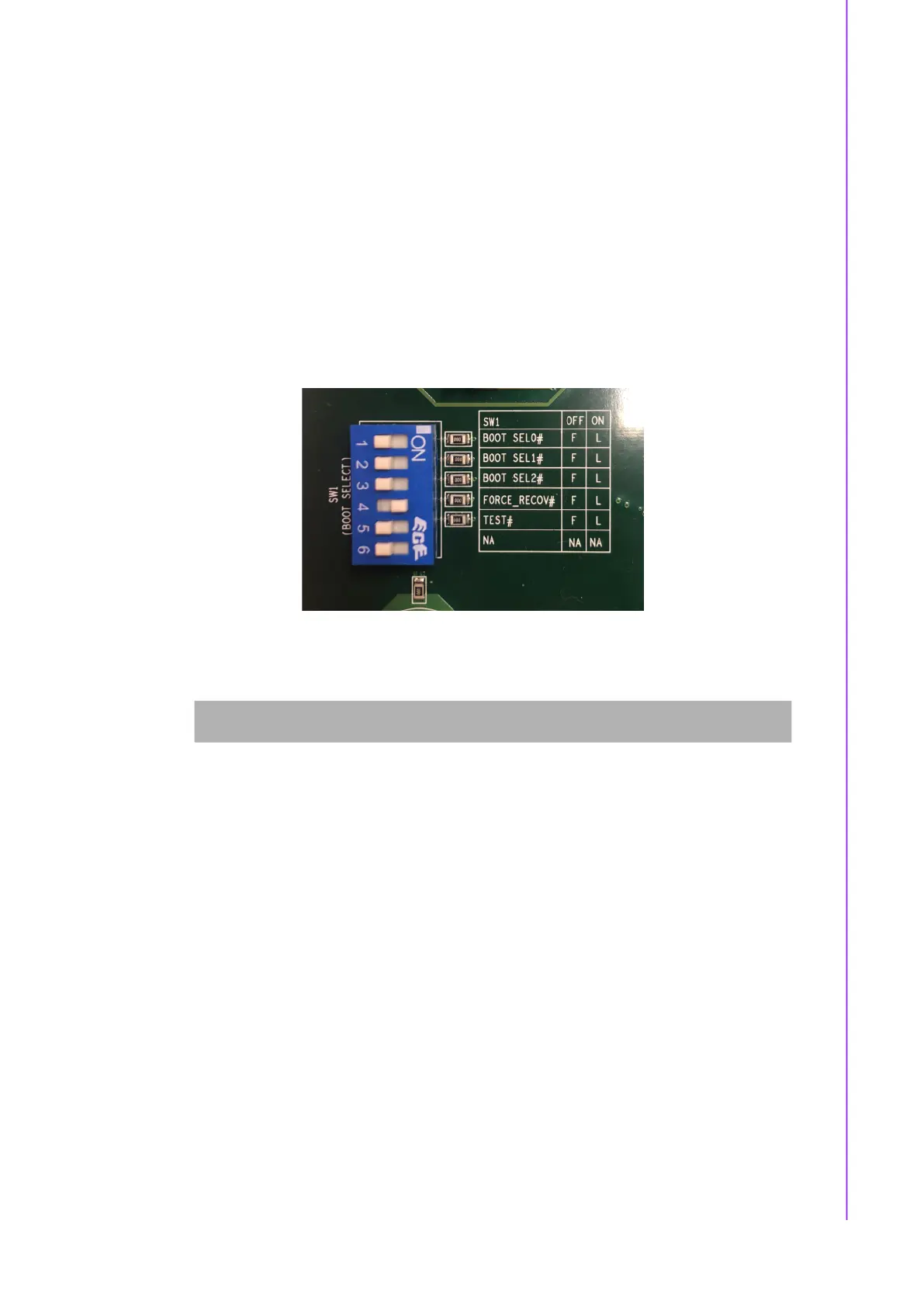
3. Set the correct boot mode on ROM-DB5901 SW1 with 4ON, turn every other pin
OFF, then power the system on.
4. Connect the PC OTG cable (1700023619-01) f to ROM-DB5901 USB_OTG1.
Perform the following command:
5. UUU tool will start recovery image to eMMC.
6. For more usage, please use the link below:
http://ess-wiki.advantech.com.tw/view/IoTGateway/BSP/Linux/iMX8/Yocto_L-
BV9_User_Guide#System_Recovery
sudo ./uuu -b emmc_all_adv imx-boot-imx8qxprom5620a1-sd.bin-flash fsl-
image-validation-imx-imx8qxprom5620a1-20200110174717.rootfs.sdcard


 To Next Page