13 TPC-31/61 User Manual
Chapter 3 System Tuning
3.2 Touchscreen Calibration
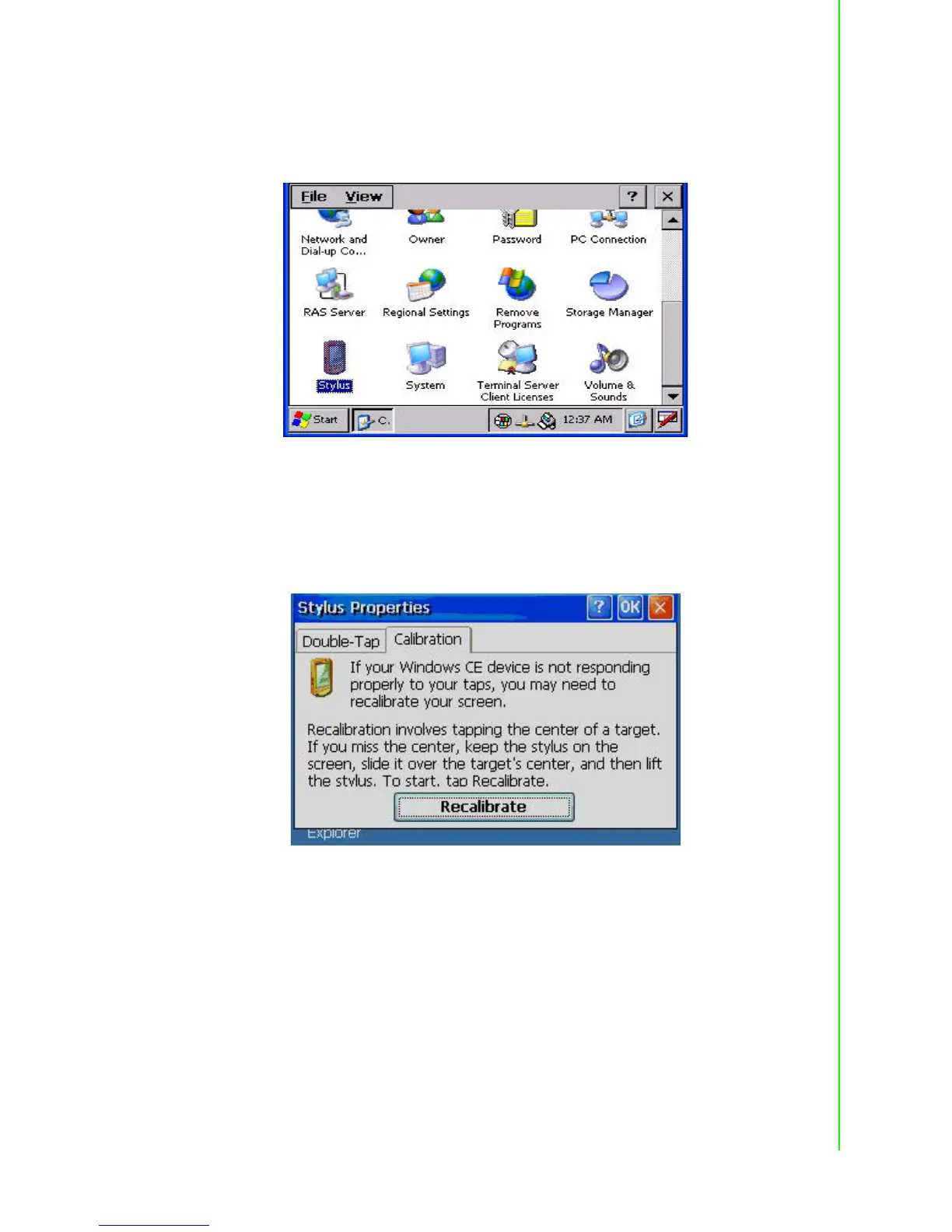
You can calibrate the touchscreen through “Start” -> “Setting” -> “Control Panel” ->
“Stylus” as shown in the Figure below.
Figure 3.3 Style
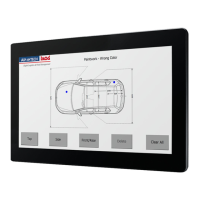
The window of the stylus properties will display after you click the stylus. There are
two tabs in this screen: Double-Tap and Calibration. Double-Tap is used to record the
time period between the two taps when double-tapping in Windows CE. Calibration is
for users to calibrate the touch screen.
Figure 3.4 Stylus Properties


 To Next Page