33 TPC-31/61 User Manual
Chapter 4 Windows CE
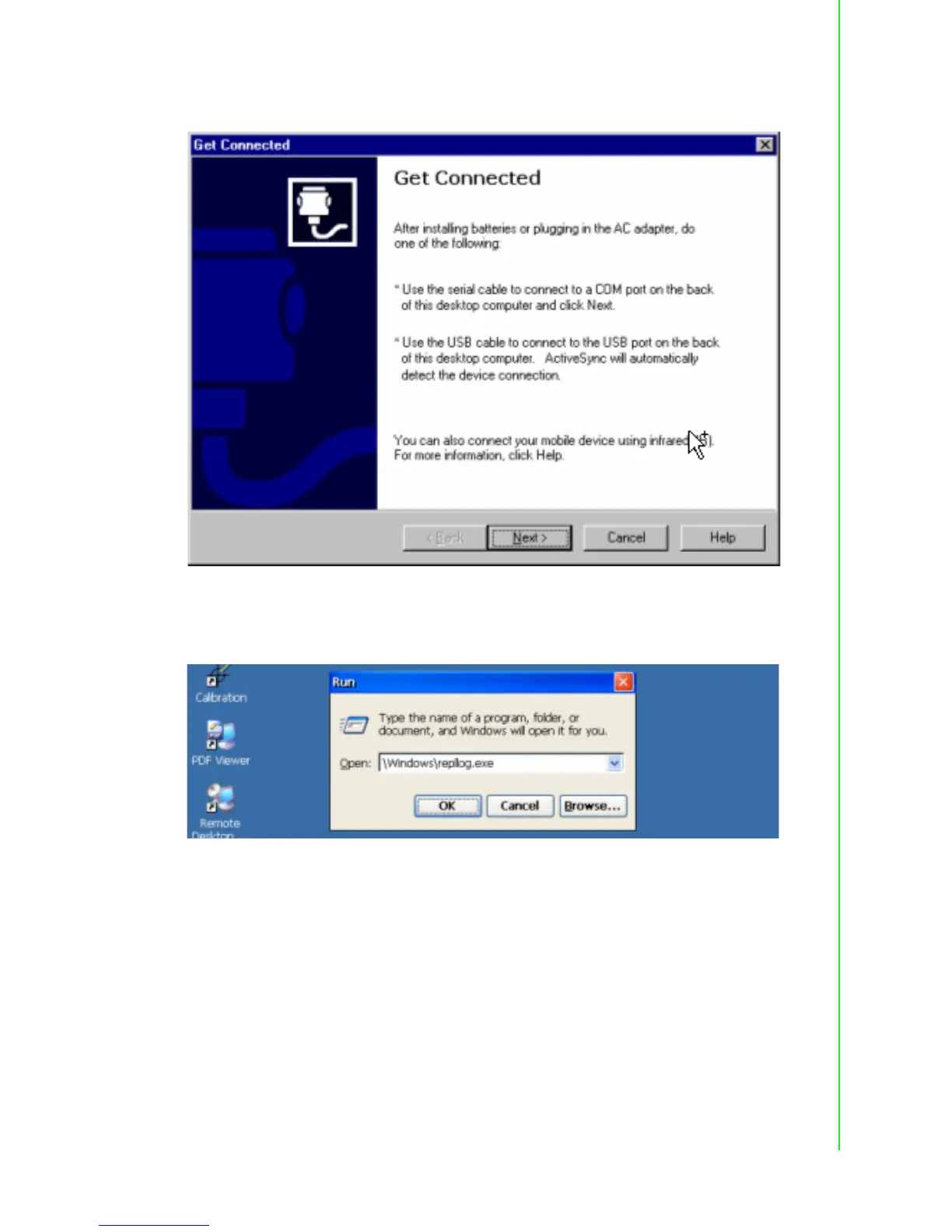
A window will pop up after you press “Get Connected”.
Figure 4.28 Get Connected
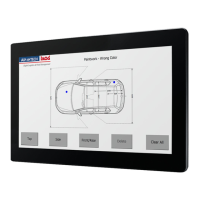
Run “repllog.exe” on the TPC.
Figure 4.29 Run Repllog.exe on the TPC
Press the “Next” button on your host computer.
The message shown below will show on the TPC once the TPC and the host PC are
connected.


 To Next Page