TPC-31/61 User Manual 20
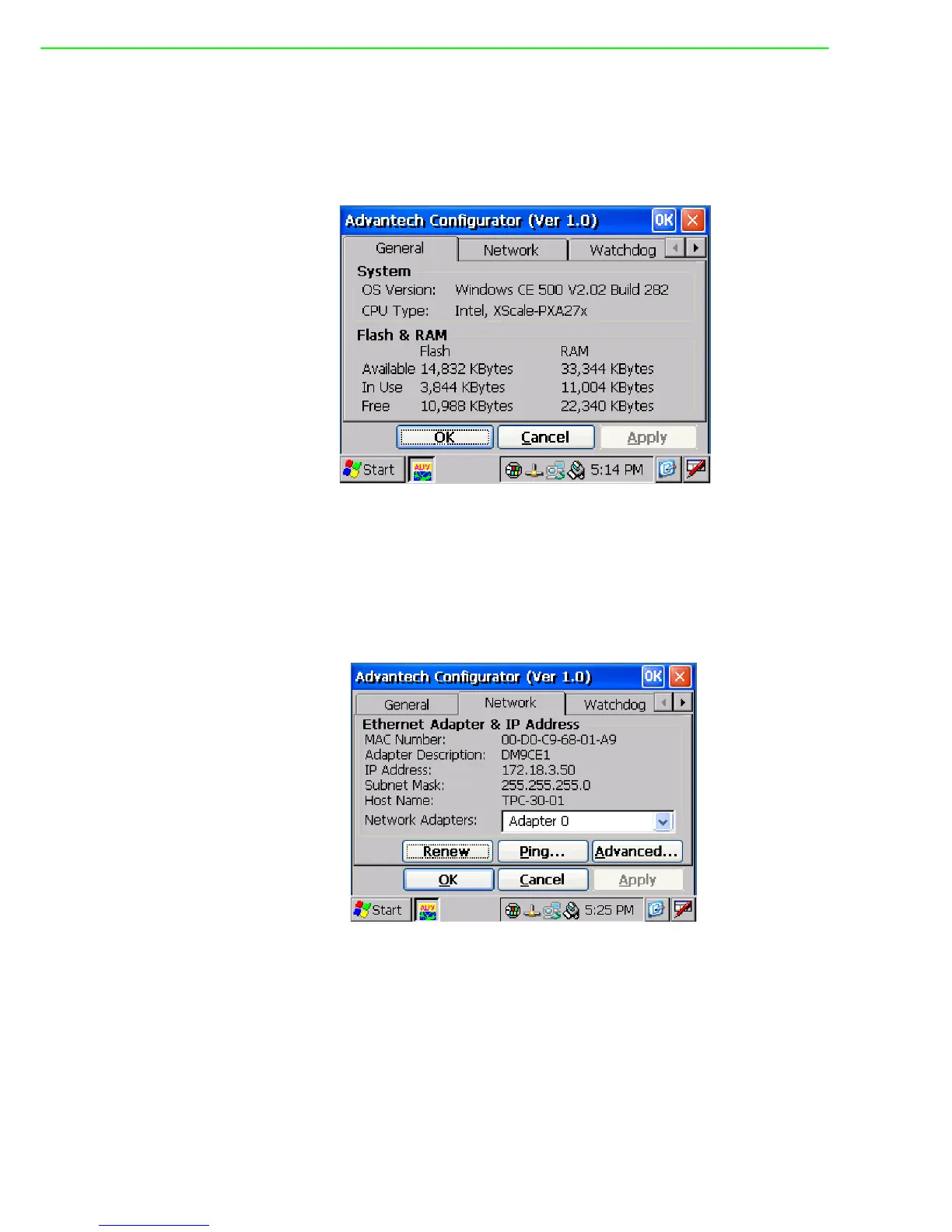
General Page
This page displays the basic system information. There are two main parts: system
and memory. The system shows the OS image version and CPU type. The second
part includes total capacity, usage and currently available capacity of the disk and the
memory.
Figure 4.4 General
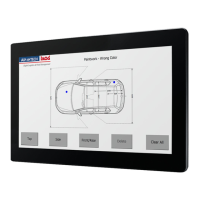
Network
This page shows information about the active network adapter. You can select the
network adapter from the combo box as shown in Figure 4.5. Release the current IP
and retrieve the new IP through the provided button, “Renew”. Use the “Ping” button
to ping a specified IP address if you wish to test the connection.
Figure 4.5 Network


 To Next Page