111.ca•
2 Specifications
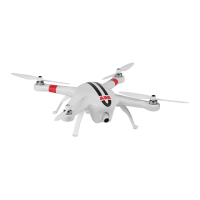
Quadcopter
Battery 5300mAh
LiPo
Weight 1.4kg
/3.091bs
Hover
Aco.Jracy
Horizontal:
2m
/6.56fl • vertical:
1m
I 3.28ft
Maximum
tilt angle
35"
Maximum
climb I descant
speed
Climb:
Bm/
s-26.25ft/s;
Descand:
5m
Is
-16.4ftls
Maximum
flight speed 20mls - 65.62ftls
(Not
recommended)
Wheelbase
450mm
11.48ft
Fllghtnme
25m
In
Cam•ra
Ambient operating temperature 0-50"C I
32~122"F
sensor Size
112.3
Effective
Pixels
16
Megapixels (MP)
Resolution
4608x3456
HD
video recording
Maximum
1
OBOP
/30fps
(N
system),
1
OBOP
/25fps
(P
system)
Transmitter
Data
I Vldeo transfer distance 1000m(3280ft) 1500m
(16401t)
Battery duration
Bh
Operating current I voltage 150mA/6V
Battery
4MBatteries
R8jMat.r
Operating Frequency
2.4GHz
Communication
Distance (open
outdoon~)
300m /984ft
Transmitting
Power
<=17dBm
Power
ConsumpUon
1.5W
3.
Common Troubleshooting
3.1
Solution
for
transmitter Joysticks center (neutral) position errors
When
there is a
big
difference
in
transmitter Joysticks neutral position, the
motors
cannot start
when
performing esc. Errors
in
transmitter Joysticks neutral position
usually occurs
in
two cases:
1.
When
Quadcopter is
ON
and
the Joysticks (except throttle) is not
in
neutral
position
-Solution:
Please
move
all transmitter Joysticks to neutral position, and
re-
start the Quadcoptar,
to
re-record the
neutral
position.
If
the
problem persists, It
may
be
caused
due
to
case
2.
2.
Transmitter Joysticks is over tuned, leading to a large shift
in
position, i.e., there
is
a large asymmetry
in
transmitter Joysticks position - Solution: Recalibrata the
transmitter.
a)
52
is
used
to calibrate the left and right joysticks.
Toggle
52
to
the position 3
(
~)
,
and
tum
on
the the transmitter.
Then
move
both
joysticks clockwise and
countarclockwise twice, ensuring
each
rotation reaches the
maximum
degrees. Afterwards, release the joysticks
and
toggle
S2
to
the position 1
(@?
) . The
video recording indicator (green)
will light up for 3 seconds
to
indicate the completion
of
the calibration. ··-··
b) RIH!lart the
Quadcopter,
and
ensure the Quadcopter starts
properly.
If
the problem cannot
be
solved
by
the above
methods,
please send the transmitter back to our factory for
repair.
3.2 Quadcopter
is
invisible and WiFi
is
disconnected
Tum
ofl the transmitter and let the Quadcoptar automatically
return.
Make
sure there are no obstructions
on
the Quadcoptar's return
path,
and
ensure
you
are
familiar
with
the procedures
on
how to
regain
control
of
the
Quadcopter.
3.3 WiFi could
not
be
re-connected
This is probably because after the
smart
devices disconnects
from
AP10's WiFi connection,
the
smart devices automatically connects
to
other WiFi
networks.
Please
check to
see
if your smart devices is connected
to
the
AP10
WiFi network.
3.4. Precautions when multiple smart devices usa the APP at the same time
During flight
if
the APP is
used
on
one
smart devices and then shifted to another smart devices, please
make
sure you completely log out
from
the
APP
in
the original
smart devices, so that the
APP
can
function normally on the other smart devices.
3.5
How
can
you
smoothly
land the Quadcoptar?
Before
performing
esc,
pull
down
the Left Joystick
to
less
than
5%
of
the Joystick level,
and
then executa esc. This
way
you
can
land
the
Quad
copter
smoothly.
23


 To Next Page