EasyManua.ls Logo

AEG 4546 - User Manual

AEG 4546
81 pages
Go to English
Print Icon
To Next Page IconTo Next Page
Loading...
Westfalia Bedienungsanleitung
Nr. 109361

Table of Contents

Questions and Answers

Summary

Safety Instructions

Basic Safety Instructions

Covers electrical connection, proper placement, and handling of the receiver.

Correct Use of Batteries

Details handling, disposal, and mixed usage of batteries for the remote control.

Explanation of the Safety Instructions

Clarifies the meaning of 'Danger' and 'Attention' warning symbols used in the manual.

Proper Use

Specifies the receiver's intended purpose and consequences of misuse.

Package Contents

Description

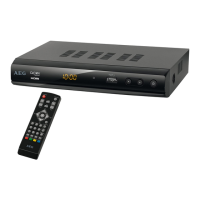
Explains the DVB-S2/HD 4546 receiver and its basic capabilities.

Further Equipment Features

Details various functionalities like EPG, PVR, and connectivity options.

Overview of the Receiver and Connection

Front of the Receiver

Identifies and explains the components and controls on the front of the receiver.

Rear of the Receiver

Identifies and explains the various connectors on the rear of the receiver.

Remote Control

Key Functions

Details the functions of the various buttons on the remote control.

Connecting the Receiver

Connecting the Antenna

Connects the receiver to the satellite antenna using an F coaxial cable.

Connecting the DVB Receiver to a Satellite System

Details connecting the coaxial cable from the satellite dish to the LNB IN connector.

Connecting with a SCART Cable

Explains connecting the receiver to a TV or VCR via SCART cable.

Connecting to an HDMI Cable

Details connecting the receiver to a TV using an HDMI cable.

Connecting to an RCA Cable

Explains connecting the receiver to a TV using RCA (composite) cables.

Connecting a Digital Audio Receiver

Details connecting the receiver's coaxial output to a digital audio system.

Commissioning

Initial Installation

Describes the setup assistant for initial receiver configuration.

Switching On and Off

Explains how to turn the receiver on and off using the standby button.

Navigating in Menus and Sub-menus

Covers navigation within the receiver's menus and submenus.

Changing System Settings

Picture Settings

Allows adjustment of aspect ratio, resolution, TV format, and video output.

Language Settings

Enables setting OSD, subtitle, and audio languages, plus digital audio output.

Time Settings

Covers clock and timer configuration, including sleep timer.

USB Settings

Photo Configure

Settings for photo display, including slide time, mode, and aspect ratio.

Movie Configure

Settings for movie playback, including subtitle size, background, and font color.

PVR Configure

Options for configuring USB storage for recording, including formatting.

Changing the Satellite Settings

LNB Type

Specifies the correct LNB type for the satellite system.

LNB Power

Sets the appropriate power supply for the LNB.

22 KHz

Explains the 22 KHz modulation for switching between LNBs or ranges.

Toneburst

Describes activating or deactivating Toneburst for satellite switching.

DiSEqC 1.0;1.1

Details settings for DiSEqC switching, used with multi-switches.

Motor

Explains settings for DiSEqC motor control units.

Searching Channels

Satellite Search

Guides through searching for channels based on satellite and scan mode.

Transponder Search

Explains how to search for channels on specific transponders.

Changing the Password (PIN Code)

Factory Defaults

Resets the receiver to its original delivery condition, deleting all settings.

Operation

Basic Operating Steps

Covers fundamental operational actions.

Switching Between Radio and TV Mode

Explains how to switch between TV and radio modes.

Selecting Channel

Describes methods for changing channels using arrow keys or numerical input.

Volume

Details how to adjust volume and mute the sound using the remote control.

Program Manager

Explains how to access program settings and edit channels.

Delete

Describes how to delete channels from the program table.

Add Favourites

Explains how to add and remove channels from the favorites list.

Lock

Explains how to lock stations, requiring a password for access.

Shift

Describes how to rearrange the order of stations for personal preference.

Skipping Channels

Explains how to skip channels during sequential browsing.

Rename and Sort

Details how to rename channels and sort them by various criteria.

Show Favorite List

Explains how to call up and navigate the list of favorite channels.

Displaying Teletext

Describes how to access and navigate teletext pages.

Selecting an Audio Setting

Explains how to switch between stereo and mono audio settings.

Recall

Describes switching between the last selected channel or viewing recent channels.

USB Connection

Multimedia

Explains how to play music, photos, and movies from a USB device.

PVR Function

PVR (Recording Menu)

Shows how to access and play recorded shows from a USB device.

PVR, Renaming Recordings

Explains how to rename recorded files.

PVR, Deleting Recordings

Explains how to delete recorded files.

Formatting a USB Storage Device

Details how to format a USB storage device for PVR use.

EPG (Electronic Program Guide)

Preselecting; Programming Shows

Explains how to schedule broadcasts for recording or viewing via EPG.

Editing Preselected; Programmed Shows

Details how to edit or delete scheduled programs in the EPG.

Additional Functions

Covers extended EPG capabilities.

Displaying Information

Shows how to display program information, including frequency details.

Show Channel List

Explains how to view and select channels from the list.

Search a Station by Name in the List

Describes how to search for channels by name using an on-screen keyboard.

Removing

Cleaning

Provides instructions and warnings for cleaning the receiver.

Disposal

Guides on proper disposal of the receiver and batteries.

Meaning of the “Dustbin Symbol”

Explains the symbol indicating proper disposal of electrical equipment.

Technical Data

Troubleshooting

Glossary

AEG 4546 Specifications

General IconGeneral
BrandAEG
Model4546
CategoryReceiver
LanguageEnglish

Related product manuals