38
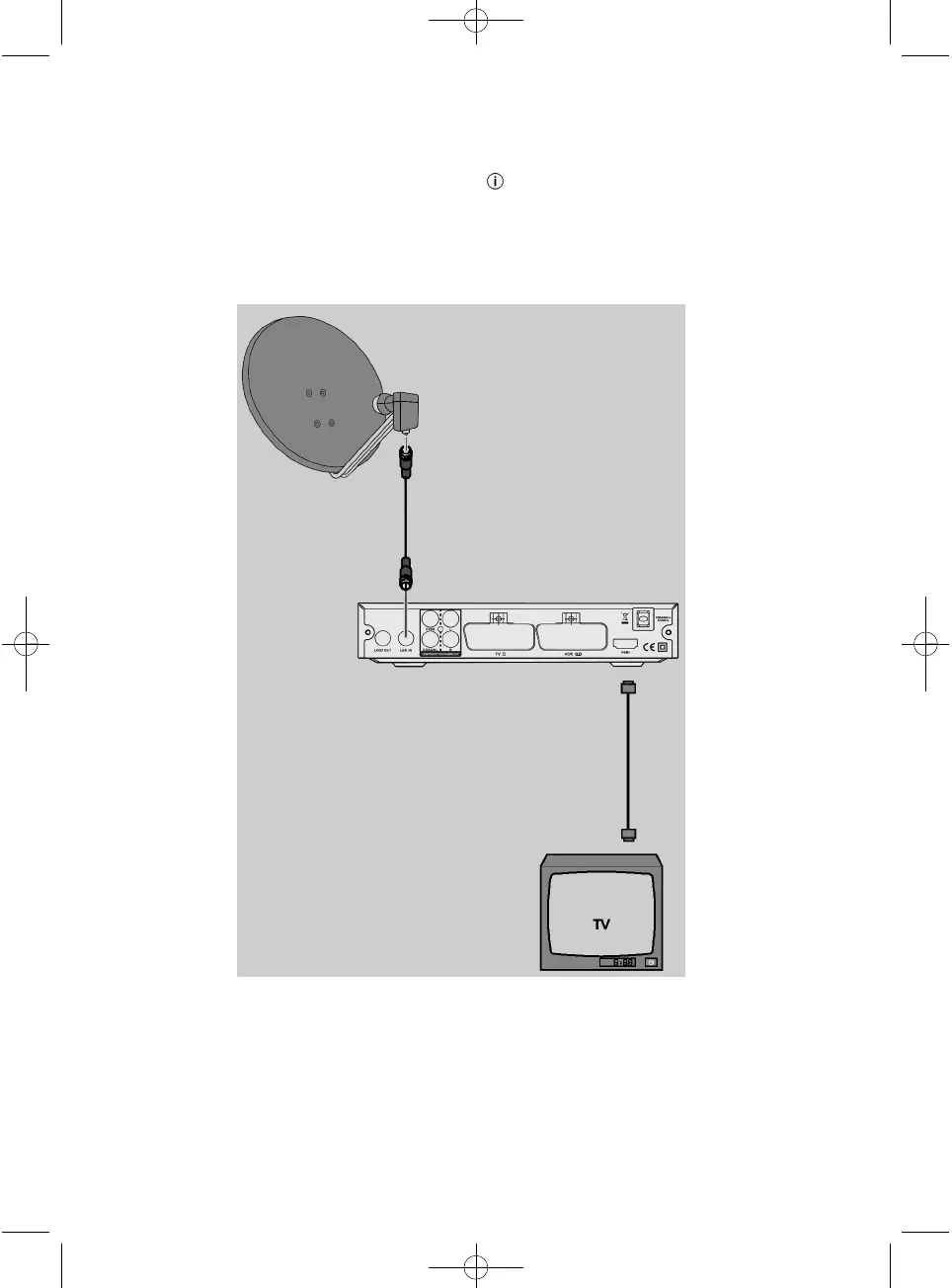
Connection schematic
Connecting to an HDMI cable
Take the coaxial cable coming from the satellite
dish and connect it to the "LNB IN" antenna
connector on the receiver.
Insert the HDMI cable into the "HDMI" HDMI
connection on the receiver.
Connect the HDMI cable to the TV set. Note the
operating instructions supplied for your TV set.
The HDMI cable is not included.
AEG_BDA_DVB-S2_4546_GB.qxd:CL_BDA_DVB_T776_GB_ka.qxd 22.01.2010 11:33 Uhr Seite 38


 To Next Page