11.6 Wi-Fi Always On
The Wi-Fi Always On function is available in
the App.
This function keeps the appliance connected
to the network even when the appliance is
turned off.
The indicator goes on and off
intermittently (1 second on , 5 seconds off).
It is possible to turn the appliance on by
pressing the On/Off button or through the
App.
The Wi-Fi Always On function may affect
your energy consumption.
12. DAILY USE
WARNING!
Refer to Safety chapters.
12.1 Activating the appliance
1. Connect the mains plug to the mains
socket.
2. Open the water tap.
3. Press the On/Off button for a few
seconds to activate the appliance.
A short tune sounds. The appliance
automatically proposes a default programme.
The relevant indicator illuminates.
The display shows the cycle duration, the
maximum load (for a few seconds), the
default temperature, the default spin speed
and the indicators of the phases making up
the programme.
12.2 Loading the laundry
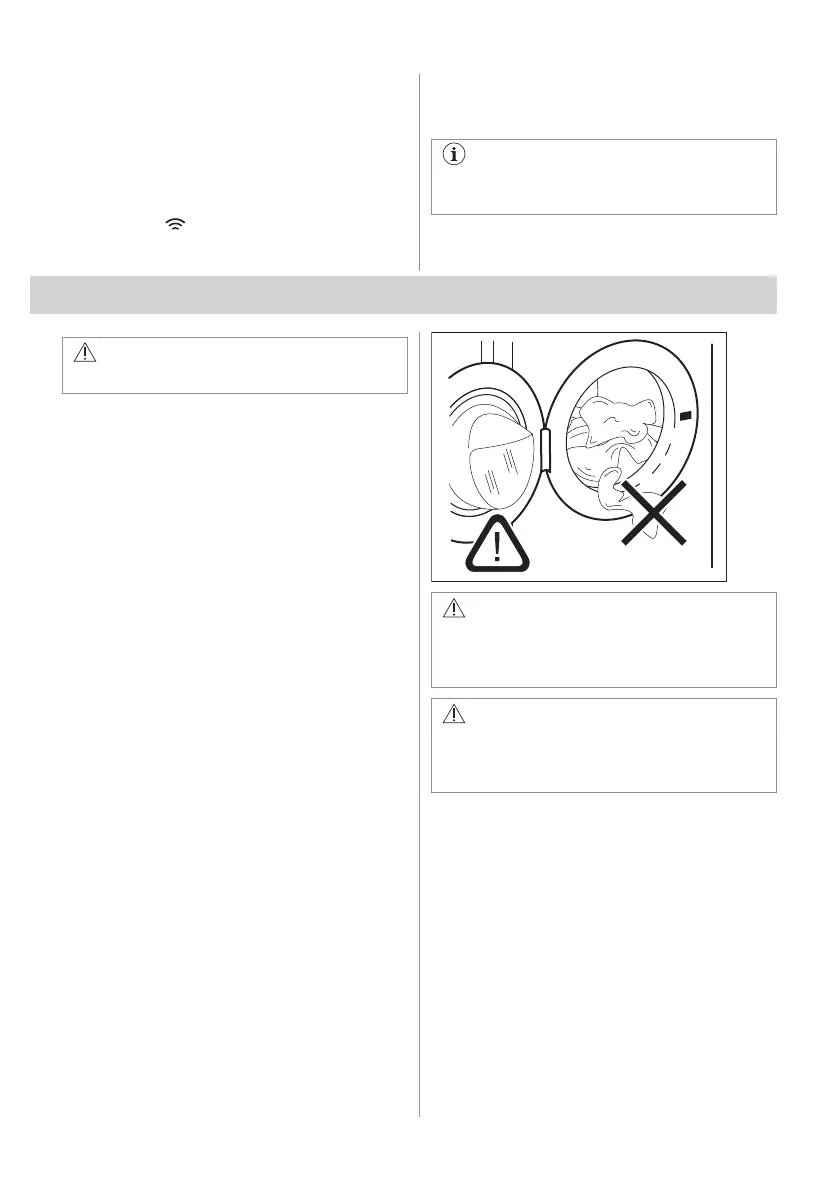
1. Open the appliance door.
2. Shake the items before you put them in
the appliance.
3. Put the laundry in the drum, one item at a
time.
Make sure not to put too much laundry in the
drum.
4. Close the door firmly.
CAUTION!
Make sure that no laundry stays between
the seal and the door. There is a risk of
water leakage or damage to the laundry.
CAUTION!
Washing heavily oiled, greasy stains
could cause damage rubber parts of the
appliance.
ENGLISH 29



 To Next Page