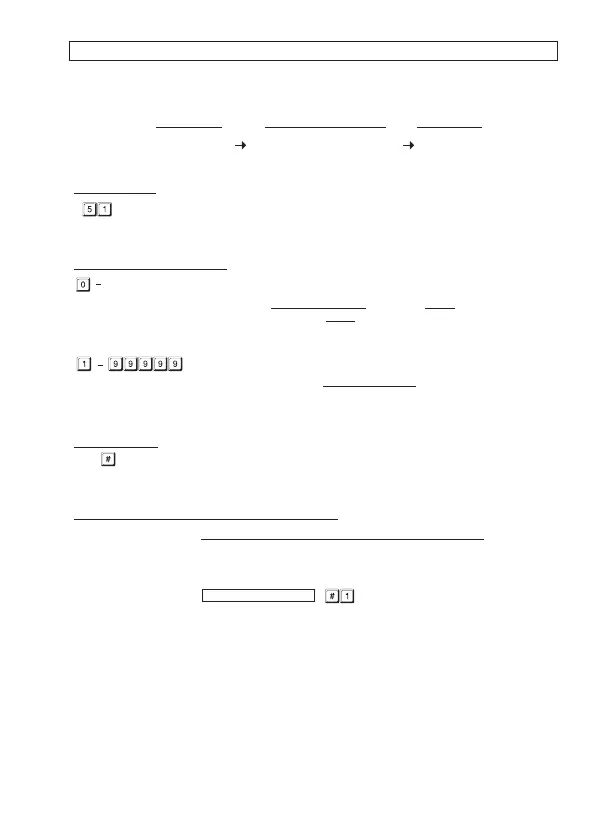
OUTPUT MODE & TIMING FOR OUTPUT 1 (Locations 51 & 52)
The two relay outputs are programmable for Start/Stop or Timing modes. Apart from door access
control, alarm arm-disarm control, they are also universal timers for automatic operators in
industry with their 99,999 seconds (over 24 hours) programmable timer.
(1) LOCATIONS
-- Location for Output 1
(2) OUTPUT MODE & TIMING
Start /Stop Mode (Toggle)
The number 0 sets the output to Start / Stop mode. The output Starts when an User Code
and/or Card is entered/read; the output Stops when an User Code and/or Card is
entered/read again.
-- Seconds Momentary --- (Default -- Momentary 5 Seconds)
The output can be set in Momentary Mode with the time of 1 second to
99,999 seconds. The output will reset automatically when the time
expires.
(3) VALIDATION
Press key once. Two-beeps confirms the entry.
RESET OUTPUT TIMER WITH SUPER USER CODE
The Output Timer can be RESET manually at anytime with the Super User Code that operates
the desired output before the end of the time.
Example:
Reset Output 1 Timer -- ------------- Output 1 stops
SUPER USER CODE
OUTPUT MODE & TIME VALIDATIONLOCATIONS
or
-
(3)(2)(1)
EXAMPLES:
Example 1: Set a “One Time Visitor Code” with the number of “1 2 6 8” for the Output 1
(a) (b) (c) (d) (e)
(a) Visitor Code Programming, (b) The Visitor ID, (c) An One Time Code, (d) The Visitor Code, (e)
Example 2: Set a “Visitor Code” with the number of “1 3 7 8” that is valid for three hours
(a) (b) (c) (d) (e)
(a) Visitor Code Programming, (b) The Visitor ID, (c) Valid for 3 Hours, (d) The Visitor Code, (e)
Example 3: Delete a “Visitor Code” from Vistor ID 02 in the memory
(a) (b) (c)
(a) Visitor Code Programming, (b) The Visitor ID, (c) Delete Confirmation
Example 4: Clear all “Visitor Codes” in Location 40
(a) (b) (c)
(a) Visitor Code Location, (b) The Deletion Command Code, (c) Confirmation, all Visitor Codes are
Entry Confirmation
Entry Confirmation
cleared


 To Next Page